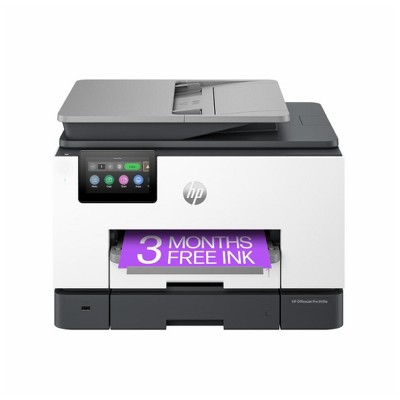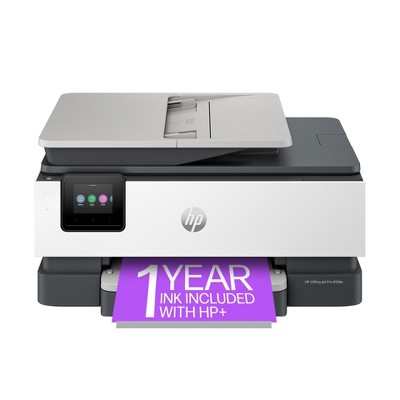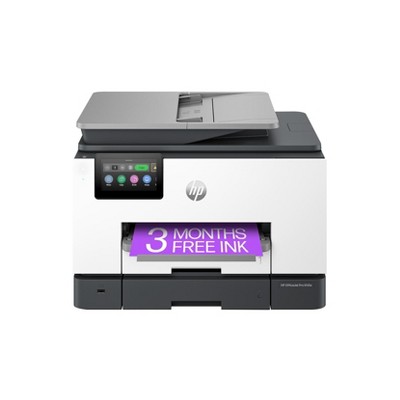
New ArrivalsHealth & WellnessValentine’s DayClothing, Shoes & AccessoriesHomeKitchen & DiningGroceryHousehold EssentialsFurnitureOutdoor Living & GardenBabyToysVideo GamesElectronicsMovies, Music & BooksBeautyPersonal CareGift IdeasParty SuppliesCharacter ShopSports & OutdoorsBackpacks & LuggageSchool & Office SuppliesPetsUlta Beauty at TargetTarget OpticalGift CardsBullseye’s PlaygroundDealsClearanceTarget New Arrivals Target Finds #TargetStyleHanukkahStore EventsAsian-Owned Brands at TargetBlack-Owned or Founded Brands at TargetLatino-Owned Brands at TargetWomen-Owned Brands at TargetLGBTQIA+ ShopTop DealsTarget Circle DealsWeekly AdShop Order PickupShop Same Day DeliveryRegistryRedCardTarget CircleFind Stores
HP Envy 6555e Wireless All-in-One Color Printer Scanner Copier with Instant Ink & HP+ (714N5A) - 2 of 4HP Envy 6555e Wireless All-in-One Color Printer Scanner Copier with Instant Ink & HP+ (714N5A) - 3 of 4HP Envy 6555e Wireless All-in-One Color Printer Scanner Copier with Instant Ink & HP+ (714N5A) - 4 of 4
HP Envy 6555e Wireless All-in-One Color Printer Scanner Copier with Instant Ink & HP+ (714N5A) - 1 of 4

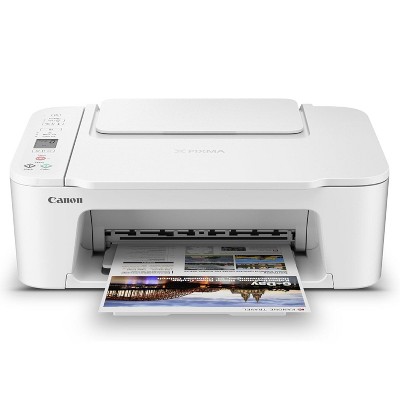
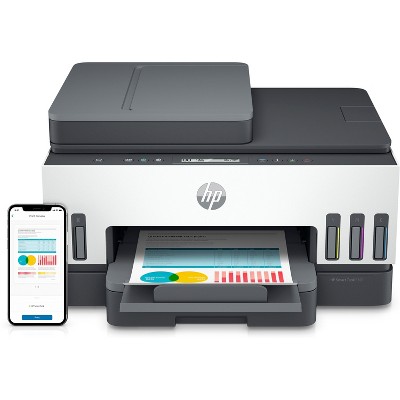
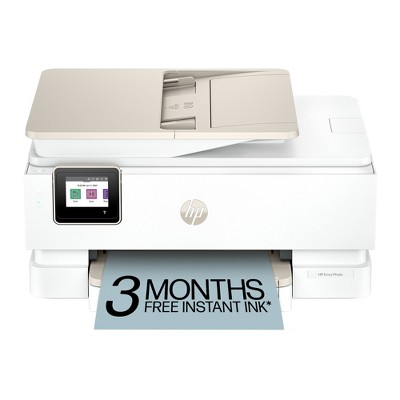
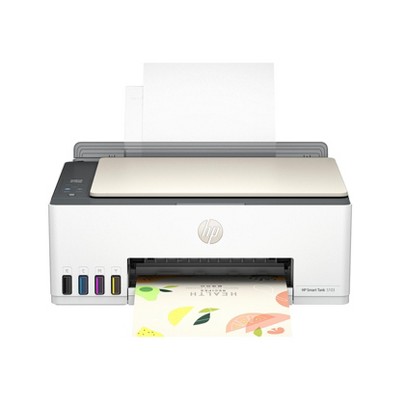
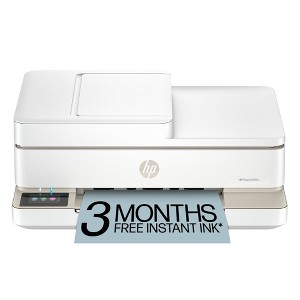
HP Envy 6555e Wireless All-in-One Color Printer Scanner Copier with Instant Ink & HP+ (714N5A)

$179.99

In Stock

Eligible for registries and wish lists

Sponsored

About this item

Highlights

  • Best for home printing
  • Print, scan, copy and fax on the go with HP Smart app
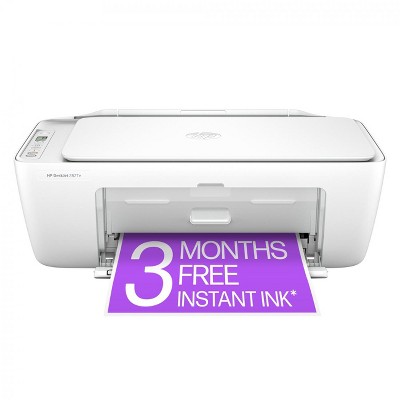
  • 3 months of free Instant Ink included + 1 bonus month for a limited time, with code: HOLIDAY25
  • Built-in wireless
  • Easy mobile setup
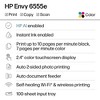
  • Print up to 10 pages per minute (black), 7 pages per minute (color)
  • 35-sheet auto document feeder
  • USB 2.0

Description

The HP Envy 6555e All-in-One delivers color printing, scanning and copying, plus a 35-sheet auto document feeder and 100-sheet paper capacity. It includes wireless and mobile printing capabilities to keep your multifunction printer connected, and prints high-quality documents and photos every time with true-to-screen tech. This inkjet printer also lets you easily navigate print jobs with its intuitive color touchscreen.

FROM AMERICA'S MOST TRUSTED PRINTER BRAND: The Envy 6555e is perfect for homes printing everyday high-quality color documents like homework and borderless photos. Print speeds up to 7 ppm color, 10 ppm black.

Bonus 1 month of Instant Ink
Enter code "HOLIDAY25" to get 1 bonus month in addition to the 3 months of free Instant Ink service already included with this printer.

KEY FEATURES: Color print, copy and scan, plus auto 2-sided printing, a 35-sheet auto document feeder and a 100-sheet input tray

HP'S MOST INTUITIVE COLOR TOUCHSCREEN: Smoothly navigate your printer with the easy-to-use 2.4" touchscreen

WIRELESS PRINTING: Stay connected with our most reliable dual-band Wi-Fi®, which automatically detects and resolves connection issues

TRUE-TO-SCREEN TECH: Print documents and photos that look as vibrant as they do on your screen with HP's P3 technology

HP APP: Print, scan, copy, or fax right from your smartphone with the easiest-to-use print app

3 MONTHS OF FREE INK WITH HP+ ACTIVATION: Subscribe to Instant Ink delivery service to get ink delivered directly to your door before you run out. After 3 months, monthly fee applies unless cancelled, and you save up to 50%.

SUSTAINABLE DESIGN: Made with at least 60% recycled plastic. Choose HP to help forests thrive—for every page you print, HP protects, restores and manages forests.

DYNAMIC SECURITY: This printer is intended to work only with cartridges with original HP chips or circuitry and will block cartridges using non-HP chips or circuitry. Periodic firmware updates will maintain the effectiveness of these measures. More at www.hp.com/learn/ds.
Dimensions (Overall): 16.1 Inches (H) x 18.62 Inches (W) x 18.74 Inches (D)
Weight: 18.08 Pounds
B&W Print Speed: 10 Pages per Minute
Color Print Speed: 7 Pages per Minute
Electronics Condition: New
Electronics Features: Printer
Connection Type: USB
Maximum capacity: 100 Sheets
Operating System Compatibility: Windows Mobile, macOS
Maximum Resolution: 1200 x 1200 (Color)
Wireless Technology: Wi-Fi
Printer Ink Color: White
Compatible With: Up to 8.5" x 14" Documents
Ink Series: HP 68 Series
Battery: No Battery Used
Warranty: 1 Year Limited Warranty. To obtain a copy of the manufacturer's or supplier's warranty for this item prior to purchasing the item, please call Target Guest Services at 1-800-591-3869
TCIN: 92146005
UPC: 197029817617
Item Number (DPCI): 056-03-0109
Origin: Imported
If the item details aren’t accurate or complete, we want to know about it.

Shipping details

Estimated ship dimensions: 18.7 inches length x 16.2 inches width x 8.4 inches height
Estimated ship weight: 17.55 pounds

Return details

This item can be returned to any Target store or Target.com.
This item must be returned within 30 days of the date it was purchased in store, shipped, delivered by a Shipt shopper, or made ready for pickup.
See the return policy for complete information.

Q: Does this printer require an ink subscription to work? If you cancel the subscription does it stop working?

submitted by Flaff - 11 months ago
  • A: Hello and thank you for asking. The HP Envy 6555e printer is eligible to participate in the optional HP+ program and to optionally subscribe to HP Instant Ink, where you save up to 50% on ink and never run out. Again, both programs are 100% optional. If you do elect to subscribe to Instant Ink and then cancel the subscription, the printer will stop working on your last billing date. Just replace both Instant Ink cartridges with genuine HP 68 ink cartridges and your printer work again. When you cancel Netflix, you cannot watch shows or movies there any longer, so if you cancel Instant Ink, you would not be able to use the ink in those cartridges any longer.

    submitted byHP Team - 11 months ago
    Brand expert

Q: Do I have to subscribe to an internet program

submitted by Erf - 10 months ago
  • A: Thanks for your question. You do not have to subscribe to HP Instant Ink to use the HP Envy 6555e printer. You can still buy the ink cartridges.

    submitted byHP Team - 9 months ago
    Brand expert

Q: Can this printer reduce or increase original documents to a custom size?

submitted by Simply - 11 months ago
  • A: Hello and thank you for asking. You can use the free HP Smart app on your computer or smartphone to enlarge or reduce copies of documents for printing on the HP Envy 6555e printer.

    submitted byHP Team - 11 months ago
    Brand expert

Q: How long does the ink?

submitted by Michelle R - 1 year ago
  • A: Hi Michelle R, thanks for reaching out about HP Envy 6555e Wireless All-in-One Color Printer Scanner Copier with Instant Ink and HP+ (714N5A) This printer utlizes the 68 TriColor (approx 120 pages) the 68 Black (approx 160 pages) and the 68e Black (320 pages) If you have any additional questions, we welcome you to contact MyTGTtech at 833-848-8324 every day, between 7am-11pm CST.

    submitted byJustin - 1 year ago
    Target expert support
  • A: Thank you for your question, the HP Envy 6555e uses HP 68 ink. The black ink yields about 160 pages and the tri-color yields about 120 pages.

    submitted byHP Team - 1 year ago
    Brand expert

Q: Has anyone had any issues with the printer staying connected to the wireless connection?

submitted by Tdownes68 - 1 year ago
  • A: Yes, the printer has a problem recognizing the router after awhile

    submitted byGayle - 1 year ago
  • A: Thank you for your purchase of this HP Envy printer! I am sorry to hear about your experience with the wireless connection. You can contact HP Support and they can diagnose the cause and give you a resolution.

    submitted byHP Team - 1 year ago
    Brand expert

Q: can it connect by usb to computer

submitted by Love instant pot - 19 days ago
  • A: Hi, thank you for reaching out about HP Envy 6555e Wireless All-in-One Color Printer Scanner Copier with Instant Ink & HP+ (714N5A). Yes, the HP Envy 6555e printer can connect to a computer via a USB cable. It has a built-in Hi-Speed USB 2.0 port for a device connection, in addition to its wireless capabilities. If you have any additional questions, we welcome you to contact MyTGTtech at 833-848-8324 every day, between 7am-11pm CST.

    submitted byMatt - 17 days ago
    Target expert support

Q: If you do not use this printer on a regular basis (daily or weekly), will the ink cartridges dry out so you are unable to print like most other printers?

submitted by Rachele - 23 days ago
  • A: Hi, thanks for reaching out about HP Envy 6555e Wireless All-in-One Color Printer Scanner Copier with Instant Ink & HP+ (714N5A). That is a very common and frustrating issue with inkjet printers, especially for infrequent users. The short answer is: Yes, the ink in the HP Envy 6555e can and likely will dry out if you do not use it for several weeks or months, just like most other inkjet printers. HP+ and Instant Ink are services for cartridge replacement and connectivity; they do not change the fundamental nature of the liquid ink used in the printer. If you have any additional questions, we welcome you to contact MyTGTtech at 833-848-8324 every day, between 7am-11pm CST.

    submitted byJoe - 21 days ago
    Target staff support

Q: Can this pri t shipping labels

submitted by Grams - 26 days ago
  • A: Hi, thanks for reaching out about HP Envy 6555e Wireless All-in-One Color Printer Scanner Copier with Instant Ink & HP+ (714N5A) Yes, this printer can print shipping labels, as it is a standard inkjet printer that can handle various media types. If you have any additional questions, we welcome you to contact MyTGTtech at 833-848-8324 every day, between 7am-11pm CST.

    submitted byMike - 24 days ago
    Target expert support

Q: Can you fax with this printer

submitted by Karen - 26 days ago
  • A: Hi, thanks for reaching out about HP Envy 6555e Wireless All-in-One Color Printer Scanner Copier with Instant Ink & HP+ (714N5A). That is a great question, as many modern all-in-one printers omit the fax feature. No, the HP Envy 6555e Wireless All-in-One Printer does NOT have a traditional, built-in fax function (meaning, it does not have a physical phone line port for an RJ-11 cable). However, because the 6555e is an HP+ enabled printer, you may be able to utilize a mobile fax service provided by HP's Smart App. If you have any additional questions, we welcome you to contact MyTGTtech at 833-848-8324 every day, between 7am-11pm CST.

    submitted byJoe - 25 days ago
    Target staff support

Q: What is the difference between HP ENVY 6155e and HP ENVY 6555e?

submitted by Judy - 29 days ago
  • A: Hi, thanks for reaching out about the HP Envy 6555e Wireless All-in-One Color Printer Scanner Copier with Instant Ink & HP+ (714N5A) The HP ENVY 6555e and the HP ENVY 6155e are nearly identical in their core printing functions, but the 6555e includes one major feature that the 6155e lacks: The main difference is the Automatic Document Feeder (ADF) for the scanner/copier. If you have any additional questions, we welcome you to contact MyTGTtech at 833-848-8324 every day between 7 am and 11 pm CST.

    submitted byRena - 27 days ago
    Target expert support

Related Categories

Guests are saying

The HP Envy 6552e printer is a versatile all-in-one device that excels in printing, scanning, and copying, making it ideal for home and small office use. Guests appreciate its compact design, user-friendly setup, and excellent print quality. The wireless connectivity allows for convenient printing from various devices, while the instant ink subscription offers a hassle-free ink management solution. Overall, it combines functionality with modern aesthetics, ensuring a satisfying user experience.
    Summary created by AI from text of reviews reflecting recent feedback provided across different star ratings (includes incentivized reviews)
    4.2 out of 5 stars with 1312 reviews
    quality: 2.6 out of 5
    value: 2.5 out of 5
    35% would recommend
    20 recommendations
    4 out of 5 stars
    30 December, 2025
    originally posted on store.hp.com
    Image

    Were Hp having a joke?

    I like the white finish. Ink change to the larger cartridge was easy. I was disconcerted when my first scan appeared inverted but it was a relief (joke) when it rotated when I selected 'apply"
    Did you find this review helpful?
    5 out of 5 stars
    28 December, 2025
    originally posted on store.hp.com
    Image

    HP Envy printer

    HP Envy printer is fabulous, so easy to use and excellent results
    LouK
    Did you find this review helpful?
    5 out of 5 stars
    20 December, 2025
    originally posted on store.hp.com
    Image

    Top Gear (Printer)

    For such a small box and a very acceptable price, this is a box of tricks. It prints two sides, automatically!
    Martin in Melbourne
    Did you find this review helpful?
    2 out of 5 stars
    18 December, 2025
    originally posted on hp.com
    Image

    Read printer reviews before purchasing

    I bought this last month to replace my old HP all in one printer which had been a great servant Should have read the reviews first. Didn’t realise I couldn’t scan to PC from the control panel and nor did I expect to find my self continually logging into HPSmart.
    JamesM
    Did you find this review helpful?
    5 out of 5 stars
    18 December, 2025
    originally posted on hp.com
    Image

    Great featues

    I bought this recently and am very pleased with it
    Did you find this review helpful?
    1 out of 5 stars
    17 December, 2025
    originally posted on store.hp.com
    Image

    CRAP DEAL

    THE PRODUCT IS NOT WHAT WAS ORDERED
    Did you find this review helpful?
    2 out of 5 stars
    16 December, 2025
    originally posted on hp.com
    Image

    BOOOOO

    This is the replacement to the same model printer that got stuck on the "jammed paper" error when there was not a paper jam. My new HP 6155e continually goes off line requiring me to restart my modem and re-setup the wifi on the printer. Very tedious and untrustworthy device. When it prints, I cannot complain, but these desktop printers are problematic.
    Anne's home office
    Did you find this review helpful?
    5 out of 5 stars
    12 December, 2025
    originally posted on hp.com
    Image

    Replaced printer

    I have replaced my Deskjet, much clearer printing, easy to use, the ink was a bit fiddly to install but overall very pleased. What do I do with the Deskjet?
    Old guy
    Did you find this review helpful?
    5 out of 5 stars
    12 December, 2025
    originally posted on hp.com
    Image

    Looks good

    I bought this to replace an old hp printer which was well passed its seĺl-by date. It was easy to set-up with the help of vj at the hp help centre. It prints well and is easy to use.
    Barry e
    Did you find this review helpful?
    1 out of 5 stars
    Thumbs down graphic, would not recommend
    12 December, 2025

    For simple printing ONLY

    If you need a printer for one-sided printing, then good. If you need to do double sided printing and have an odd number of pages to print, the first page will not print on both sides. The documents starts printing from the last page then, when it prints it's final page, being page 1, it will print that page, take it back in, and prints a blank page. If the printer started printing from the first page, then it would be okay. I cannot find any setting to correct this. This is the most worthless printer ever. Further, for printing pictures, or fails on that too. It's like a zoomed-in version of what you're trying to print. Unable to shrink the image down to fit on the printable area. Again, this printer is not worth it.
    Constance
    quality: 3 out of 5
    value: 1 out of 5
    Did you find this review helpful?
    5 out of 5 stars
    12 December, 2025
    originally posted on hp.com
    Image

    love it

    I bought this a month ago and I am so happy with it i only wish I had done so sooner
    Krisken
    Did you find this review helpful?
    5 out of 5 stars
    11 December, 2025
    originally posted on hp.com
    Image

    Perfect printer

    So happy with this printer. It’s easy to set up and prints really well. Would purchase again.
    Emmi
    Did you find this review helpful?
    5 out of 5 stars
    11 December, 2025
    originally posted on hp.com
    Image

    Great Value

    Bought this a few weeks ago Great product great deal and love the 6 months ink
    Kazza01
    Did you find this review helpful?
    5 out of 5 stars
    11 December, 2025
    originally posted on hp.com
    Image

    Great HP printers

    I absolutely love it I can print copy double sided and more. I probably could on old one cos that was an hp but I’ve had it years My new printer is so easy to use even for an 80yr old and I set it up by myself. Couldn’t be a better printer
    Fozzie
    Did you find this review helpful?
    1 out of 5 stars
    Thumbs down graphic, would not recommend
    9 December, 2025Verified purchase

    (no review title)

    Broke immediately and could not fix it
    Allison
    quality: 1 out of 5
    value: 1 out of 5
    Did you find this review helpful?
    4 out of 5 stars
    9 December, 2025Verified purchase

    (no review title)

    Easy for a non tech old lady to install
    Jan
    Did you find this review helpful?
    5 out of 5 stars
    30 November, 2025
    originally posted on hp.com
    Image

    Happy

    Good go Home
    JJBJ
    Did you find this review helpful?
    1 out of 5 stars
    29 November, 2025
    originally posted on hp.com
    Image

    It was great

    I bought this about a month ago and it's stopped working, apparently it's a software issue. Not impressed with it at all .
    Me72
    1 guest found this review helpful. Did you?
    5 out of 5 stars
    27 November, 2025
    originally posted on hp.com
    Image

    Uncertainty

    Happy with the product but in limbo regarding Instant Ink assurance. Concerned that ink will run out and I will not have replacement!?!
    SeanO
    Did you find this review helpful?
    2 out of 5 stars
    Thumbs down graphic, would not recommend
    24 November, 2025Verified purchase

    A printer for your enemies

    Not a fan of this printer. I only occassionally print and for the price, it seemed like a good choice. I also consider myself to be pretty tech savy, so set up for me wasn't terrible... However, upon opening (about a month after I purchased it), after turning it on, it kept giving me an error saying paper jam. It is brand new, so I'm not sure why it would already say that. I cannot get it to clear that error. I can still print if I hide the error message. I have looked in all possible areas and there is no paper jam. I suppose if I take it apart, it might work, but I'm afraid I won't be able to get it back together. The other day, I tried to scan something and it won't go through the top feeder. So, I tried using the flat glass scanning option, but the light from the scanner is creating weird lines on my scan. Overall, I hate this printer and would not recommend it to anyone.
    ConvenienceMama
    quality: 2 out of 5
    value: 2 out of 5
    3 guests found this review helpful. Did you?

    Get top deals, latest trends, and more.

    Privacy policy

    Footer

    About Us

    About TargetCareersNews & BlogTarget BrandsBullseye ShopSustainability & GovernancePress CenterAdvertise with UsInvestorsAffiliates & PartnersSuppliersTargetPlus

    Help

    Target HelpReturnsTrack OrdersRecallsContact UsFeedbackAccessibilitySecurity & FraudTeam Member ServicesLegal & Privacy

    Stores

    Find a StoreClinicPharmacyTarget OpticalMore In-Store Services

    Services

    Target Circle™Target Circle™ CardTarget Circle 360™Target AppRegistrySame Day DeliveryOrder PickupDrive UpFree 2-Day ShippingShipping & DeliveryMore Services
    PinterestFacebookInstagramXYoutubeTiktokTermsCA Supply ChainPrivacy PolicyCA Privacy RightsYour Privacy ChoicesInterest Based AdsHealth Privacy Policy