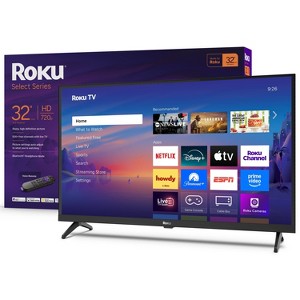
Roku 32" Select Series 720p HD Smart Roku TV with Roku TV Remote
$119.99 reg $149.99
Sale save $30.00 (20% off)
In Stock
Eligible for registries and wish lists
At a glance
About this item
Additional product information and recommendations
Discover more options
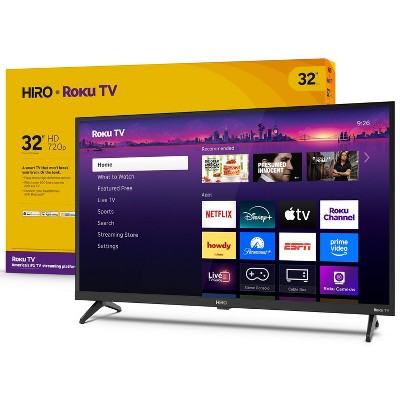
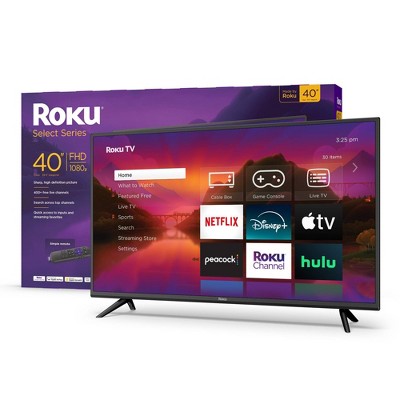
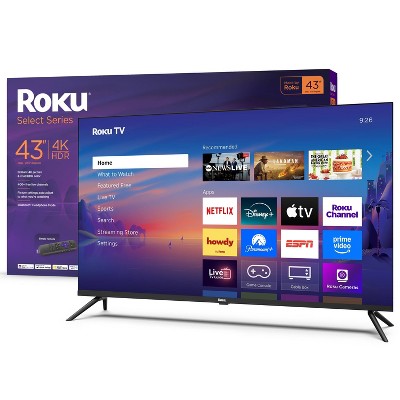
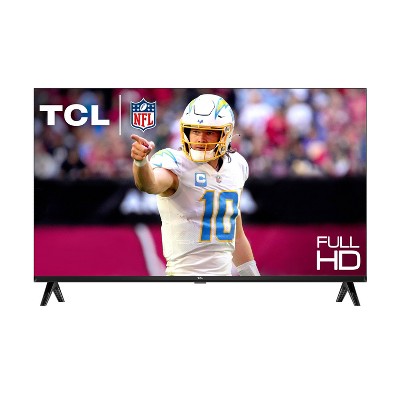


Related Categories
Guests also viewed
4.4 out of 5 stars with 464 reviews
black levels: 4.18 out of 5
brightness: 4.25 out of 5
color quality: 4.28 out of 5
features: 4.13 out of 5
sound quality: 4.05 out of 5
58% would recommend
51 recommendations
5 out of 5 stars
Thumbs up graphic, would recommend
22 February, 2026Verified purchase
Bang for your buck!
We purchased this tv as a gift, perfect size for a smaller space, and apps etc are easy to use.
2 out of 5 stars
Thumbs down graphic, would not recommend
3 February, 2026Verified purchase
Target / Roku selling a device with a known audio glitch - do not buy!
This tv has a huge volume jump from volume level 4 to 5. This means it's too quiet at levels 1 through 4 and too loud from level 5 on up. I just spent an hour on the phone with Roku tech support. Two different people admitted that this is a "known" glitch with this model being sold at Target. They walked me through several steps and eventually had me do a full factory reset. None of that helped. Just wasted a lot of my time. The tv is going back to Target. Really disappointed in Target and Roku for selling an item that has a known defect. The features and screen resolution all seemed fine. Too bad about the audio.
1 reply from Roku Support team - 21 days ago
Hello there, we're sorry for the experience you had with our support team. We’ve shared your experience directly with our product and support team to ensure we do better. Thank you for the honest feedback on the display quality, and we hope to earn back your trust in the future. If you have other questions or issues with your Roku, we welcome you to contact us at support.roku.com/contactus. Thanks for choosing Roku, and Happy Streaming! Bernie, Roku Customer Advocate
4 out of 5 stars
30 January, 2026Verified purchase
Stands did not install easily
Feet/ stands were horrible to get on. Screws were not easy to get in. Took me way too long and then had to have someone else do it. Annoying as I should have had it set up in 2 min.
5 out of 5 stars
Thumbs up graphic, would recommend
28 January, 2026Verified purchase
Great little TV
Lightweight, easy to hook up. Great picture and sound.
5 out of 5 stars
27 January, 2026
originally posted on roku.com

great little tv
very happy with the purchase. easy format - not too busy.
5 out of 5 stars
24 January, 2026
originally posted on roku.com
Great experience
Great experience for past 2 months. Have cable as well as streaming channels at the push of a remote button!!
5 out of 5 stars
23 January, 2026
originally posted on roku.com
Glad I purchased this television
This television has a great picture, and features. It is very user friendly as well.
4 out of 5 stars
23 January, 2026
originally posted on roku.com
Great picture quality for the money.
The picture quality is great and set up was super easy. The only complaint I have is the stand that is a bit wobbly.
5 out of 5 stars
23 January, 2026
originally posted on roku.com
Great tv.
I love it. Plugged it in and was no problem to set up.
5 out of 5 stars
23 January, 2026
originally posted on roku.com
Roku is better than Fire and Google systems.
Dumped my Insignia tv and got a Roku system to match my other 4 TVs.
4 out of 5 stars
23 January, 2026
originally posted on roku.com
So clear picture and enjoy the sound
I bought this tv a month or so ago. Very glad I did. Has really entertained me and very clear nice picture. Good sound for me. Is on the light weight side.I did not want it mounted on my wall so sitting on a table. I had to mover over the dresser next to it to be sure it did not tip forward if cat were to jump up etc. Just an excellent picture
5 out of 5 stars
23 January, 2026
originally posted on roku.com
Easy to use
Love the programing and easy to use remotes and my phone as a remote
4 out of 5 stars
23 January, 2026
originally posted on roku.com
Great visuals and audio.
I bought this Tv about a month ago and it works great I also like how the texture of the newly designed tv remote. Very easy to use the television comes with parental control and the ability to download apps. Such as Netflix, Tubi, and the Roku app with clean clear crisp streaming.
5 out of 5 stars
23 January, 2026
originally posted on roku.com
Great Price & Great quality
We bought our ROKU TV last month, this is our second one our first is our primary. Great price, & great quality. We love the high resolution picture! We highly recommend.
5 out of 5 stars
22 January, 2026
originally posted on roku.com
Easy set-up
We bought it about a month ago and it works really well.
5 out of 5 stars
22 January, 2026
originally posted on roku.com
Great buy
Easy to set up and start using. Babyboomer so technically I'm at a disadvantage.
5 out of 5 stars
22 January, 2026
originally posted on roku.com
Very happy with purchase
I bought this Roku TV for my bedroom. It has all the streaming services that need, plus an excellent selection of live-tv channels. I also have an international DVD player attached. It is easy to navigate between services. I am very happy with this purchase.
5 out of 5 stars
22 January, 2026
originally posted on roku.com
good quality picture
I am very satisfied with the quality of the tv and the amount of choices
5 out of 5 stars
22 January, 2026
originally posted on roku.com
Great TV
I really enjoyed my larger Roku TCL TV and immediately looked for a smaller one for our bedroom. Works perfectly. Great picture. Bought a small sound bar which works great.
4 out of 5 stars
22 January, 2026
originally posted on roku.com
Great tv!
Tv volume is great! I overall love everything the tv offers. The live TV doesn't require an antenna! Only complaint is the protective film left marks around the edges of the TV. This didn't affect the picture fortunately.