Sponsored

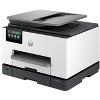
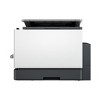
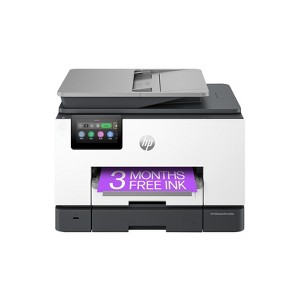
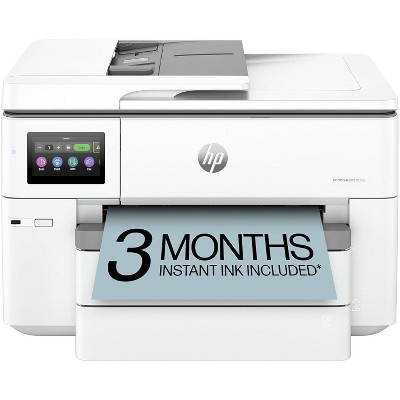
HP OfficeJet Pro 9135e Wireless All-in-One Printer with 3 Months of Instant Ink for free with HP+, AI-enabled
$300.99 reg $429.99
Sale save $129.00 (30% off)
In Stock
Eligible for registries and wish lists
Sponsored
About this item
Highlights
- Supercharged performance for small business
- Fast color print, copy, scan, fax, 2-sided prints, 2-sided scan, mobile/wireless/ethernet
- Includes 3 months HP Instant Ink and more with optional HP+ printing system
- HP's most reliable wi-fi and HP Wolf Pro Security
Description
Overview - Say hello to the professional color inkjet printer for your small office from America’s most trusted printer brand, paired with the easiest-to-use print app. Enjoy easy printing designed to make you succeed at work. Fax included. - For small and medium businesses that want a professional color inkjet printer that helps their business grow and keeps disruptions to a minimum. - This printer is intended to work only with cartridges that have a new or reused HP chip, and it uses dynamic security measures to block cartridges using a non-HP chip. Periodic firmware updates will maintain the effectiveness of these measures and block cartridges that previously worked. A reused HP chip enables the use of reused, remanufactured, and refilled cartridges. Features Empower your team with a productivity powerhouse - Always ready for high volumes, get an HP OfficeJet Pro printer equipped with two 250-page input trays. Our best technology to stay connected and secure - Stay connected with our most reliable Wi-Fi® - dual-band, self-healing - that automatically reconnects. Always be ready to print. Never run out of ink. - With an Instant Ink subscription, you can get ink delivered directly to your door before you run out. Driving innovation with 40% recycled plastic - Choose printers made with at least 40% recycled plastic. Compatible Supplies - HP 936 Black Original Ink Cartridge 4S6V2LN, HP 936 Cyan Original Ink Cartridge 4S6U9LN; HP 936 Magenta Original Ink Cartridge 4S6V0LN; HP 936 Yellow Original Ink Cartridge 4S6V1LN; HP EvoMore planned to be available April 2024: HP 936e EvoMore Black Original Ink Cartridge 4S6V6LN; HP 936e EvoMore Cyan Original Ink Cartridge 4S6V3LN; HP 936e EvoMore Magenta Original Ink Cartridge 4S6V4LN; HP 936e EvoMore Yellow Original Ink Cartridge 4S6V5LN Minimum system requirements - Windows 11, 10: 32-bit or 64-bit, 2 GB available hard disk space, Internet connection, Internet Explorer. What's in the box? - HP OfficeJet Pro 9135e AiO Printer; HP 936 Setup Black Ink Cartridge;HP 936 Setup Cyan Ink Cartridge;HP 936 Setup Magenta Ink Cartridge;HP 936 Setup Yellow Ink Cartridge;Regulatory Flyer;Ink Caution Flyer;Power Cord;Setup Poster;Reference Guide[For more information about fill and yield, ] Disclaimers - Based on 2022 Q4 shipments in the IDC Worldwide Quarterly Hardcopy Peripherals Tracker®, 2022 Q4 Release. Includes shipments of all printing devices (inkjet printers, laser printers, copiers and multifunction devices, including production units). - Compared to OEM printing apps for the majority of top-selling, network-capable inkjet/laser printers and all-in-ones for the home and office, priced ≤$450 USD. Printers selected by market share as reported by IDC Quarterly Hardcopy Peripherals Tracker – Final Historical CYQ1 2023. Claim based on research of printer manufacturer’s print apps and Keypoint Intelligence hands-on testing and study commissioned by HP, July 2023. Requires HP app download available at www.hp.com/go/mobileprinting. Certain features are available in English language only, and may vary by printer model/country, and between desktop/mobile applications. HP reserves the right to introduce charges for use of functionality facilitated by the HP app. Internet access required and may not be available in all countries. HP account required for full functionality. Fax capabilities are for sending a fax only. List of supported operating systems available in app stores. - HP OfficeJet Pro 9100 printer series has self-healing Wi-Fi and HP Wolf Pro Security, HP’s best and most reliable technologies to stay connected and secure. Internet access required and must be purchased separately. Wireless operations are compatible with 2.4 GHz and 5.0 GHz operations only. HP Security is now HP Wolf Security
Dimensions (Overall): 12.53 inches (H) x 15.6 inches (W) x 17.2 inches (D)
Weight: 26.1 pounds
B&W Print Speed: 25 pages per minute
Color Print Speed: 20 pages per minute
Electronics Condition: New
Connection Type: No Wired Connection Ports
Compatible With: Up to 8.5" x 11" Documents
Maximum Resolution: 1200 x 1200 (Black and White)
Wireless Technology: Wi-Fi
Printer Ink Color: Multiple Colors
Ink Series: HP 93 series
Battery: No Battery Used
Warranty: Multiple Warranties and/or Time Frames Apply. To obtain a copy of the manufacturer's or supplier's warranty for this item prior to purchasing the item, please call Target Guest Services at 1-800-591-3869
TCIN: 91271130
UPC: 196337284975
Origin: imported
The above item details were provided by the Target Plus™ Partner. Target does not represent or warrant that this information is accurate or complete. On occasion, manufacturers may modify their items and update their labels.
We recommend that you do not rely solely on the information presented. If you have a specific question about this item, you may consult the item's label, contact the manufacturer directly or call Target Guest Services at 1-800-591-3869.
If the item details aren’t accurate or complete, we want to know about it.
Shipping details
Estimated ship dimensions: 14.84 inches length x 16.6 inches width x 13.53 inches height
Estimated ship weight: 31.24 pounds
item ships from third party seller: HP Official Store
Return details
This item can be returned to any Target store or Target.com.
This item must be returned within 30 days of the date it was purchased in store, shipped, delivered by a Shipt shopper, or made ready for pickup.
See the return policy for complete information.
Q: Is this printer compatible with macOS and iOS?
submitted by Chris - 2 years ago
A: Hi Chris, thanks for reaching out about HP Inc. OfficeJet Pro 9135e Wireless All-in-One Printer . Yes. OS-X drivers are available on the HP website and iOS compatibility is available through the HP Smart phone app. If you have any additional questions, we welcome you to contact MyTGTtech at 833-848-8324 every day, between 7am-11pm CST.
submitted byJustin - 2 years agoTarget expert support
Frequently bought together

Guests also viewed

Discover more options
Related Categories
Guests are saying
The HP OfficeJet Pro 9135e is a versatile all-in-one printer that excels in speed, print quality, and user-friendly features. Guests appreciate its easy setup, dual paper trays, and wireless connectivity, making it ideal for both home and office use. The instant ink subscription is a standout feature, ensuring guests never run out of ink. While some guests experienced connectivity issues and setup challenges, the overall performance and functionality make it a valuable addition to any workspace.
Summary created by AI from text of reviews reflecting recent feedback provided across different star ratings (includes incentivized reviews)
4.1 out of 5 stars with 272 reviews
5 out of 5 stars
23 December, 2025
originally posted on hp.com

So far it’s been pretty great.
I used the QR code for the startup. Everything worked fine.The first several Prints are beautiful! I think this was a great upgrade.
1 out of 5 stars
16 December, 2025
originally posted on hp.com
Not worth the trouble
Printer kept freezing during set up. Tried all troubleshoot options before packing it back up to return it.
3 out of 5 stars
15 December, 2025
originally posted on hp.com
Most features work for me so far!
I like the HP OJ 9135E for the most part. It copies well, prints well and works for the most part. I am not able to use the document feeder to scan and save documents and that is really frustrating. Every time I have tried to do so, even one page, it tells me there is an error. The documents go through the reader sometimes and sometimes they don't, but I get the error every time. I need to get that fixed as I have a large stack of papers that need scanning and I am still unable to do so. I also cannot figure out how to make tray 1 or tray 2 primary, and how to use either tray to print checks only. It would be nice to only have paper pull from one tray and checks from the other. We have to pull out the opposite tray when we print checks to ensure it doesn't print on plain paper. The set up was a PIA as I was not aware they needed to use Bluetooth. I do not have a Bluetooth desktop computer with that capability so I had to work around that by downloading the app to my phone, linking both to the same Wi-Fi and logging in online to set up the printer. That took way more time that I had hoped. Otherwise, it does copy just fine and printing normally when I need it to. It is used for a small business but used often. I need it to work 100% for me to rate it 5 stars.
3 out of 5 stars
10 December, 2025
originally posted on hp.com
Not As Good As My Old One
I had an old HP 8610 that finally died. It was MUCH easier to operate. To begin with, set up was a nightmare and support was anything but supportive. They were largely useless. It literally took days. Whereas the old 8610 just required the push of one button to scan, this one requires you to make multiple selections. That said, it does eventually get around to scanning. I have yet to print on any paper size other than 8 1/2" x 11". I'm not sure what adventure awaits when I attempt that. All of that said, It DOES print well. I may have an adjustment I need to make, however, and I dread making it. The support is so bad it inhibits you from trying anything new. I'd rather have my old 8610 back; but things always change. They just don't always change for the better.
5 out of 5 stars
5 December, 2025
originally posted on store.hp.com

Great buy
Can't say i did much research but this printer works like a dream with superb quality and seems to me great value. HP INK is fearfully expensive bought separately but the Instant Ink service is the way to go
5 out of 5 stars
23 November, 2025
originally posted on hp.com

Lovely Printer
I am very happy with all my HP products. Te printers is great and the instant ink is an absolute plus.
2 out of 5 stars
13 November, 2025Verified purchase
Buyer beware
This item was clearly used and returned. All the inks had already been opened & used. Tape inside had already been opened. Seems like it’s going to be an okay printer, not sure why it was used and returned or how quality control allowed that.
5 out of 5 stars
11 November, 2025
originally posted on store.hp.com
HP still my first choice of printer
Happy with the HP Printer
5 out of 5 stars
3 November, 2025
originally posted on hp.com
Good printer
Very good printer. Print quality is excellent. Easy to use. Not too big of a footprint. Am happy & do recommend.
4 out of 5 stars
31 October, 2025
originally posted on hp.com
Nice printer
Enjoy my printer still learning how to use it but works great.
5 out of 5 stars
28 October, 2025
originally posted on hp.com
Dcorts
Excellent equipment
3 out of 5 stars
5 October, 2025
originally posted on store.hp.com
Nice machine, but clunky software
Nice machine, but took a bit to install and have some connection issues
2 out of 5 stars
10 September, 2025
originally posted on hp.com
Disappointed and dissatisfied in this product
Product constantly requires to be reconnected to the home Wi-Fi; require powering down and up and reconnecting through settings mode. Disappointed and dissatisfied in this product.
1 out of 5 stars
24 August, 2025
originally posted on hp.com
Absolutely Disappointed
Dissatisfied
5 out of 5 stars
16 August, 2025
originally posted on hp.com
Prints fast
Prints fast
5 out of 5 stars
9 August, 2025
originally posted on hp.com

Print anywhere
Easy setup
5 out of 5 stars
2 August, 2025
originally posted on hp.com
Certified Refurbished HP OfficeJet Pro 9135e
I couldn't see paying full price for a brand-new office jet printer when you can get it for less simply buying the certified refurbished one. There is a better QC check and whatever was wrong has been fixed. Also you still get a warranty on that printer as well. So if your ever in doubt about buying a certified refurbished printer don't be.
4 out of 5 stars
26 July, 2025
originally posted on hp.com
The 9135 works pretty good so far.
So far pretty good, a whole lot better than the 8130.
5 out of 5 stars
15 July, 2025
originally posted on store.hp.com
Interesting machine with side benefits
I installed this machine 4 days ago so not have had much time to do more than make sure that it is working correctly. And it is! And I feel pretty sure that it will continue to work well, as all my other 4 HP products have done. I did not find the machine easy to install and set up, but then, I am not a computer nerd, so it was probably inadequacy on my part. I am pleased to have a printer and scanner in one - a first for me. The Instant Ink feature is also neat. In all, well thought out. Good work H.P.
1 out of 5 stars
10 July, 2025
originally posted on hp.com
Lack of sales people knowledge in thier products
Wrong advice and bad sultion