Sponsored
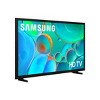

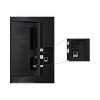
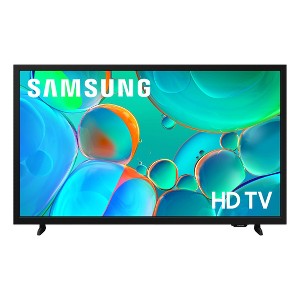
In Stock
At a glance
Sponsored
About this item
Highlights
- HDR -Expanded contrast for enhanced visual detail: Get expanded contrast between the lightest and darkest parts of a scene, so you can enjoy a wide spectrum of colors, enhanced detail and depth. See your content with added realism - from the reflective highlights in a dark, moody alleyway to the deep shadows cast on a bright and sunny afternoon. In HDR10+ content, each scene is dynamically tone mapped for optimal contrast and enhanced HDR performance.
- Object Tracking Sound Lite -Motion-based sound: Feel like you're in the middle of the action with sound that follows objects on screen. Featuring a virtual top channel, every sound is placed in space and moves with the action, enhancing your sense of immersion. Whether it's a car chase, an intense shootout, or a romantic dinner conversation, you’ll feel like you're right in the middle of it all.
- Samsung Knox Security -Secures personal data* with triple-layer protection: Your TV experiences are secured. Samsung Knox Security protects you from harmful attacks by automatically blocking unauthorized apps and phishing websites. It also safeguards your IoT devices connected to your TV, plus your sensitive information, including your PIN codes and passwords. With regular updates, your TV is always kept safe. *Personal data includes directly input PIN-codes and passwords, and IoT device information shared through the SmartThings app. The latest software is required.
- One UI Tizen -Your TV screen, tailored to you: One UI Tizen is a personalized TV platform that brings together all your favorite apps and the latest features.* Work out with a trainer, follow recipes and binge watch endless shows from your favorite streaming services - all in an intuitive interface. You'll have peace of mind knowing that Samsung Knox** secures your personal data with triple-layer protection. Plus, get 7 years of automatic OS updates so your TV stays up to date.*** *Samsung Account required for network based smart services, including streaming apps and other smart features. Computer, mobile or other device may be necessary to create/log in to Samsung Account (free to download and create). Without Account log in, only external device connections (e.g., via HDMI) and terrestrial/over the air TV (only for TVs with tuners) available. **Personal data includes directly input PIN codes and passwords, and IoT device information shared through the SmartThings app. The latest software is required. ***Based on model year; requires Internet connection.
- Samsung TV Plus -A world of content at your fingertips. No subscription required.: Watch 2,700+ free channels, including over 400 premium Samsung TV Plus channels and on free streaming apps with just an internet connection. With Samsung TV Plus, get live national and local news, sports, movies, music, kids' shows, K-Content and reality TV - all for free. Plus, enjoy thousands of free movies and shows on demand. With content frequently added, there’s always something new to explore. Plus, discover a diverse lineup of channels from free streaming TV services like Pluto TV and Freevee. There’s content for every occasion or mood. *Samsung Account required for network based smart services, including streaming apps and other smart features. Computer, mobile or other device may be necessary to create/log in to Samsung Account (free to download and create). Without Account log in, only external device connections (e.g., via HDMI) and terrestrial/over-the-air TV (only for TVs with tuners) available. Channels may vary by location and are subject to change. UI is subject to change without prior notice.
- Slim Look Design -Sleek design for minimal distraction: With its minimalist design, this TV adds a sophisticated touch to any room in your home and enhances your viewing experience by providing an uncluttered view. Focus entirely on what matters most - whether that's catching up on your favorite sitcom, watching a classic blockbuster movie or staying updated with the news. Experience your entertainment without distractions.
- PUR Color -Fine-tuned color for a vibrant, lifelike picture: Enjoy your favorite shows and movies with vibrant colors that look like real life. Get a huge spectrum of hues - from the deep blues of the ocean to the vibrant greens of a forest - for lifelike picture quality that enhances every scene.
- Mobile to TV -Use your smartphone to control your TV: Can't find the TV remote? Worry no more. Don't waste time looking for the remote hidden in your kids' room or buried somewhere in the back of the couch. With the SmartThings app,* you can easily turn your smartphone into a TV remote. Manage everything - browse channels, access your favorite apps and control the volume and settings - all from your phone. Simple as that. *Requires SmartThings (available with Android OS 10 or later with 3 GB RAM space and Apple iOS 15 or later), Internet or Bluetooth connection and login to TV Samsung Account.
- Mega Contrast -Bold contrast that brings scenes to life: Forget about adjusting your TV settings to achieve a better picture. Your TV automatically adjusts brightness and contrast, enhancing the difference between light and dark areas on the screen, so you can enjoy stunning picture quality. Catch every detail, regardless of how dark or bright the scene is.
Description
Shipping details
Return details
Q: Does this TV have a audio output setting for PCM? And a setting for Multi-output Audio?
A: I can assure you it does NOT.
submitted byshoes - 6 months agoA: Hi Julie, No, the H5000F does not offer the Multi-Output Audio feature. ~Samsung Advisor
submitted bySamsung - 6 months agoBrand expertA: Hi Julie, thanks for reaching out about the Samsung 32" HD H5000F 720p Smart LED TV Yes, the Samsung 32" HD H5000F 720p Smart LED TV generally has both an audio output setting for PCM and a feature called Multi-output Audio. If you have any additional questions, we welcome you to contact MyTGTtech at 833-848-8324 every day between 7 am and 11 pm CST.
submitted byRena - 6 months agoTarget expert support
Q: Can you mount this tv?
A: Hi Amanda, Yes, you can mount the H5000F TV with an external wall mount. ~Samsung Advisor
submitted bySamsung - 12 days agoBrand expertA: Hi, thanks for reaching out about the Samsung 32" HD H5000F 720p Smart LED TV: Wi-Fi, HDR10+, 60 Hz Refresh Rate The Samsung 32" H5000F (specifically model UN32H5000FFXZA) is a 2025 refresh of a classic Samsung series. It is a highly capable small-screen TV designed for modern streaming while keeping a compact footprint. If you have any additional questions, we welcome you to contact MyTGTtech at 833-848-8324 every day between 7 am and 11 pm CST.
submitted byRena - 15 days agoTarget expert support
Q: can you use wireless headphones with this model Samsung?
A: A Samsung advisor answered another question asking if it would be possible to connect Beats wireless headphones via Bluetooth and was answered NO, you could not. So, I'd be cautious about trusting and relying on the answers found here and suggest if you really want to know the answer to any questions, to contact Samsung directly noting the product model # and any other identifying information for this TV sold specifically through Target. In addition if you're already a Samsung member maybe check the Samsung Members App for Q & A or r/Samsung on Reddit may have some more reliable information. I'd recommend that for all of the Q & A found here on Tagged to get more reliable information & or confirm any questions. Or if it's not that important to you, take your chances purchasing and find out for yourself. If you choose the latter, please try to share any information you learn first hand on Target, please. Thank you.
submitted byOCD Cleaning Freak - 3 months agoA: Hi, thanks for reaching out about the Samsung 32" HD H5000F 720p Smart LED TV: Wi-Fi, HDR10+, 60 Hz Refresh Rate The Samsung 32" HD H5000F 720p Smart LED TV it does have built-in Bluetooth connectivity. This means you can connect wireless headphones directly to the TV without needing an external adapter. If you have any additional questions, we welcome you to contact MyTGTtech at 833-848-8324 every day between 7 am and 11 pm CST.
submitted byRena - 5 months agoTarget expert support
Q: can I connect a soundboard on this tv
A: Hi, Yes, you can connect a soundbar via HDMI. ~Samsung Advisor
submitted bySamsung - 5 months agoBrand expertA: Hi Jessie Jane, thanks for reaching out about Samsung 32" HD H5000F 720p Smart LED TV: Wi-Fi, HDR10+, 60 Hz Refresh Rate. Yes, you can absolutely connect a soundbar to the Samsung 32" HD H5000F 720p Smart LED TV. If you have any additional questions, we welcome you to contact MyTGTtech at 833-848-8324 every day, between 7am-11pm CST.
submitted byJoe - 5 months agoTarget staff support
Q: I tightened the screws for the feet as far as I could and they are still a little loose. Does something go between the feet and tv?
A: Hi Shoes, To best assist you please call us at 1-800-SAMSUNG, available daily from 8AM - 12AM EST. You can also visit the Samsung website and click on ‘Support’ for: • Live Chat • Manuals, Software, & Warranty Info ~ Samsung Advisor
submitted bySamsung - 6 months agoBrand expertA: Hi shoes, thanks for reaching out about Samsung 32" HD H5000F 720p Smart LED TV: Wi-Fi, HDR10+, 60 Hz Refresh Rate No. According to Samsung's website no spacers are required for installation. If you have any additional questions, we welcome you to contact MyTGTtech at 833-848-8324 every day, between 7am-11pm CST.
submitted byJustin - 6 months agoTarget expert support
Q: Can you mount this TV on the wall? And does it need a specific type of mount if so?
A: I believe in the specifications it states VERSA 200 X 200 wall mount
submitted byOCD Cleaning Freak - 3 months agoA: Hi Katherine, thanks for reaching out about Samsung 32" HD H5000F 720p Smart LED TV: Wi-Fi, HDR10+, 60 Hz Refresh Rate. Yes, the Samsung 32" HD H5000F 720p Smart LED TV can definitely be mounted on the wall. If you have any additional questions, we welcome you to contact MyTGTtech at 833-848-8324 every day, between 7am-11pm CST.
submitted byJoe - 6 months agoTarget staff support
Q: Does this have dvr capability using an antenna?
A: Hi Sgoldfin, This TV does not support direct recording. To record over-the-air content, you'll need to use an OTA DVR. ~ Samsung Advisor
submitted bySamsung - 7 months agoBrand expert
Q: Is a remote included with this TV?
A: Hi cmb54, thanks for reaching out about Samsung 32" HD H5000F 720p Smart LED TV. Yes, this does come with a remote. If you have any additional questions, we welcome you to contact MyTGTtech at 833-848-8324 every day, between 7am-11pm CST.
submitted byMatt - 8 months agoTarget expert supportA: Hi cmb54, Yes, a remote is included with the H5000F TV. ~Samsung Advisor
submitted bySamsung - 7 months agoBrand expert
Q: I own two of these TVs. It takes 15 minutes to turn on and it’s very hard to move the cursor.
A: Hi, thanks for reaching out about Samsung 32" HD H5000F 720p Smart LED TV: Wi-Fi, HDR10+, 60 Hz Refresh Rate. Having two identical TVs failing in the exact same way—taking 15 minutes to "boot up" and then freezing—points to a known software or hardware issue with that specific Samsung series. Since your model is the H5000F, it is an older "Early Smart" TV. These models have very limited memory, and as apps (like Netflix or YouTube) have become "heavier" over the years, they can cause the TV's processor to "choke" during the startup process. 1. The "Samsung TV Plus" Glitch (Most Likely) There is a well-documented issue where the Samsung TV Plus app tries to load a live preview the second the TV turns on. This overwhelms the processor, causing the 15-minute lag and freezing the cursor. The Fix: If you can eventually get the cursor to move after the 15-minute wait, navigate to the Samsung TV Plus app icon, long-press the "Select" button, and choose Remove or Disable. Many users report that disabling this one app instantly returns the TV to normal speed. 2. Perform a "Cold Boot" A standard "Off/On" with the remote doesn't actually clear the TV's memory; it just puts it in standby. You need to force the memory to flush: With the Remote: While the TV is ON, press and hold the Power Button on your remote and don't let go. The TV will turn off. Keep holding until the Samsung Logo appears again on the screen, then release. Without the Remote: Unplug both TVs from the wall. Wait at least 60 seconds. While they are unplugged, press and hold the physical power button on the TV itself for 30 seconds to drain residual power. Plug them back in. 3. Clear the "Broadcasting" Lag If your TV is searching for a cable signal or "HbbTV" data in the background, it can freeze the UI. Go to Settings > Broadcasting > Expert Settings > HbbTV Settings. If HbbTV is checked, uncheck/disable it. This feature often causes older Samsung processors to hang. If you have any additional questions, we welcome you to contact MyTGTtech at 833-848-8324 every day, between 7am-11pm CST.
submitted byJoe - 10 days agoTarget staff support
Q: I have two of the same TVs they take 15 minutes to turn on and you can’t move the cursor. What is the problem?
A: Hi, thanks for reaching out about Samsung 32" HD H5000F 720p Smart LED TV: Wi-Fi, HDR10+, 60 Hz Refresh Rate. Having two identical TVs failing in the exact same way—taking 15 minutes to "boot up" and then freezing—points to a known software or hardware issue with that specific Samsung series. Since your model is the H5000F, it is an older "Early Smart" TV. These models have very limited memory, and as apps (like Netflix or YouTube) have become "heavier" over the years, they can cause the TV's processor to "choke" during the startup process. 1. The "Samsung TV Plus" Glitch (Most Likely) There is a well-documented issue where the Samsung TV Plus app tries to load a live preview the second the TV turns on. This overwhelms the processor, causing the 15-minute lag and freezing the cursor. The Fix: If you can eventually get the cursor to move after the 15-minute wait, navigate to the Samsung TV Plus app icon, long-press the "Select" button, and choose Remove or Disable. Many users report that disabling this one app instantly returns the TV to normal speed. 2. Perform a "Cold Boot" A standard "Off/On" with the remote doesn't actually clear the TV's memory; it just puts it in standby. You need to force the memory to flush: With the Remote: While the TV is ON, press and hold the Power Button on your remote and don't let go. The TV will turn off. Keep holding until the Samsung Logo appears again on the screen, then release. Without the Remote: Unplug both TVs from the wall. Wait at least 60 seconds. While they are unplugged, press and hold the physical power button on the TV itself for 30 seconds to drain residual power. Plug them back in. 3. Clear the "Broadcasting" Lag If your TV is searching for a cable signal or "HbbTV" data in the background, it can freeze the UI. Go to Settings > Broadcasting > Expert Settings > HbbTV Settings. If HbbTV is checked, uncheck/disable it. This feature often causes older Samsung processors to hang. If you have any additional questions, we welcome you to contact MyTGTtech at 833-848-8324 every day, between 7am-11pm CST.
submitted byJoe - 10 days agoTarget staff support

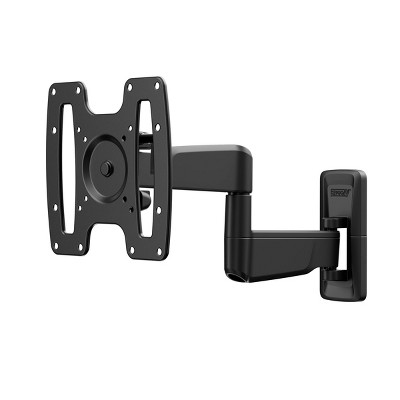

Guests also viewed
Discover more options
Related Categories
Guests are saying
Great little TV

I liked my old Samsung TV much better!
1 reply from Samsung Specialist team - 2 days ago
Average
1 reply from Samsung Specialist team - 2 days ago
(no review title)
Great color easy to set up
This product holds its value
Great Features & Clear Picture
Love Samsung ... this TV not so much
1 reply from Samsung Advisor team - 8 days ago
Good features and user friendly
Great TV .
(no review title)
1 reply from Samsung team - 8 days ago
Very disappointed
1 reply from Samsung team - 8 days ago
Stunning Clarity and Vibrant Color
Christmas present
Very easy to operate
(no review title)
32 TV versus
(no review title)
(no review title)