New ArrivalsGift IdeasGift CardsChristmasHoliday Hosting & EntertainingClothing, Shoes & AccessoriesToysElectronicsBeautyHomeFurnitureCharacter ShopBabyKitchen & DiningGroceryHousehold EssentialsSchool & Office SuppliesVideo GamesMovies, Music & BooksSports & OutdoorsBackpacks & LuggagePersonal CareHealthPetsUlta Beauty at TargetTarget OpticalParty SuppliesClearanceTarget New Arrivals Target Finds #TargetStyleHanukkahStore EventsAsian-Owned Brands at TargetBlack-Owned or Founded Brands at TargetLatino-Owned Brands at TargetWomen-Owned Brands at TargetLGBTQIA+ ShopTop DealsTarget Circle DealsWeekly AdShop Order PickupShop Same Day DeliveryRegistryRedCardTarget CircleFind Stores
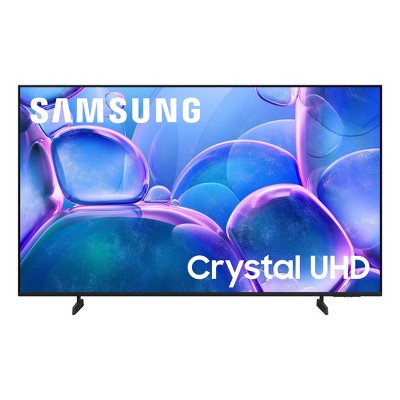
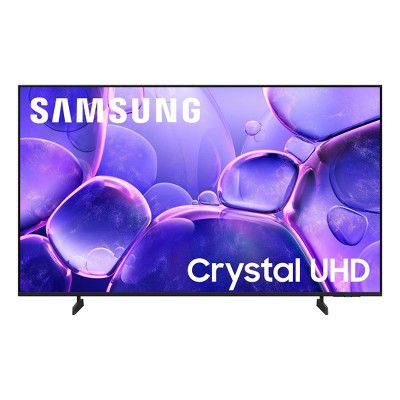
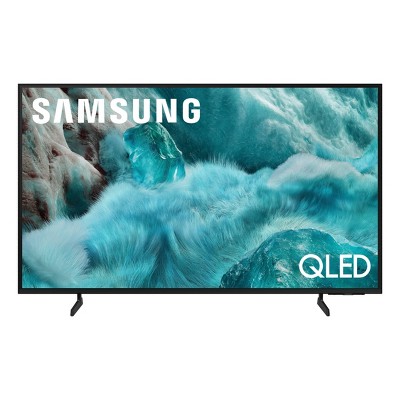
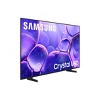
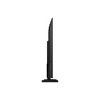
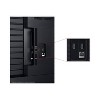
Samsung Crystal UHD 4K Smart TV - 2 of 4Samsung Crystal UHD 4K Smart TV - 3 of 4Samsung Crystal UHD 4K Smart TV - 4 of 4
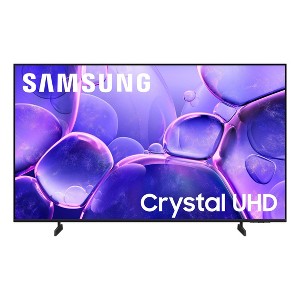
Samsung Crystal UHD 4K Smart TV - 1 of 4

Samsung Crystal UHD 4K Smart TV

$249.99

Size43

In Stock

Eligible for registries and wish lists

At a glance

Sponsored

About this item

Highlights

  • Crystal Processor 4K - Powers 3D color mapping and upscaling for a clear picture: Immerse yourself in colorful, lifelike entertainment and catch every shade of color as it was meant to be seen in dazzling 4K resolution. Plus, enhance the clarity of your content with powerful 4K upscaling, ensuring that everything you watch - movies, TV shows, games and sports - looks sharp and clear, bringing every detail to life.
  • MetalStream Design - Elegant design that enriches your space: Enhance the look of your space with a sleek TV made from a single sheet of metal. Inspired by aircraft design, it showcases clean lines that beautifully balance form and function. With a slim bezel and elegant look, this TV not only enhances your décor but also minimizes distractions and expands your viewing.
  • Samsung Knox Security -Secures personal data* with triple-layer protection: Your TV experiences are secured. Samsung Knox Security protects you from harmful attacks by automatically blocking unauthorized apps and phishing websites. It also safeguards your IoT devices connected to your TV, plus your sensitive information, including your PIN codes and passwords. With regular updates, your TV is always kept safe. *Personal data includes directly input PIN codes and passwords, and IoT device information shared through the SmartThings app. The latest software is required.
  • Endless Free Content - A world of content at your fingertips. No subscription required. : Watch 2,700+ free channels, including over 400 premium Samsung TV Plus channels and on free streaming apps with just an internet connection. With Samsung TV Plus, get live national and local news, sports, movies, music, kids' shows, K-Content and reality TV - all for free. Plus, enjoy thousands of free movies and shows on demand. With content frequently added, there’s always something new to explore. Plus, discover a diverse lineup of channels from free streaming TV services like Pluto TV and Freevee. There’s content for every occasion or mood. *Samsung Account required for network based smart services, including streaming apps and other smart features. Computer, mobile or other device may be necessary to create/log in to Samsung Account (free to download and create). Without Account log in, only external device connections (e.g., via HDMI) and terrestrial/over the air TV (only for TVs with tuners) available. Channels may vary by location and are subject to change. UI is subject to change without prior notice.
  • 4K Upscaling - Upgrades what you watch to crisp 4K clarity: Get up to 4K resolution on all the content you love to watch. See amazing details come to life in every scene of shows or that classic film you love. Even if your content's source quality is lower-resolution, our powerful processing upgrades to near 4K to unlock never-before-seen elements in whatever you're watching.
  • Motion Xcelerator 60Hz - Experience clear picture and smooth motion in games and sports: Play your favorite video games and enjoy sports with fast motion clarity. This technology automatically estimates the motion between individual frames and then uses it to predict subsequent frames to improve the smoothness of the motion. It supports up to 4K 60Hz, providing fast performance for your favorite games.
  • HDR - Expanded contrast for enhanced visual detail: Get expanded contrast between the lightest and darkest parts of a scene, so you can enjoy a wide spectrum of colors, enhanced detail and depth. See your content with added realism from the reflective highlights in a dark, moody alleyway to the deep shadows cast on a bright and sunny afternoon. In HDR10+ content, each scene is dynamically tone mapped for optimal contrast and enhanced HDR performance.
  • Color Booster - Boost color expression and add brilliance to your content: Reimagine the vibrancy of color-set the tone for the scene with richer hues that burst with purity and intensity. With just a few clicks on the remote, you can enhance the saturation of your content and make every single color stand out. Watch as warm reds and oranges radiate with a fiery glow, while cool blues and greens glow like precious gems. *Utilizes AI-Based formulas.
  • Object Tracking Sound Lite - Motion-based sound: Feel like you're in the middle of the action with sound that follows objects on screen. Featuring a virtual top channel, every sound is placed in space and moves with the action, enhancing your sense of immersion. Whether it's a car chase, an intense shootout, or a romantic dinner conversation, you’ll feel like you're right in the middle of it all.
  • Q-Symphony - TV and soundbar work together in perfect harmony: Unlock more robust, nuanced sound when your Samsung TV and soundbar speakers work together as one. Most soundbars mute the TV speakers when activated. Why choose between your TV and soundbar to play sound, when you can have them both work together? Enjoy optimized surround sound, hear clear dialogue, and dive into a cinematic sound experience. *Requires a compatible 2020-2025 Q-Series, S-Series, B750F or B650F soundbar (sold separately). For more information, check soundbar specifications.

Description

Upgrade your home theater with this stylish 4K TV featuring vibrant colors, rich contrast and an advanced 4K processor. Stay endlessly entertained* with thousands of on demand shows and movies for free and enjoy peace of mind as watch thanks to our proprietary triple-layer security that protects your personal data** across all connected devices at once. *Samsung Account required for network based smart services, including streaming apps and other smart features. Computer, mobile or other device may be necessary to create/log in to Samsung Account (free to download and create). Without Account log in, only external device connections (e.g., via HDMI) and terrestrial/over the air TV (only for TVs with tuners) available.**Personal data includes directly input PIN-codes and passwords, and IoT device information shared through the SmartThings app. The latest software is required.
Dimensions (Overall): 22 Inches (H) x 37.7 Inches (W) x 3 Inches (D)
Weight: 14.6 Pounds
Electronics Condition: New
Electronics Features: Smart TV, Bluetooth, Alexa Built-in, 4K Ultra High Definition
Aspect Ratio: 16:9 Aspect Ratio
Screen Resolution: 2160p
Native screen refresh rate: 60 Hz
Wireless Technology: Bluetooth, Wi-Fi
Screen Size: 42.6 Inches
Stand Depth: 6.2 Inches
Stand Width: 24.1 Inches
Compatible With: Alexa, Google Assistant, Netflix, Disney+, YouTube, Hulu, Apple TV+, Amazon Prime Video, Max, Samsung TV Plus, Spotify, Sling TV
VESA Mounting Standard: 200x200
Product Depth with Stand: 6.2 Inches
Product Height with Stand: 24 Inches
Product Width with Stand: 37.7 Inches
Backlight type: LED Edge-Lit
Smart platform: Samsung Smart TV
Voice assistant built-in: Alexa Built-in
Model name: UN43U8000FFXZA
Number of HDMI ports: 3
High Dynamic Range (HDR): HDR10+, Hybrid Log-Gamma (HLG), HDR10
Screen Mirroring Technology: Smart View, Apple Airplay
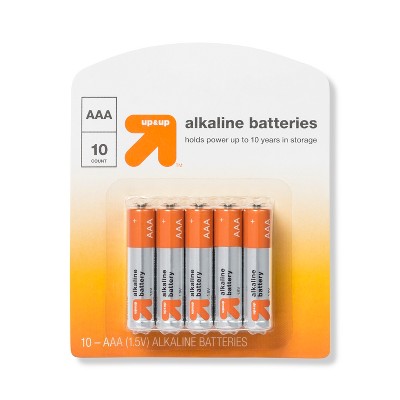
Battery: 2 AAA Alkaline, Required, Packaged With
Warranty: 1 Year Limited Warranty. To obtain a copy of the manufacturer's or supplier's warranty for this item prior to purchasing the item, please call Target Guest Services at 1-800-591-3869
TCIN: 94465164
UPC: 887276948898
Item Number (DPCI): 008-09-5697
Origin: Imported
Energy Guide Label Required:
ENERGYGUIDE LABEL REQUIRED
If the item details aren’t accurate or complete, we want to know about it.

Samsung
samsung-qled-crystal-uhd chart

- Crystal UHD QLED 4K
SERIES U8000F Q7F Q8F
- Rich details come to life in crisp 4K. Breathtaking picture with a billion life-like colors & striking details. Ultra smooth motion for sports and gaming.
SCREEN SIZE 85in - 75in - 70in - 65in - 55in - 50in - 43in 65in - 55in - 50in 65in - 55in - 50in
PICTURE QUALITY Resolution 4K UHD 4K UHD 4K UHD
Type LED QLED QLED
Processor & Samsung Vision AI Crystal Processor with 4K Upscaling Q4 AI Processor with 4K Upscaling + Samsung Vision AI 1,3 Q4 AI Processor with 4K Upscaling + Samsung Vision AI 1,3
High Dynamic Range HDR Quantum HDR Quantum HDR+
Motion Handling Motion Xcelerator Motion Xcelerator Motion Xcelerator 144Hz* 4 *50"-32" Q8F have Motion Xcelerator
OTS (Object Tracking Sound) OTS Lite - 2CH OTS Lite - 2CH OTS Lite - 2CH
Key Features Color Booster 100% Color Volume with Quantum Dot 8 + Art Store*, 9 *All QLED & Neo QLED 4K/8K models and The Frame "100% Color Volume with Quantum Dot 8 + Art Store*, 9 *All QLED & Neo QLED 4K/8K models and The Frame"
Universal Features One UI Tizen 10 | Endless Free Content with 2700+ free channels, including 400 Samsung TV Plus Premium Channels 10,11 | Samsung Gaming Hub 10,12 | Samsung Knox Security 13 | Workout Tracker | SmartThings 14 | Alexa built-in

All Sizes in Inches Unless Otherwise Stated
Shipping details

Estimated ship dimensions: 42 inches length x 26 inches width x 5 inches height
Estimated ship weight: 22 pounds
This item ships in its manufacturer’s packaging, revealing what’s inside. ·

Return details

This item can be returned to any Target store or Target.com.
This item must be returned within 30 days of the date it was purchased in store, shipped, delivered by a Shipt shopper, or made ready for pickup.
See the return policy for complete information.

Q: how many hdmi ports on this tv

submitted by Dennis - 6 months ago
  • A: 3 with one of them being eArc

    submitted byLIONEL - 6 months ago
  • A: It's a bit odd that your question wasn't answered by a "Brand expert"; it's a concern. There's one eArc port. It's extrememly hard to actually read it with lights and a flashlight but it is there.

    submitted byDontbuyjunk - 5 months ago
  • A: What year is this tv

    submitted byCc - 17 days ago
  • A: Hi Dennis, There are 3 HDMI ports available. ~Samsung Advisor

    submitted bySamsung - 6 months ago
    Brand expert

Q: what is the ENERGYGUIDE LABEL

submitted by mock - 26 days ago
  • A: Hi mock, Samsung TVs provide a balance of high-quality display technology and energy efficiency. We offer several features on our TVs to deliver an optimal viewing experience, while contributing to energy consumption reduction. Anticipated energy costs are available in the Energy Guide label for each model. ~Samsung Advisor

    submitted bySamsung - 23 days ago
    Brand expert
  • A: Hi, thank you for reaching out about Samsung Crystal UHD 4K Smart TV. The Samsung TV model UN43U8000FFXZA does not have an Energy Star rating. Its estimated annual energy consumption is 166 kilowatt-hours (kWh), and it has a typical power consumption of 85 Watts (W) during use. If you have any additional questions, we welcome you to contact MyTGTtech at 833-848-8324 every day, between 7am-11pm CST.

    submitted byMatt - 26 days ago
    Target expert support

Q: Energy efficency rating

submitted by mock - 26 days ago
  • A: Hi mock, Samsung TVs provide a balance of high-quality display technology and energy efficiency. We offer several features on our TVs to deliver an optimal viewing experience, while contributing to energy consumption reduction. Anticipated energy costs are available in the Energy Guide label for each model. ~Samsung Advisor

    submitted bySamsung - 23 days ago
    Brand expert
  • A: Hi, thank you for reaching out about Samsung Crystal UHD 4K Smart TV. The Samsung TV model UN43U8000FFXZA does not have an Energy Star rating. Its estimated annual energy consumption is 166 kilowatt-hours (kWh), and it has a typical power consumption of 85 Watts (W) during use. If you have any additional questions, we welcome you to contact MyTGTtech at 833-848-8324 every day, between 7am-11pm CST.

    submitted byMatt - 26 days ago
    Target expert support

Q: Does it have a optical input

submitted by Curious - 3 months ago
  • A: Hi Curious, No, the U8000F does not have an optical input. If an Optical port is a crucial part of your setup needs, you’ll find that connection starting with our Q8F Series and above. ~Samsung Advisor

    submitted bySamsung - 3 months ago
    Brand expert
  • A: Hi, thanks for reaching out about Samsung Crystal UHD 4K Smart TV. Yes, most models of the Samsung Crystal UHD 4K Smart TV have an optical audio output. This port is a common feature on many Samsung TVs, including those in the Crystal UHD lineup, and it's used to send digital audio to an external sound system like a soundbar, home theater receiver, or a set of powered speakers. If you have any additional questions, we welcome you to contact MyTGTtech at 833-848-8324 every day, between 7am-11pm CST.

    submitted byJoe - 3 months ago
    Target staff support

Q: Does this tv come with Alexa?

submitted by Kathy - 4 months ago
  • A: Hi Kathy, While built-in Alexa isn't available directly on this TV, you can still control it by using external Alexa-enabled devices. ~ Samsung Advisor

    submitted bySamsung - 4 months ago
    Brand expert
  • A: Hi, thanks for reaching out about the Samsung Crystal UHD 4K Smart TV Yes, most recent models of the Samsung Crystal UHD 4K Smart TV come with Amazon Alexa built-in If you have any additional questions, we welcome you to contact MyTGTtech at 833-848-8324 every day between 7 am and 11 pm CST.

    submitted byRena - 4 months ago
    Target expert support

Q: Was anyone able to connect there arc soundbar to the ears port on the tv?

submitted by Optical for surround - 4 days ago
  • A: Hi, thanks for reaching out about Samsung Crystal UHD 4K Smart TV To connect an ARC soundbar to your TV, follow these steps: Identify the HDMI port labeled "ARC" or "eARC" on your TV. Connect one end of your HDMI cable to this port. Locate the "HDMI OUT (TV-ARC)" port on your soundbar and connect the other end. Power on both devices. Your TV should automatically detect the soundbar and switch audio output to it. Using HDMI ARC/eARC simplifies the setup process and ensures that your soundbar receives the audio from your TV, providing a seamless audio experience If you have any additional questions, we welcome you to contact MyTGTtech at 833-848-8324 every day, between 7am-11pm CST.

    submitted byJustin - 4 days ago
    Target expert support

Q: Can you download the Angel app

submitted by Ellie - 5 days ago
  • A: Hi, thanks for reaching out about Samsung Crystal UHD 4K Smart TV. Yes, you can download the Angel Studios app (often just listed as "Angel") on a Samsung Crystal UHD 4K Smart TV. If you have any additional questions, we welcome you to contact MyTGTtech at 833-848-8324 every day, between 7am-11pm CST.

    submitted byJoe - 5 days ago
    Target staff support

Q: Is this tv antiglare

submitted by Is it an antiglare - 5 days ago
  • A: Hi, thanks for reaching out about Samsung Crystal UHD 4K Smart TV. The Samsung Crystal UHD series is generally not considered an antiglare TV. While it has a basic coating to help with minor reflections, it lacks the specialized "Anti-Reflection" or "Matte" technology found in Samsung's more expensive models. If you have a very bright room with a window directly opposite the TV, you will likely see a "mirror-like" reflection during dark scenes. If you have any additional questions, we welcome you to contact MyTGTtech at 833-848-8324 every day, between 7am-11pm CST.

    submitted byJoe - 5 days ago
    Target staff support

Q: is there digital optical sound output

submitted by bill g - 8 days ago
  • A: Hi bill G, No, the U8000F has 3 HDMI inputs and is Bluetooth enabled. ~Samsung Advisor

    submitted bySamsung - 7 days ago
    Brand expert

Q: Can you use your Xbox one system with this tv?

submitted by Jmd - 9 days ago
  • A: Hi, thanks for reaching out about Samsung Crystal UHD 4K Smart TV Yes, this television supports the connection of a game console like the XBOX One. If you have any additional questions, we welcome you to contact MyTGTtech at 833-848-8324 every day, between 7am-11pm CST.

    submitted byJustin - 9 days ago
    Target expert support
WARNING: Cancer and Reproductive Harm - www.P65Warnings.ca.gov For more information, go to https://www.p65warnings.ca.gov/

Related Categories

4.3 out of 5 stars with 987 reviews
black levels: 4.11 out of 5
brightness: 4.04 out of 5
color quality: 4.02 out of 5
features: 3.87 out of 5
sound quality: 3.98 out of 5
45% would recommend
77 recommendations
5 out of 5 stars
Thumbs up graphic, would recommend
24 December, 2025Verified purchase

(no review title)

Great TV with great price, easy set up
cindy
black levels: 5 out of 5
brightness: 5 out of 5
color quality: 5 out of 5
features: 5 out of 5
sound quality: 5 out of 5
1 guest found this review helpful. Did you?
3 out of 5 stars
23 December, 2025
originally posted on Samsung US
Image

Th product had a difficult set up

[This review was collected as part of a promotion.] The tv is screan is exclent and truly enjoyable viewing expalerence for the price but the set up was terrible. Did not connect to my wifi or my phone and took hours of trouble shooting.
Billboardokc
Did you find this review helpful?
5 out of 5 stars
Thumbs up graphic, would recommend
23 December, 2025Verified purchase

(no review title)

The tv very intuitive. I like the screen mirroring feature and Samsung plus comes with its own streaming service.
12th Kittty
black levels: 5 out of 5
brightness: 5 out of 5
color quality: 5 out of 5
features: 5 out of 5
sound quality: 5 out of 5
Did you find this review helpful?
5 out of 5 stars
23 December, 2025
originally posted on Samsung US
Image

Great picture

[This review was collected as part of a promotion.] I love this tv ,this was a much needed upgrade from my old TV. The picture is clear as can be makes it look like its happening in real time..I went from a 43 inch 2020 model to a 55 inch and 2025 model and it was a big difference .I love the fact that the TV home screen has a lot more and easy to use
Pebbleslovessamsung
Did you find this review helpful?
3 out of 5 stars
21 December, 2025
originally posted on Samsung US
Image

Seems to have lots of options but middle of the ro

[This review was collected as part of a promotion.] We have been disappointed that the picture was not better than our old TV. The TV has lots of options but we find using it is complicated and requires a lot of time. I purchased a Samsung expecting a dramatically improved tv performance we didn't get it. I specifically wanted the Samsung because I wear hearing aids and wanted to use the Bluetooth while using the speakers and it does that but the Bluetooth seems to have a mind of its own. It comes on when I am not in the room with regularity. Overall I am disappointed in the TV.
1 reply from Samsung Advisor team - 4 days ago
Hi Mediocretv, We appreciate your feedback on the Samsung U8000F TV. If the image doesn’t quite match your preferences, there are several adjustments you can make to better suit your viewing environment and content type. First, please ensure your TV is running the latest firmware, as updates may include important picture quality enhancements. Go to: Home > Left directional button > Settings > Support > Software Update > Update Now To explore picture mode options, navigate to: Home > Left directional button > Settings > All Settings > Picture > Picture Mode. Options include: • Standard – Ideal for general viewing • Dynamic – Brighter and more vibrant for well-lit spaces • Eco – Optimized for energy efficiency • Movie – Best for viewing in low light • Filmmaker Mode – Preserves the content creator’s intent and disables motion smoothing for supported content You can further customize your image by going to: Settings > All Settings > Picture > Expert Settings, where you can adjust Brightness, Contrast, Color Tone, Sharpness, Contrast Enhancer and more. If you’d like help finding the best picture settings for your preferences, please don’t hesitate to contact Samsung Support at 1-800-SAMSUNG, available 8AM – 12AM EST, 7 days a week. You can also LiveChat with an agent or explore additional resources on our website by clicking the ‘Support’ link. ~Samsung Advisor
Mediocretv
1 guest found this review helpful. Did you?
4 out of 5 stars
21 December, 2025
originally posted on Samsung US
Image

This set has a very good picture

[This review was collected as part of a promotion.] Would give 5 stars but dark colors are too dark can't adjust for lighter background
taffyisadog
Did you find this review helpful?
4 out of 5 stars
20 December, 2025
originally posted on Samsung US
Image

Samsung 43" U television

[This review was collected as part of a promotion.] The picture and sound are fine. The remote I think is a disaster to use and had I seen it I doubt I would have made this purchase. I think this remote arose from a cost standpoint by Samsung. I was also disappointed to learn there is no optic light connection on this TV that was present on the Samsung TV that this set replaced.
Researchbeforebuying
Did you find this review helpful?
4 out of 5 stars
20 December, 2025
originally posted on Samsung US
Image

Luv my Samsung

[This review was collected as part of a promotion.] Excellent visual and audio quality. A tad difficult to set-up, but I was working on it with my sister-in-law and she nose everything!
Colorado
Did you find this review helpful?
5 out of 5 stars
20 December, 2025
originally posted on Samsung US
Image

TV room with a view

[This review was collected as part of a promotion.] Excellent TV never been happier with a product . All my appliances are Samsung, refrigerator, range, microwave
AlwaysSamsung
Did you find this review helpful?
4 out of 5 stars
20 December, 2025
originally posted on Samsung US
Image

TV is great, but

[This review was collected as part of a promotion.] The tv was very easy to set up once you enroll on the Samsung web site. I had a picture within 10 minutes. Picture is clear. I only watch this tv for several hours , in bed at night. The remote is hard to use , instructions are not clear and I can’t figure out how to setup the main screen. I am a senior and this remote is not friendly, nor are the instructions, hence the 4 stars.
Oldlady
Did you find this review helpful?
5 out of 5 stars
20 December, 2025
originally posted on Samsung US
Image

Great will always buy samsung

[This review was collected as part of a promotion.] I love my new tv. Have had samsung tus for about over 10 years now and thwy never stop satisfying my evwry need.
Panchober
Did you find this review helpful?
5 out of 5 stars
20 December, 2025
originally posted on Samsung US
Image

I love this product is so beautiful tv

[This review was collected as part of a promotion.] Tv is equipped it where everything there is to have it's so amazing is very clearly to watch any things
Dvelazquez
Did you find this review helpful?
1 out of 5 stars
20 December, 2025
originally posted on Samsung US
Image

Horrible

Picture and sound are good. The “smart hub” remote is terrible. And you can’t turn off the most annoying settings. DO NOT BUY.
1 reply from Samsung Advisor team - 4 days ago
Hi Daphne, We're sorry to hear that you are not satisfied with your purchase. Please know we are available and happy to help you with any settings adjustments you may need. Just call us at 1-800-SAMSUNG. LiveChat agents are also available at the ‘Support’ link on our website. ~Samsung Advisor
Daphne
Did you find this review helpful?
1 out of 5 stars
19 December, 2025
originally posted on Samsung US
Image

Terrible TV

Worst TV I've ever had. Constantly freezes while streaming and using apps. Erases your favorite channels if you do another scan. Everything support tells you to do makes you have to install all your apps again and doesn't resolve the problem. If you do a backup it only saves a LIST of your apps and not the apps themselves so you can't restore them
1 reply from Samsung Advisor team - 6 days ago
Hi Dissatisfied customer, Thank you for your feedback. Please ensure your U8000F TV is running the latest firmware update: 1132.0. To do so, go to Settings> Support> Software Update. If that version is not available, you can download the update on a USB drive and manually update your TV: 1. On Samsung's website (upper right corner), go to: Support > Manual & Software > Find your TV model, and click on the Firmware – Upgrade File. 2. When the file has finished downloading, locate it and then unzip it. There is normally one folder inside, but there may be multiple files. 3. Copy or move all of the files that were included in the zip file to a USB flash drive, but do not place them inside any other folders. If you place the software folders inside a folder on the USB flash drive, the TV or monitor will not find them. 4. Connect the USB drive containing the software upgrade into a USB port on your device. 5. Using your device's remote, navigate to and select Settings, then select All Settings, and then select Support. Select Software Update, select Update Now, and then select Yes if prompted. Your device will search the USB drive for update files. Follow the on-screen instructions to install the updated software. Updates usually take a few minutes; please do not turn off the TV until the update is complete. When the update is finished, it will restart automatically. If you need additional support, Samsung is here to help. Please call us at 1-800-SAMSUNG, available daily from 8AM - 12AM EST. You can also chat with a LiveChat agent by clicking the ‘Support’ link on our website for: • Live Chat • Manuals, Software, & Warranty Info • Creating a Service ticket ~Samsung Advisor
Dissatisfied customer
Did you find this review helpful?
4 out of 5 stars
18 December, 2025
originally posted on Samsung US
Image

This is a great TV

[This review was collected as part of a promotion.] This is a great second TV for my bedroom. It was very easy to setup as it transferred all of my settings and apps from my old Samsung TV and was up and running within minutes. The picture is great although the sound is a little weak out of the box, but can be cleaned up some with some tweaking.
SamsungShopper
Did you find this review helpful?
5 out of 5 stars
17 December, 2025
originally posted on Samsung Canada
Image

It has great features

It’s a great tv, lots of options that comes with it, I still have yet to explore them all. The picture is very clear, the sound is great. It also has games that are programmed into the tv, I’ve never had that before.
juliejewels
Did you find this review helpful?
4 out of 5 stars
16 December, 2025
originally posted on Samsung Canada
Image

Great view, screen is clear.

I'm happy with my purchase though was disappointed I couldn't install the A&E app on my smart tv.
Veronic
Did you find this review helpful?
3 out of 5 stars
16 December, 2025
originally posted on Samsung US
Image

Need more settings

[This review was collected as part of a promotion.] Needs more settings to be able to change things you took a lot of settings away and also you took the external speaker quick connect the way you have to use HDMI now instead of the other one the optic cord you took that away those two things were bad but the settings is the main thing you'll be able to change your picture size and all kind of stuff
1 reply from Samsung Specialist team - 8 days ago
Hi Carl58, We appreciate you sharing your user experience. To help you get the most from your TV, you can download the full e-Manual and more by visiting Samsung’s website then navigating to: Support > Manual & Software > TVs & Home Theater. From there, you can search for and select your U8000FB TV model to view or download the available guides. The e-Manual and Remote Control Guide are also conveniently built into your TV: Settings > Support > Tips and User Guides If you need additional help, please contact Samsung Support at 1-800-SAMSUNG, 8AM – 12AM EST, 7 days a week. LiveChat agents are also available through the ‘Support’ link on our website. ~ Samsung Specialist
Carl58
Did you find this review helpful?
5 out of 5 stars
16 December, 2025
originally posted on Samsung Canada
Image

Vivid Display

I need a tv for my basement, and im glad I picked the 75" UHD, its vivid display makes a huge differenc.
ManCave
Did you find this review helpful?
5 out of 5 stars
15 December, 2025
originally posted on Samsung Canada
Image

1 month review

Bought one month ago and exactly what the doctor ordered...great product
Curl
Did you find this review helpful?

Get top deals, latest trends, and more.

Privacy policy

Footer

About Us

About TargetCareersNews & BlogTarget BrandsBullseye ShopSustainability & GovernancePress CenterAdvertise with UsInvestorsAffiliates & PartnersSuppliersTargetPlus

Help

Target HelpReturnsTrack OrdersRecallsContact UsFeedbackAccessibilitySecurity & FraudTeam Member ServicesLegal & Privacy

Stores

Find a StoreClinicPharmacyTarget OpticalMore In-Store Services

Services

Target Circle™Target Circle™ CardTarget Circle 360™Target AppRegistrySame Day DeliveryOrder PickupDrive UpFree 2-Day ShippingShipping & DeliveryMore Services
PinterestFacebookInstagramXYoutubeTiktokTermsCA Supply ChainPrivacy PolicyCA Privacy RightsYour Privacy ChoicesInterest Based AdsHealth Privacy Policy