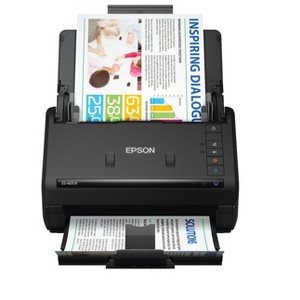
Epson WorkForce ES-400 II Color Duplex Desktop Document Scanner
$329.99 reg $379.99
Sale save $50.00 (13% off)
In Stock

Free & easy returns
Return this item by mail or in store within 30 days for a full refund.
Sold & shipped by Epson
Eligible for registries and wish lists
About this item
Additional product information and recommendations
Discover more options
- $229.99reg $279.99 Sale4.3 out of 5 stars with 19 ratings
- $145.99reg $149.99 Sale
- $20,668.99reg $22,200.00 Sale
- $1,238.99reg $1,395.00 Sale
- $619.00reg $799.99 Sale
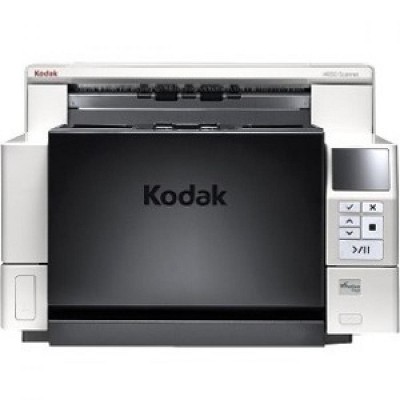
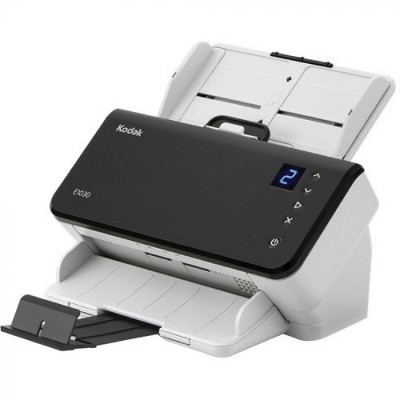
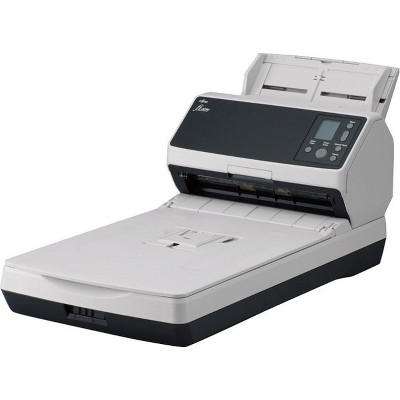
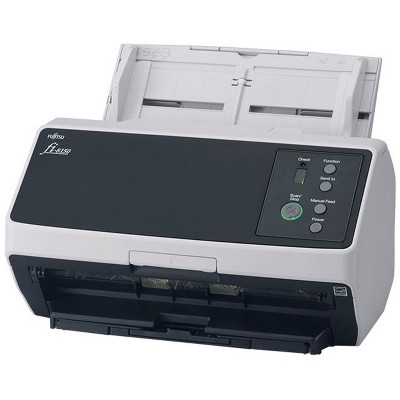
Frequently bought together
- $9.99 - $24.99reg $14.99 - $29.99 Sale4.5 out of 5 stars with 15 ratings

Guests also viewed
- $229.99reg $279.99 Sale4.3 out of 5 stars with 19 ratings









Related Categories
Guests are saying
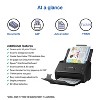
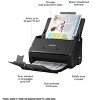
The Epson Workforce ES 400 II Duplex Desktop Document Scanner is a compact and efficient solution for both home and small business use. Guests appreciate its fast scanning speed, duplex capability, and user-friendly setup. The scanner handles various document sizes and produces high-quality scans, making it ideal for digitizing important paperwork. While some guests noted software limitations and setup challenges, the overall performance and convenience of this scanner make it a valuable addition to any workspace.
Summary created by AI from text of reviews reflecting recent feedback provided across different star ratings (includes incentivized reviews)
4.4 out of 5 stars with 79 reviews
1 out of 5 stars
10 September, 2025
originally posted on epson.com

service sucks
JUST TRY TO DOWNLOAD A DRIVER
1 reply from The Epson Team team - 8 months ago
Hi BJC11234, we are sorry to hear you are having issues with your Epson printer. Your ES-400 II includes free technical telephone support for the life of your product. Our Epson Support Team would be happy to help you and can be reached at (562) 276-4382; Hours: Monday – Friday, 7 a.m. to 4 p.m. (PT). Sincerely, Joseph
1 out of 5 stars
12 June, 2025
originally posted on epson.com
Scan software is unsuitable for medium to large businesses
The new software lacks the very simplest and most useful feature of old, reliable Epson Scan 2 and Scan Manager. Smart Scan only allows only one file destination and you cannot set scan profiles like before. For businesses with many types of documents to scan to different folders on a network share, this makes the process of filing documents very inefficient. The AI features that are supposed to determine a file name are not suitable for a business with large documents. OCR is far too slow and it disrupts workflows. Also, the options of saving to a multitude of cloud locations or emailing to an address set by the user is like begging for data exfiltration. I can hide those options from the user interface but there is nothing preventing the user from simply adding the options back and saving our intellectual property to their personal cloud storage. The only good thing about this scanner is that it makes quality scans (if you set the resolution correctly), it holds a lot of pages and replacement rollers are easy to obtain and install. Overall, the old saying applies here. If it ain't broke, don't fix it. Epson Scan was simple but it worked and we had a GT-S50 on every desk. As those are going out of service, I have been replacing them with newer models but the new software has degraded the functionality so much that I will be looking at alternatives to Epson. Our users dislike it very much, and I don't like telling them "sorry, your job just got harder". I do not recommend this at all.
1 reply from The Epson Team team - 11 months ago
Hi jada99, we apologize that you are having issues with your scanner. Your Epson ES-400II includes free technical support for the life of your product. Our Epson Support Team would be happy to help and can be reached at (562) 276-4382; Hours: Monday – Friday, 7 a.m. to 4 p.m. (PT). Sincerely, Joseph – The Epson Team.
1 out of 5 stars
23 January, 2025
originally posted on epson.com
No Windows 10 support
Keep trying to install on Windows 10, still the most popular operating system currently in use. Go to support page and it tells me there is no software for your operating system. Try to install via Windoes device setup, it shows the device, ES-400II, but says the driver is unavailable.
1 reply from The Epson Team team - 1 year ago
Hi fred888, we apologize for the disappointing experience you’re having installing your Epson WorkForce ES-400 II. We can help. Please call the Epson Support Team at (562) 276-4382; Hours: Monday – Friday, 7 a.m. to 4 p.m. (PT). Sincerely, Joseph – The Epson Team.
1 out of 5 stars
30 December, 2024
originally posted on epson.com
Not a good user experience
Difficult to set up with software errors on installation. Scan button does not work.
1 reply from The Epson Team team - 1 year ago
Hi JasonW, we apologize that you are having issues with your scanner. Your Epson WorkForce ES-400 II includes free technical support for the life of your product. Our Epson Support Team would be happy to help and can be reached at (562) 276-4382; Hours: Monday – Friday, 7 a.m. to 4 p.m. (PT). Sincerely, Joseph – The Epson Team.
5 out of 5 stars
22 June, 2024
originally posted on epson.com
Ease of Set-up
The WorkForce ES is very easy to set up the device itself; and, downloading the driver is straight-forward. I recommend for moderate personal or small business use.
2 out of 5 stars
9 May, 2024
originally posted on epson.com
Not happy
I purchased my scanner to be able to utilize it as a mobile scanner. After I bought it, I had just assumed that it was wifi capable. Considering they have wifi capable before my model and after my model. Yes it was my fault for assuming. But I don’t understand why they didn’t just add that feature to this model as well
1 reply from The Epson Team team - 2 years ago
Hi Rocky6, thank you for providing feedback on your Epson WorkForce ES-400 II. We apologize for the disappointing experience you were having and will be sure to pass the information along to our product teams. Should you need assistance in the future, your product comes with free lifetime tech support and we’d be happy to help. You can call Epson Support at (562) 276-4382 between 7 a.m. - 4 p.m. (PT), Monday - Friday. Regards, Joseph. – The Epson Team.
5 out of 5 stars
3 April, 2024
originally posted on epson.com
5 Stars Epson WF ES 400II Scanner
I bought this April 2024. Excellent and Easy to Set Up and Use. Thank you Epson
5 out of 5 stars
25 March, 2024
originally posted on epson.com
Office Super Manager
Scanning made easy
5 out of 5 stars
21 September, 2023
originally posted on epson.com
ES-400 ii review
I have upgraded my scanner to the Epson ES-400ii and it works great and it's fast.
5 out of 5 stars
30 September, 2022
originally posted on epson.com
Compact & Efficient!!!
I had to take back a smaller scanner and replaced it with this one. It is everything I needed and then some more. I am a Notary Document Specialist and I have to scan quite a bit of paperwork and this ES-400II more than fits the bill. It is small and convenient right on my desk and definitely within reach to load and press the scan button. It's fast too! I am so glad that I decided to spend a little extra to purchase this scanner. It is a perfect companion with my Epson ET-2850. m
5 out of 5 stars
8 June, 2022
originally posted on epson.com
Scanner
Fast intuitive product!
5 out of 5 stars
31 March, 2022
originally posted on epson.com
sharp curves
anything EPSONabsulutley no problem
1 out of 5 stars
3 January, 2022
originally posted on epson.com
Not Worth The Money
Completely Unreliable I would not recommend this scanner at all. Very Glitchy and aggravating to use.
4 out of 5 stars
23 December, 2021
originally posted on epson.com
Good product
Good product only issue is can't make pdf file
1 out of 5 stars
21 December, 2021
originally posted on epson.com
Horrible piece of equipment - worse software
I previously had a GT-S50 scanner. I could update the settings and scan many types of documents. The software with this product you cannot do that. Plus it is totally confusing going between the scan smart and the scan 2 settings - do not know which one is being used. Wasting a lot of time trying to figure out to scan multiple documents and save settings for specific documents. Plus I cannot scan temperature charts, which I could do on the older unit. Jams every time.
5 out of 5 stars
26 August, 2021
originally posted on epson.com
Epson Scanner for the Mac
Very easy to install and set up on a Mac. Instructions clear and straightforward. Compact and control layout well designed. Very fast scanner. Excellent communication to the computer without glitches. Scanning errors clearly displayed with easy resolution. Excellent product for a small office or home application.
4 out of 5 stars
1 June, 2021
originally posted on epson.com
Solid scanner
[This review was collected as part of a promotion.] This is a really good scanner. It's compact, accurate and actually pretty fast to boot. Setup can be tricky with almost any external office device (don't get me started on printers), but for this little guy it was painless. My only wish was that it was wireless since everything for my desktop setup is, but considering how well it works I can forgive that.
5 out of 5 stars
11 May, 2021
originally posted on epson.com
The best scanner
[This review was collected as part of a promotion.] This scanner is my super helper doing my job, even it's take a bit of time but it's easy to install the software. It could scan 35 pages per minute so it definitely what I need for scanning my documents, that make my job done faster and the result is amazing. I also did scan some of photos and my kids drawings, very recommended.
5 out of 5 stars
7 May, 2021
originally posted on epson.com
Great Scanner
[This review was collected as part of a promotion.] We have been in need of a scanner for a little while. We have a printer but we have to continuously change the page or flip the page and it was honestly a little annoying, so we got this scanner and it's been a breeze ever since. Definitely recommend it.
5 out of 5 stars
6 May, 2021
originally posted on epson.com
Great scanner!
[This review was collected as part of a promotion.] I’m very impress with the scanner. First of all is very fast, this scanner scans on both sides at the same time. Second scanner is very silent I can’t even hear it scanning. Then lastly scanner is super easy to use and make scanning easy job. So far I have scammed my children pictures for pdf and I can easily share them.