New ArrivalsHealth & WellnessValentine’s DayClothing, Shoes & AccessoriesHomeKitchen & DiningGroceryHousehold EssentialsFurnitureOutdoor Living & GardenBabyToysVideo GamesElectronicsMovies, Music & BooksBeautyPersonal CareGift IdeasParty SuppliesCharacter ShopSports & OutdoorsBackpacks & LuggageSchool & Office SuppliesPetsUlta Beauty at TargetTarget OpticalGift CardsBullseye’s PlaygroundDealsClearanceTarget New Arrivals Target Finds #TargetStyleHanukkahStore EventsAsian-Owned Brands at TargetBlack-Owned or Founded Brands at TargetLatino-Owned Brands at TargetWomen-Owned Brands at TargetLGBTQIA+ ShopTop DealsTarget Circle DealsWeekly AdShop Order PickupShop Same Day DeliveryRegistryRedCardTarget CircleFind Stores
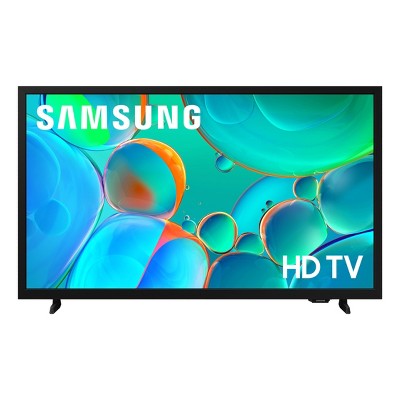
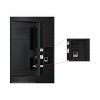
Samsung 40" FHD 1080p Smart LED TV: Bluetooth & Wi-Fi, HDR10+, Alexa Compatible - 2 of 4Samsung 40" FHD 1080p Smart LED TV: Bluetooth & Wi-Fi, HDR10+, Alexa Compatible - 3 of 4Samsung 40" FHD 1080p Smart LED TV: Bluetooth & Wi-Fi, HDR10+, Alexa Compatible - 4 of 4
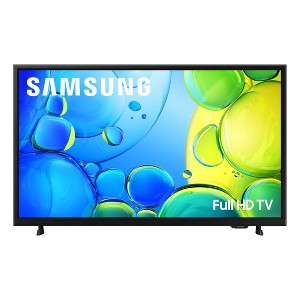
Samsung 40" FHD 1080p Smart LED TV: Bluetooth & Wi-Fi, HDR10+, Alexa Compatible - 1 of 4

Samsung 40" FHD 1080p Smart LED TV: Bluetooth & Wi-Fi, HDR10+, Alexa Compatible

$199.99

In Stock

Eligible for registries and wish lists

At a glance

Sponsored

About this item

Highlights

  • HDR -See your content as it’s meant to be seen - from the subtle highlights in a dark, moody alleyway to the deep shadows cast on a bright and sunny afternoon. High Dynamic Range (HDR) expands the contrast between the lightest and darkest parts of a scene, so you can enjoy a wide spectrum of colors and details.
  • Object Tracking Sound Lite -Motion-based sound: Feel like you're part of the scene with audio that follows objects on screen. Featuring a virtual top channel, every sound is placed in space and moves with the action, enhancing your sense of immersion. Whether it is a car chase, an intense shootout, or a romantic dinner conversation, you’ll feel like you're right in the middle of it all.
  • Samsung Knox Security -Your TV experiences are secured. Samsung Knox Security protects you from harmful attacks by automatically blocking unauthorized apps and phishing websites. It also safeguards your IoT devices connected to your TV, plus your sensitive information, including your PIN codes and passwords. With regular updates, your TV is always kept safe. *Personal data includes directly input PIN-codes and passwords, and IoT device information shared through the SmartThings app. The latest software is required.
  • One UI Tizen -One UI Tizen is a personalized TV platform designed to bring together all your favorite apps and the latest features from Samsung*. Work out with a trainer, follow recipes and binge watch endless shows from your favorite streaming services-all with just a few clicks. One UI Tizen will receive automatic updates for 7 years.***Samsung Account required for network-based smart services, including streaming apps and other smart features. Computer, mobile or other device may be necessary to create/log in to Samsung Account (free to download and create). Without Account log in, only external device connections (e.g., via HDMI) and terrestrial/over-the-air TV (only for TVs with tuners) available. **Based on model year; requires Internet connection.
  • Endless Content -Access 2,700+ free channels, including over 400 premium Samsung TV Plus channels with just your Wi-Fi connection. With Samsung TV Plus, get live national and local news, sports, movies, music, kids' shows, K-Content and reality TV - all for free. Plus enjoy thousands of free movies and shows, on demand. With content frequently added, there’s always something new to explore. Plus, discover a diverse lineup of channels from free streaming TV services like Pluto TV and Freeze. There’s content for every occasion or mood. *Samsung Account required for network based smart services, including streaming apps and other smart features. A computer, mobile or other device may be necessary to create/log in to Samsung Account (free to download and create). Without Account log in, only external device connections (e.g., via HDMI) and terrestrial/over the air TV (only for TVs with tuners) available. Channels may vary by location and are subject to change. UI is subject to change without prior notice.
  • Slim Look with 3 Bezel-less Design -An elegant design with thin bezels that minimizes distractions. Add a minimalistic touch to your room and an uncluttered view, so you can focus entirely on your favorite sitcom or action movie.
  • PurColor -Enjoy your favorite shows and movies with vibrant colors that look like real life. Get a huge spectrum of hues - from the deep blues of the ocean to the vibrant greens of a forest - for lifelike picture quality that enhances every scene.
  • Q-Symphony - Unlock more robust, nuanced sound when your Samsung TV and soundbar speakers work together as one. Most soundbars mute the TVs speakers when activated. Why choose between your TV and soundbar to play sound, when you can have them all work together? Enjoy optimized surround sound, hear clear dialogue, and dive into a cinematic sound experience. * Requires a compatible 2020-2025 Q-Series, S-Series, B750F or B650F soundbar (sold separately). For more information, check soundbar specifications.
  • Mega Contrast -Forget about adjusting your TV settings to achieve a better picture. Your TV automatically adjusts brightness and contrast, enhancing the difference between light and dark areas on the screen, so you can enjoy stunning picture quality. Catch every detail, regardless of how dark or bright the scene is.
  • Mobile to TV - Mirror your screen and audio and enjoy endless scrolling, watch shows and movies, stream your favorite content, and even make video calls on your TV. Just link your device using SmartThings, AirPlay 2 to cast to your TV.* *Screen mirroring may vary by mobile app.

Description

Step up to Full HD for a significantly clearer picture than regular HD. Enjoy impressive, fine-tuned colors and deep contrast, all wrapped in a sleek design and secured by triple-layer protection.* Virtual 3D sound is enhanced and tracks movement on screen for a truly immersive experience *Personal data includes directly input PIN codes and passwords, and IoT device information shared through the SmartThings app. The latest software is required.
Dimensions (Overall): 20.4 Inches (H) x 35.7 Inches (W) x 2.8 Inches (D)
Weight: 12.9 Pounds
Electronics Condition: New
Electronics Features: Bluetooth, Wi-Fi
Aspect Ratio: 16:9 Aspect Ratio
Screen Resolution: 1080p
Native screen refresh rate: 60 Hz
Wireless Technology: Bluetooth, Wi-Fi
Screen Size: 39.5 Inches
Stand Depth: 6.2 Inches
Stand Width: 25.5 Inches
Compatible With: Google Assistant, Alexa, Netflix, YouTube, Disney+, Hulu, Apple TV+, Max, Amazon Prime Video, Samsung TV Plus, Sling TV, Spotify
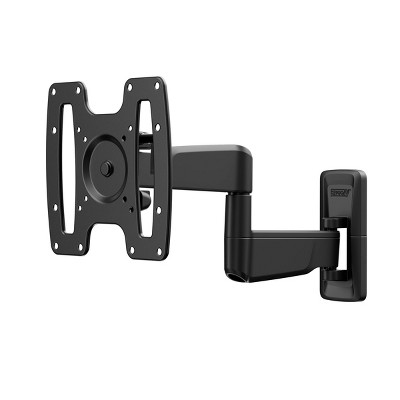
VESA Mounting Standard: 200x200
Product Depth with Stand: 6.2 Inches
Product Height with Stand: 21.5 Inches
Product Width with Stand: 35.7 Inches
Backlight type: LED Edge-Lit
Smart platform: Samsung Smart TV
Voice assistant built-in: No Voice Assistant Built-In
Model name: UN40F6000FFXZA
Number of HDMI ports: 2
High Dynamic Range (HDR): HDR10+, HDR10
Screen Mirroring Technology: SmartShare, Apple Airplay
Battery: 2 AAA Alkaline, Required, Packaged With
Warranty: 1 Year Limited Warranty. To obtain a copy of the manufacturer's or supplier's warranty for this item prior to purchasing the item, please call Target Guest Services at 1-800-591-3869
TCIN: 94465170
UPC: 887276927565
Item Number (DPCI): 008-09-6026
Origin: Imported
Energy Guide Label Required:
ENERGYGUIDE LABEL REQUIRED
If the item details aren’t accurate or complete, we want to know about it.

Shipping details

Estimated ship dimensions: 5 inches length x 39 inches width x 23 inches height
Estimated ship weight: 16.8 pounds
This item ships in its manufacturer’s packaging, revealing what’s inside. ·

Return details

This item can be returned to any Target store or Target.com.
This item must be returned within 30 days of the date it was purchased in store, shipped, delivered by a Shipt shopper, or made ready for pickup.
See the return policy for complete information.

Q: Does this tv have dual Bluetooth audio?

submitted by Taylor - 4 months ago
  • A: Hi, thank you for reaching out about Samsung 40" FHD 1080p Smart LED TV: Bluetooth & Wi-Fi, HDR10+, Alexa Compatible. Yes, the Samsung TV model UN40F6000FFXZA supports Bluetooth connectivity. This feature allows you to wirelessly connect Bluetooth-enabled devices, such as headphones, soundbars, or speakers, directly to the TV. If you have any additional questions, we welcome you to contact MyTGTtech at 833-848-8324 every day, between 7am-11pm CST.

    submitted byMatt - 4 months ago
    Target expert support
  • A: Hi Taylor, No, the F6000F does not offer Dual Bluetooth Audio. ~Samsung Advisor

    submitted bySamsung - 4 months ago
    Brand expert

Q: Can you hook up a speaker with optical audio cable?

submitted by Aloha808 - 8 days ago
  • A: Hi Aloha808, The F6000F TV does not offer an optical input. You can connect your soundbar via HDMI or Bluetooth connection. ~Samsung Advisor

    submitted bySamsung - 8 days ago
    Brand expert

Q: Does this television have a built in timer?

submitted by Dirk digler - 1 month ago
  • A: Hi Dirk digler, Yes, there is a built-in Sleep Timer. ~Samsung Advisor

    submitted bySamsung - 1 month ago
    Brand expert

Q: Can we use a cable box

submitted by Didnt work - 2 months ago
  • A: Hi, Yes, you can connect a cable box. ~Samsung Advisor

    submitted bySamsung - 2 months ago
    Brand expert

Q: Does this TV remote have numeric buttons?

submitted by Numbers - 2 months ago
  • A: Hi, thank you for reaching out about Samsung 40" FHD 1080p Smart LED TV: Bluetooth & Wi-Fi, HDR10+, Alexa Compatible. The original remote for the Samsung 40" UN40F6000FFXZA TV does not have physical numeric buttons (0-9). Instead, it is a "Smart Remote" designed for modern interfaces, which uses a virtual numeric pad. If you have any additional questions, we welcome you to contact MyTGTtech at 833-848-8324 every day, between 7am-11pm CST.

    submitted byMatt - 2 months ago
    Target expert support

Q: HOW MANY WAYS CAN YOU CONNECT CABLE TO THIS TV

submitted by scbob1125 - 2 months ago
  • A: Hi, thanks for reaching out about the Samsung 40" FHD 1080p Smart LED TV: Bluetooth & Wi-Fi, HDR10+, Alexa Compatible Your Samsung 40" FHD 1080p Smart LED TV offers three primary ways to connect to or access cable programming. 1. HDMI (The Best Way) 2. Direct Coaxial Cable (Limited) 3. Streaming App (The Smart Way) If you have any additional questions, we welcome you to contact MyTGTtech at 833-848-8324 every day between 7 am and 11 pm CST.

    submitted byRena - 2 months ago
    Target expert support

Q: Can this tv be used with just an antenna no cable or wifi? Just hd antenna?

submitted by DFetz - 3 months ago
  • A: Hi, thanks for reaching out about Samsung 40" FHD 1080p Smart LED TV: Bluetooth & Wi-Fi, HDR10+, Alexa Compatible. Yes, this TV can be used with just an antenna and no Wi-Fi or cable connection. If you have any additional questions, we welcome you to contact MyTGTtech at 833-848-8324 every day, between 7am-11pm CST.

    submitted byJoe - 3 months ago
    Target staff support

Q: Does the tv have USB port ?

submitted by Deanna - 4 months ago
  • A: Hi, thank you for reaching out about Samsung 40" FHD 1080p Smart LED TV: Bluetooth & Wi-Fi, HDR10+, Alexa Compatible. Yes, the UN40F6000FFXZA television has one USB-A port. It is typically located on the back or side of the TV, along with the HDMI and Ethernet ports. If you have any additional questions, we welcome you to contact MyTGTtech at 833-848-8324 every day, between 7am-11pm CST.

    submitted byMatt - 4 months ago
    Target expert support

Q: My TV has no sound coming from the TV but will work with my small Bluetooth speaker. Is this how it supposed to work?

submitted by TV AC - 5 months ago
  • A: Hi, thanks for reaching out about theSamsung 40" FHD 1080p Smart LED TV: Bluetooth & Wi-Fi, HDR10+, Alexa Compatible Check Sound Output Settings:On your TV's remote, press the Home or Menu button. Go to Settings. Select Sound and then Sound Output. Make sure that "TV Speaker" is selected. If it's not, select it and then check if the sound is working. Run a Sound Test: Many Samsung TVs have a built-in diagnostic tool. Go to Settings > Support > Self Diagnosis > Sound Test. If you have any additional questions, we welcome you to contact MyTGTtech at 833-848-8324 every day between 7 am and 11 pm CST.

    submitted byRena - 5 months ago
    Target expert support

Q: Dose this TV have Legs/Stand to sit on a Entertainment / Wall Unit ?

submitted by Targetuser247 - 6 months ago
  • A: Hi Targetuser247, thanks for reaching out about Samsung 40" FHD 1080p Smart LED TV Yes, this TV comes with a stand that screw into the bottom of the unit. If you have any additional questions, we welcome you to contact MyTGTtech at 833-848-8324 every day, between 7am-11pm CST.

    submitted byJustin - 6 months ago
    Target expert support
WARNING: Cancer and Reproductive Harm - www.P65Warnings.ca.gov For more information, go to https://www.p65warnings.ca.gov/

Related Categories

Guests are saying

This television offers an impressive viewing experience with excellent picture quality and sound, making it a great choice for movie nights, gaming, and streaming. Guests appreciate its user-friendly interface and seamless connectivity with other devices. While some have experienced minor issues, the overall performance and features, including smart capabilities and vibrant display, make it a solid investment for entertainment enthusiasts.
    Summary created by AI from text of reviews reflecting recent feedback provided across different star ratings (includes incentivized reviews)
    4.3 out of 5 stars with 159 reviews
    black levels: 4.42 out of 5
    brightness: 4.46 out of 5
    color quality: 4.46 out of 5
    features: 4.38 out of 5
    sound quality: 4.23 out of 5
    85% would recommend
    14 recommendations
    2 out of 5 stars
    30 December, 2025
    originally posted on Samsung US
    Image

    Damaged Screen

    I bought 2 for Christmas gifts for my sons and one works perfectly and the other showed up damaged. Due to ordering it with enough time to wrap it, Samsung won’t replace or fix the TV! Make sure you open and test right away if you buy as a gift! 2 Stars because at least one works!
    1 reply from Samsung Advisor team - 8 days ago
    Hi BoyDad, We're truly sorry to hear this and understand how frustrating it can be to notice damage or a defect after your TV has been delivered or installed. If the delivery or installation has already been signed for, please know that any issues must be reported within 5 days of delivery - or within 2 days of installation for purchases made on Samsung.com - to remain eligible for return under our policy. The return window begins once delivery and/or installation is complete. If your device is found to be defective, it may still qualify for service under the Standard Limited Warranty.You can read more about our return policy here: https://order-help.us.samsung.com/articles/returns-refunds/what-is-samsungs-return-policy/669e3173cd7d5a05a5318406 Our Product Support team is here to help with troubleshooting, repair, and warranty options. You can reach them directly at: https://www.samsung.com/us/support/contact/ If you need anything else, we’re always here for you. Please call us at 1-800-SAMSUNG (8AM – 12AM EST, 7 days a week), or visit the ‘Support’ link on our website to connect with a LiveChat agent. ~Samsung Advisor
    BoyDad
    Did you find this review helpful?
    2 out of 5 stars
    29 December, 2025
    originally posted on Samsung US
    Image

    Would not recommend

    One of the slowest electronic devices I've ever used. I push a button and it takes a 3-5 seconds for the TV to respond. It constantly has a G490 in the upper right corner of the screen. I assume it is a error code but cannot find anything about it. Giving a 2-star only because the picture is pretty good and, although the apps are slow, they do work. Very disappointed.
    1 reply from Samsung Advisor team - 9 days ago
    Hi Visions128, Thank you for reaching out to us. For optimal performance we recommend ensuring your device is up to date with the latest firmware. Go to Settings> Support> Software Update. Next, you may want to perform a factory reset. Settings > All Settings > General & Privacy > Reset > Factory Data Reset. Note that this will return all settings to their original defaults. If you continue to have issues and your TV shows an error code, please give us a call at 1-800-SAMSUNG so we can assist you further. You can also access LiveChat and additional resources by visiting the Support section on our website. ~Samsung Advisor
    Visions128
    Did you find this review helpful?
    5 out of 5 stars
    22 December, 2025
    originally posted on Samsung US
    Image

    Great product

    [This review was collected as part of a promotion.] Best TV i have owned. Great picture and sound. Would buy again
    Ohmanwhatatv
    Did you find this review helpful?
    2 out of 5 stars
    22 December, 2025
    originally posted on Samsung US
    Image

    F6000

    Samsung F6000 is very slow on downloading apps and has a very cheap hard to use remote I’ve had 5 Samsungs over Taps
    1 reply from Samsung Advisor team - 16 days ago
    Hi TAPS, We appreciate your feedback regarding response time. For optimal performance, please ensure your F6000F TV is running the latest firmware. You can check this by going to: Home > left directional key > Settings > Support > Software Update To further optimize performance, try running Device Care, which checks memory, clears unused cached data, and closes background apps: Home > left directional key > Settings > Support > Device Care > Start Device Care. To learn more about your TV and remote control, the e-Manual and Remote Control Guide are also conveniently built into your TV: Settings > Support > Tips and User Guides. If issues continue, please reach Samsung Support at 1-800-SAMSUNG, available 8AM – 12AM EST, 7 days a week. LiveChat is also available via the ‘Support’ link on our website. ~Samsung Advisor
    TAPS
    Did you find this review helpful?
    3 out of 5 stars
    20 December, 2025
    originally posted on Samsung US
    Image

    Samsung Set aup

    [This review was collected as part of a promotion.] I’m an older person but I use cell phone e-mail computers etc I really had a difficult time setting this up I still have a grey screen and will need to try again after resetting . I really love Samsung products and they have always been excellent quality
    1 reply from Samsung Advisor team - 16 days ago
    Hi Cherylyn, Thanks for sharing your experience with your screen displaying a black screen. This typically indicates a connection or source issue. Let’s walk through a few steps to help get things working again. 1. Check Source & Connections • Confirm the source: Use the remote to make sure the TV is set to the correct input. Go to: Home > Left directional key > Connected Devices > Sources • Verify connections: Ensure all external devices (like a cable box or Blu-ray player) are powered on and securely connected via HDMI. Try switching to a different HDMI port or using another cable to rule out a faulty connection. For best results, we recommend using a High Speed HDMI cable with Ethernet (HEAC) – this helps support 4K video and audio from most modern external devices. • Power cycle the TV: Unplug it from the wall for at least 60 seconds, then plug it back in. 2. Update Your TV Software: Make sure your TV is running the latest firmware: Home > Left directional key > Settings > Support > Software Update 3. Signal & Broadcast Checks (Especially important if you're using a cable box or antenna) • Check signal strength: Home > Left directional key > Settings > Support > Device Care > Self Diagnosis > Broadcast Signal • Run Auto Program: Home > Left directional key > Settings > All Settings > General & Privacy > Broadcasting > Auto Program 4. Advanced Troubleshooting • HDMI Test: Home > Left directional key > Settings > Support > Device Care > Self Diagnosis > HDMI Test • Try a different device: Connect another external device to the same HDMI port to see if the issue persists. • Check the power source: Make sure the TV is plugged into a working outlet. If using a surge protector, try plugging directly into the wall. • Factory reset (if needed): As a last resort, reset the TV to default settings. (Note: this will erase your preferences.) If you’ve tried all the above and still see “No Signal,” please reach out to Samsung Support for further assistance at 1-800-SAMSUNG, 8AM – 12AM EST, 7 days a week. LiveChat is also available via the ‘Support’ link on our website. ~Samsung Advisor
    Cherylyn
    Did you find this review helpful?
    5 out of 5 stars
    Thumbs up graphic, would recommend
    19 December, 2025Verified purchase

    (no review title)

    After using a tv that was at least 15 years old the new unit is fabulous system. I haven’t used it a lot so my review isn’t comprehensive.
    Susan
    black levels: 3 out of 5
    brightness: 3 out of 5
    color quality: 3 out of 5
    features: 3 out of 5
    sound quality: 3 out of 5
    Did you find this review helpful?
    5 out of 5 stars
    Thumbs up graphic, would recommend
    15 December, 2025Verified purchase

    great

    excellent picture quality
    megt
    black levels: 5 out of 5
    brightness: 5 out of 5
    color quality: 5 out of 5
    features: 5 out of 5
    sound quality: 5 out of 5
    Did you find this review helpful?
    5 out of 5 stars
    8 December, 2025
    originally posted on Samsung US
    Image

    Perfect television

    [This review was collected as part of a promotion.] Was looking for a small television for my kids room and close those one. The kids love it so you know we love it! Would suggest it to anybody for any reason
    Megatron420
    Did you find this review helpful?
    5 out of 5 stars
    6 December, 2025
    originally posted on Samsung US
    Image

    Great TV With a Great Picture!

    [This review was collected as part of a promotion.] Very nice picture quality and colors, with many features. Great selection of new channels with 'Samsung TV' system included free! Excellent choice for those needing a 40" television!
    TerryH
    Did you find this review helpful?
    5 out of 5 stars
    6 December, 2025
    originally posted on Samsung US
    Image

    THIS T.V MAKES YOU WANT TO WATCH T.V

    [This review was collected as part of a promotion.] This T.V is all that I need in more the set up was fast and easy the guide makes getting to where I want when I want on my T.V fast and easy. This Samsung makes me watch TV a experience.
    SAMIAMIAMSAM
    Did you find this review helpful?
    5 out of 5 stars
    5 December, 2025
    originally posted on Samsung US
    Image

    Excellent TV

    [This review was collected as part of a promotion.] I bought the Samsung F6000F FHD TV (2025) 32" TV. This is the best TV I have ever owned. The color , the sound, the quality of this television is amazing. I recommend this television to anybody that is looking for a smart TV.
    LoveSamsung
    Did you find this review helpful?
    3 out of 5 stars
    5 December, 2025
    originally posted on Samsung US
    Image

    worked great at the beginning, really nice picture

    [This review was collected as part of a promotion.] I was so pleased with this tv at the beginning. It's a snap to set up and the picture is really nice. After having for a few months, however, I'm starting to experience some rather upsetting issues. It turns on quickly but also quite quickly, the screen goes black and I have to wait a bit for the picture to come back on. My other issue is that I cannot consistently set a sleep timer. When I go into the settings, it often shows a sleep timer of 59 min and cannot be changed or it cannot be set at all. I think I've found a workaround by having the tv shut off at a particular time every night. Not ideal, but has been working for the past few nights. I originally gave this a 5 star review but will no longer recommend even at this very low price.
    1 reply from Samsung Advisor team - 1 month ago
    Hi LoR497, We appreciate your feedback on the F6000F TV. First, to ensure your TV's performance is fully optimized, please first check to see if there's a software update available. Go to Home > left directional key > Settings > Support > Software Update. If you're not using any external devices and the TV randomly cuts to black, it’s usually related to settings, signal, or internal software. Here are a few steps to help narrow it down and get things stable again. 1. Start with Power & Source Checks • Confirm the source: Even without external devices, it's worth confirming the TV is on the correct internal source (like TV/Live TV or a streaming app). Go to: Home > Left directional key > Connected Devices > Sources • Power cycle the TV: Unplug the TV from the power outlet for at least 60 seconds, then plug it back in. This can help reset any temporary glitches. • Check the power outlet: If you're using a power strip or surge protector, try plugging the TV directly into the wall to rule out inconsistent power delivery. 2. Run Built-In Diagnostics • Perform a Picture Test: Home > Left directional key > Settings > Support > Device Care > Self Diagnosis > Picture Test. This helps determine if the issue is hardware- or software-related. • Run the HDMI Test (optional): Even without HDMI devices connected, this can help verify that internal ports are functioning properly: Home > Left directional key > Settings > Support > Device Care > Self Diagnosis > HDMI Test 3. Review Energy & Picture Settings • Turn off Power Saving Mode or Eco Solution settings—they can dim or turn off the screen during periods of inactivity: Settings > All Settings > General & Privacy > Power & Energy Saving • Turn off Auto Power Off (if enabled): Settings > All Settings > General & Privacy > System Manager > Auto Power Off • Adjust Picture Mode settings: If the current mode is overly dynamic (like “Dynamic” or “Vivid”), try switching to “Standard” or “Movie” and observe if the screen behavior changes. 4. Factory Reset (if needed): If the problem persists after all checks, consider resetting the TV to default settings. (Heads-up: this will erase your installed apps and personal settings.) If none of these steps resolve the intermittent blackout, please reach out to Samsung Support for further troubleshooting or possible service options at 1-800-SAMSUNG, available daily from 8AM - 12AM EST. You can also visit the Samsung website and click on ‘Support’ for: • Live Chat • Manuals, Software, & Warranty Info ~ Samsung Advisor
    LoR497
    Did you find this review helpful?
    4 out of 5 stars
    5 December, 2025
    originally posted on Samsung US
    Image

    Great TV for a solid price

    [This review was collected as part of a promotion.] Really nice tv for the price. Lots of great features. If the controls were a little less laggy it would be 5 stars.
    Shockershopper
    Did you find this review helpful?
    4 out of 5 stars
    4 December, 2025
    originally posted on Samsung US
    Image

    This product has the main important features

    [This review was collected as part of a promotion.] It could use updated applications such as Netflix and Facebook.
    JacquelineNM89
    Did you find this review helpful?
    5 out of 5 stars
    30 November, 2025Verified purchase

    (no review title)

    Love the TV. Great color. Only complaint is to many movie stations and hard to get local stations. Maybe I just don’t know how to set it up but can be very frustrating just to get to a Chanel I’m familiar with.
    Chery
    Did you find this review helpful?
    1 out of 5 stars
    29 November, 2025
    originally posted on Samsung US
    Image

    Good picture horrible get

    The get were awful to install. Hard to line up screws and they don't go in all the way so the get are wobbly
    1 reply from Samsung Advisor team - 1 month ago
    Hi Jordan, Thank you for sharing your concerns. Please know that the TV stand was solidly designed and extensively tested for stability. If your stand seems wobbly or looks crooked, please ensure the legs are installed correctly. For step-by-step setup, refer to the Installation Guide included in the box, or download it at: https://www.samsung.com/us/support/downloads/ If you need more help, please reach out to Samsung Support at 1-800-SAMSUNG, available 8AM – 12AM EST, 7 days a week. You can also connect via LiveChat on our website. ~ Samsung Advisor
    Jordan
    Did you find this review helpful?
    3 out of 5 stars
    26 November, 2025
    originally posted on Samsung US
    Image

    TV does not come with wall mount bracket screws

    I like the TV but I wanted to use my previous TV wall mount bracket. Be aware this TV does not come with bracket screws. I had to order them separately. They were cheap but an aggravation no less. I had to do a little searching to find the correct size screws to use. In my search Samsung referred to my user manual and of course there was no mention of screw size. The screws should be supplied or at least give the option to order them when ordering the TV
    1 reply from Samsung Advisor team - 1 month ago
    Hi DT64, Thanks for sharing your setup experience with the Samsung F6000F TV. Wall mount screws aren't included with the TV because not all mounting setups are the same – different walls and brackets require different hardware for a secure fit. We want to make sure your TV is mounted safely and properly, and including a universal screw might not work for your specific setup. If there’s anything we can do to help or improve your experience, please reach out to Samsung Support at 1-800-SAMSUNG, 8AM – 12AM EST, 7 days a week. LiveChat is also available through the ‘Support’ link on our website. ~ Samsung Advisor
    DT64
    1 guest found this review helpful. Did you?
    5 out of 5 stars
    23 November, 2025
    originally posted on Samsung US
    Image

    This product has great and amazing features

    [This review was collected as part of a promotion.] This TV is excellent got to play games from the Xbox cloud gaming app has excellent sound can pair any blue tooth speakers to it
    LoveSamsung
    Did you find this review helpful?
    5 out of 5 stars
    Thumbs up graphic, would recommend
    22 November, 2025Verified purchase

    smart tv

    Great deal great tv
    Emily
    black levels: 5 out of 5
    brightness: 5 out of 5
    color quality: 5 out of 5
    features: 5 out of 5
    sound quality: 5 out of 5
    Did you find this review helpful?
    4 out of 5 stars
    21 November, 2025
    originally posted on Samsung US
    Image

    Samsung Full hd tv 43 in

    [This review was collected as part of a promotion.] Tv is of great value. color is a little on the pixel side. has alot of spotted areas. size is good for my bedroom. haven't worrked out all the stations yet . thanks for the product.
    Grammy11
    Did you find this review helpful?

    Get top deals, latest trends, and more.

    Privacy policy

    Footer

    About Us

    About TargetCareersNews & BlogTarget BrandsBullseye ShopSustainability & GovernancePress CenterAdvertise with UsInvestorsAffiliates & PartnersSuppliersTargetPlus

    Help

    Target HelpReturnsTrack OrdersRecallsContact UsFeedbackAccessibilitySecurity & FraudTeam Member ServicesLegal & Privacy

    Stores

    Find a StoreClinicPharmacyTarget OpticalMore In-Store Services

    Services

    Target Circle™Target Circle™ CardTarget Circle 360™Target AppRegistrySame Day DeliveryOrder PickupDrive UpFree 2-Day ShippingShipping & DeliveryMore Services
    PinterestFacebookInstagramXYoutubeTiktokTermsCA Supply ChainPrivacy PolicyCA Privacy RightsYour Privacy ChoicesInterest Based AdsHealth Privacy Policy