
New ArrivalsEasterClothing, Shoes & AccessoriesHomeKitchen & DiningOutdoor Living & GardenFurnitureGroceryHousehold EssentialsBabyBeautyPersonal CareHealthWellnessBackpacks & LuggageSports & OutdoorsToysElectronicsVideo GamesMovies, Music & BooksSchool & Office SuppliesParty SuppliesGift IdeasGift CardsPetsUlta Beauty at TargetShop by CommunityTarget OpticalDealsClearanceTarget New ArrivalsEasterWomen’s Western OutfitsHome Decor Ideas & TrendsTop DealsTarget Circle DealsWeekly AdShop Order PickupShop Same Day DeliveryRegistryRedCardTarget CircleFind Stores
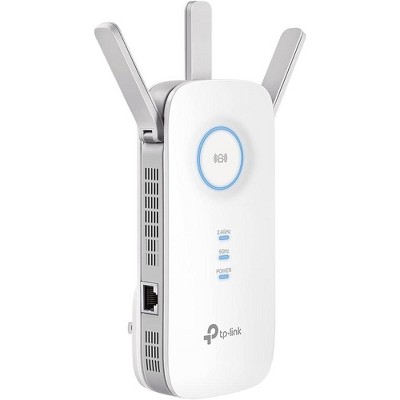
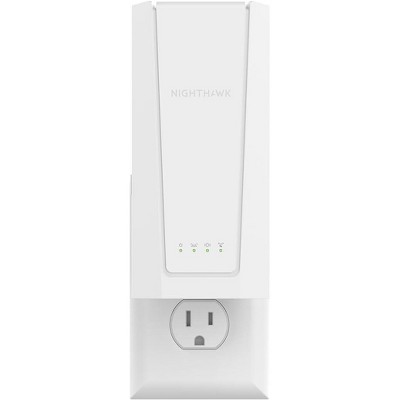
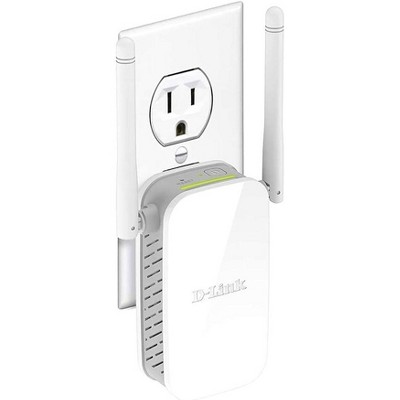
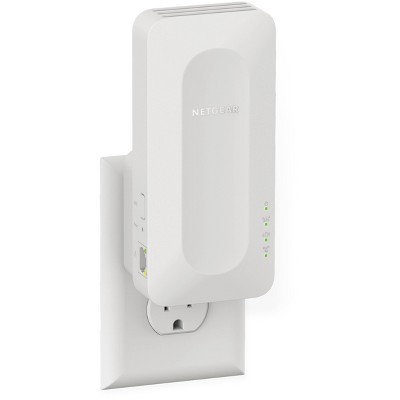
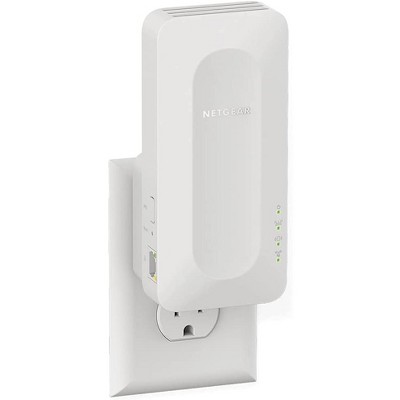
TP-Link AC750 Wi-Fi Range Extender - White (RE205) - 2 of 4TP-Link AC750 Wi-Fi Range Extender - White (RE205) - 3 of 4TP-Link AC750 Wi-Fi Range Extender - White (RE205) - 4 of 4
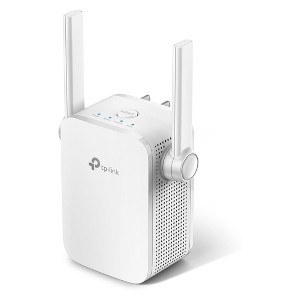
TP-Link AC750 Wi-Fi Range Extender - White (RE205) - 1 of 4

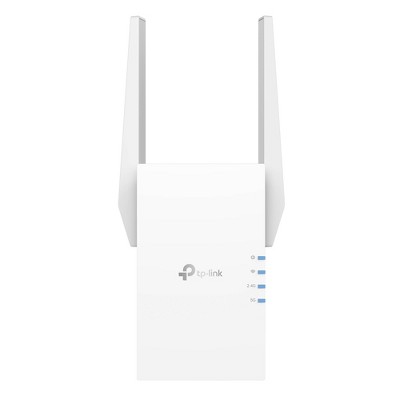
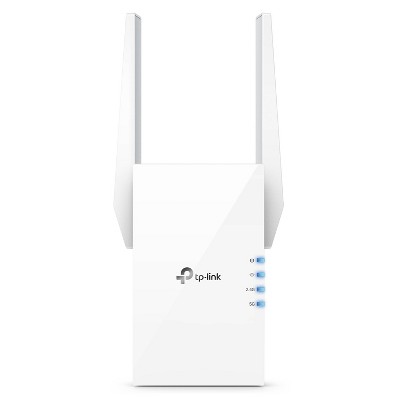
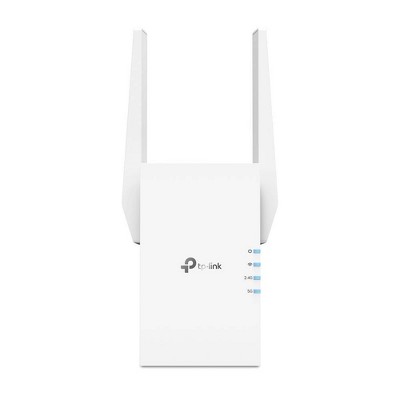
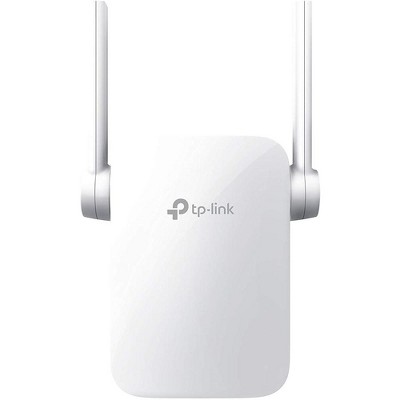
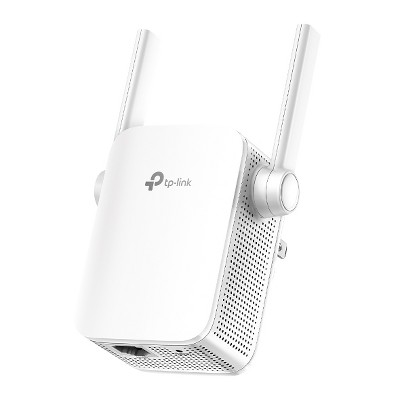
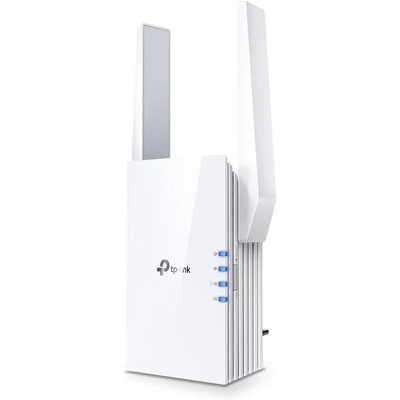
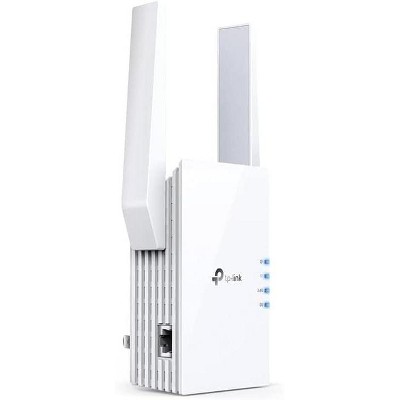
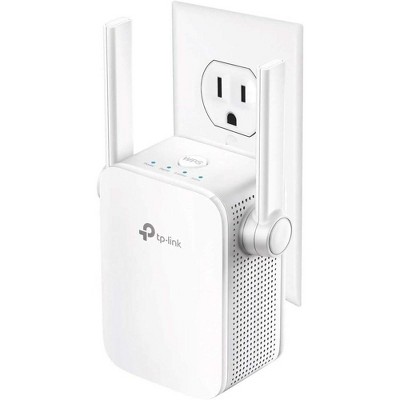
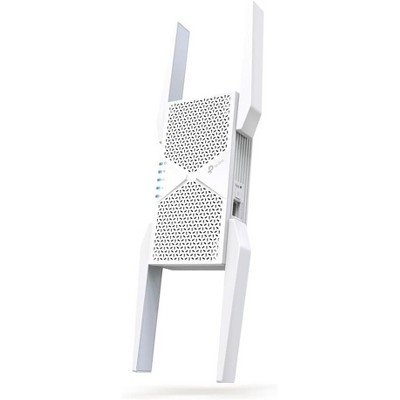
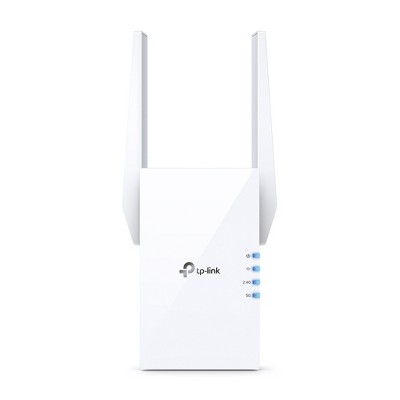
TP-Link AC750 Wi-Fi Range Extender - White (RE205)

$29.99

In Stock

Eligible for registries and wish lists

About this item

Highlights

  • Expand Your WiFi Range - Extend your router’s signal with fast and stable AC750 WiFi that brings dead zones back to life.*
  • High-Speed Mode - Dedicate one band as backhaul to create an even faster connection for streaming and gaming.
  • Sets Up Easily – Setup using the WPS button or TP-Link Tether app. Intelligent Signal Indicator will also direct you to the best spot to place your extender for the best WiFi range.
  • Universally Compatible - Works with any router, access point and internet service provider (ISP) required gateway.
  • Bridge Mode - Provide faster WiFi to any device by connecting to the Extender’s Gigabit port.
  • AP Mode - Switch to access point mode and wire the Extender to your router for faster extended WiFi.
  • Access Controls - Control who connects and secure your extended WiFi.
  • Power Schedules - Set a schedule for when the extender turns on and off to enforce bedtimes.

Description

The AC750 Wi-Fi Range Extender expands your router’s signal into areas the router can’t reach on its own, achieving speeds up to 300Mbps on the 2.4GHz band and 433Mbps on the 5GHz band.* The RE205 plugs into your outlet and the Intelligent Signal light will guide you to the best spot for maximizing Wi-Fi coverage. Attach a smart TV or any other wired devices to the Fast Ethernet port or switch the extender into access point mode to create a new Wi-Fi hotspot for a stronger signal. Set up and manage your Wi-Fi through the TP-Link Tether app, available for both Android and iOS. Tether's simple layout lets you quickly access Wi-Fi settings right from your smartphone.

Packaging Contents:
1 x RE205
1 x Quick Installation Guide


*Maximum wireless transmission rates are the physical rates derived from IEEE Standard 802.11 specifications. Range and coverage specifications are based upon test results under normal usage conditions. Actual wireless transmission rate and wireless coverage are not guaranteed and will vary as a result of 1) environmental factors, including building materials, physical objects and obstacles, 2) network conditions, including local interference, volume and density of traffic, product location, network complexity, and network overhead and 3) client limitations, including rated performance, location, connection quality, and client condition. Actual network speed may be limited by the rate of the product's Ethernet WAN or LAN port, the rate supported by the network cable, Internet service provider factors and other environmental conditions.
Dimensions (Overall): 2.44 Inches (H) x 3.07 Inches (W) x 3.15 Inches (D)
Weight: .26 Pounds
Number of Ethernet Ports: 1
Electronics Features: WEP Security
Connection Type: RJ-45 (Ethernet)
Includes: Instruction Manual, AC Power Adapter
Wireless Frequency/Band: 2.4 GHz / 5 GHz
Wireless Technology: Wi-Fi 5 (IEEE 802.11ac)
Industry or Government Certifications: No Certifications
Number of antenna: 2
Model name: RE205
Maximum Wi-Fi Speed: 750 Mbps
Mesh Networking: Not Mesh Compatible
Maximum Wired Speed: 100 Mbps
Compatible Service Providers: Armstrong, CenturyLink, Spectrum, Xfinity, Dish
Battery: No Battery Used
Warranty: 2 Year Limited Warranty. To obtain a copy of the manufacturer's or supplier's warranty for this item prior to purchasing the item, please call Target Guest Services at 1-800-591-3869
TCIN: 53300569
UPC: 845973080990
Item Number (DPCI): 056-02-0363
Origin: Imported
If the item details aren’t accurate or complete, we want to know about it.

Shipping details

Estimated ship dimensions: 8.3 inches length x 6.1 inches width x 4.09 inches height
Estimated ship weight: 0.41 pounds

Return details

This item can be returned to any Target store or Target.com.
This item must be returned within 30 days of the date it was purchased in store, delivered to the guest, delivered by a Shipt shopper, or picked up by the guest.
See the return policy for complete information.

Q: I'm a dinosaur--will I have to program the extender in some fashion to 'talk to' my modem? Everything I have internet-wise is via Bluetooth (not a direct cable). Thank you!

submitted by molly - 5 years ago
  • A: I'm sure its possible

    submitted byRzR - 5 years ago
  • A: Hi, molly! Regarding your question about the TP-Link AC750 Wi-Fi Range Extender - Black (RE205): This does require a step to connect the extender to your existing wireless network. Luckily, this step is quite easy! Simply press the WPS button on this extender, then walk over to your router and press its WPS button and then your done! If you have any additional questions, please do not hesitate to contact MyTGTtech at 877-698-4883 every day, between 7am-11pm CST.

    submitted byRobert - 5 years ago
    Target expert support

Q: Does this item extend network connection

submitted by Susanna - 8 days ago
  • A: Hi Susanna, Yes, our TP-Link RE205 Dual-Band Wi-Fi Range Extender is designed to connect to your existing router's Wi-Fi network and provide additional Wi-Fi connectivity and range within your home. The RE205 supports quick, intuitive setup methods, including WPS button, app-based, and web browser setup, for your convenience.

    submitted byTPLinkSupport - 7 days ago
    Brand expert
  • A: Hi, thanks for reaching out about TP-Link AC750 Wi-Fi Range Extender - White (RE205). Yes, that is exactly what the TP-Link RE205 is designed to do. If you have any additional questions, we welcome you to contact MyTGTtech at 833-848-8324 every day, between 7am-11pm CST.

    submitted byJoe - 7 days ago
    Target staff support

Q: Will this extender work with a Google Nest Floodlight camera?

submitted by HB - 20 days ago
  • A: Hi HB, The TP-Link RE205 is designed to provide universal Wi-Fi extension, so technically, yes―as long as your camera supports industry standard Wi-Fi connectivity.

    submitted byTPLinkSupport - 20 days ago
    Brand expert
  • A: Hi, thanks for reaching out about TP-Link AC750 Wi-Fi Range Extender - White (RE205) The RE205 is a "universal" extender, meaning it can pick up any standard Wi-Fi signal (including a Google Nest Wifi signal) and rebroadcast it. Since the Nest Floodlight camera uses standard 802.11a/b/g/n (2.4 GHz) Wi-Fi, it can connect to the signal coming from the TP-Link extender just like it would a router. If you have any additional questions, we welcome you to contact MyTGTtech at 833-848-8324 every day, between 7am-11pm CST.

    submitted byMike - 20 days ago
    Target expert support

Q: Will this work with eero

submitted by Withbellson - 2 months ago
  • A: Hi Withebellson, TP-Link Wi-Fi Range Extenders are designed for universal compatibility with Wi-Fi routers. Please note that mesh systems, such as Eero, may utilize a proprietary app or Mesh technology. As a result, while a universal Wi-Fi range extender can extend your Wi-Fi signal, it may not fully support the proprietary features of your existing mesh or its app ecosystem.

    submitted byTPLinkSupport - 2 months ago
    Brand expert
  • A: Hi, thanks for reaching out about TP-Link AC750 Wi-Fi Range Extender - White (RE205). Technically, yes, the TP-Link AC750 (RE205) will work with an eero system, but it will not function as part of the "mesh." Instead, it acts as a separate bridge. Because eero uses a proprietary technology called TrueMesh, third-party extenders like TP-Link cannot fully "talk" to it to create one seamless, smart network. If you have any additional questions, we welcome you to contact MyTGTtech at 833-848-8324 every day, between 7am-11pm CST.

    submitted byJoe - 2 months ago
    Target staff support

Q: Will it work on a roku TV that's what I have

submitted by Cat - 3 months ago
  • A: Hi Cat, Yes. TP-Link Wi-Fi Range Extenders are designed for universal compatibility with Wi-Fi routers and Wi-Fi devices.

    submitted byTPLinkSupport - 2 months ago
    Brand expert
  • A: Hi, thanks for reaching out about TP-Link AC750 Wi-Fi Range Extender - White (RE205). That is a very common setup—using a range extender to help a Smart TV in a distant room get a strong signal! Yes, the TP-Link AC750 Wi-Fi Range Extender (RE205) will work with your Roku TV, but you may need to use a specific setup method due to known Roku compatibility quirks. If you have any additional questions, we welcome you to contact MyTGTtech at 833-848-8324 every day, between 7am-11pm CST.

    submitted byJoe - 3 months ago
    Target staff support

Q: I have Frontier fiber optic internet, will this unit extend the wi-fi coverage?

submitted by Terry Lyn - 3 months ago
  • A: Hi Terry, TP-Link Wi-Fi Range Extenders are universally compatible with Wi-Fi routers. As long as your existing router or gateway provides 2.4 GHz and/or 5 GHz Wi-Fi connectivity, the extender should be compatible.

    submitted byTPLinkSupport - 2 months ago
    Brand expert
  • A: Hi, thanks for reaching out about TP-Link AC750 Wi-Fi Range Extender - White (RE205). Yes, the TP-Link AC750 Wi-Fi Range Extender (RE205) will work to extend your Wi-Fi coverage from your Frontier fiber optic router. If you have any additional questions, we welcome you to contact MyTGTtech at 833-848-8324 every day, between 7am-11pm CST.

    submitted byJoe - 3 months ago
    Target staff support

Q: Will it work with Google Nest?

submitted by Kate - 3 months ago
  • A: Hi Kate, TP-Link Wi-Fi Extenders are designed for universal compatibility with Wi-Fi Routers. The extender can technically extend your Google Nest's Wi-Fi signal; however, it will not seamlessly integrate with any of your Google Nest's proprietary software, apps, or exclusive features.

    submitted byTPLinkSupport - 3 months ago
    Brand expert
  • A: Hi, thanks for reaching out about TP-Link AC750 Wi-Fi Range Extender - White (RE205). Yes, the TP-Link AC750 Wi-Fi Range Extender (RE205) will work with Google Nest, but the experience will not be as seamless as using a native Google Nest/Wifi point. If you have any additional questions, we welcome you to contact MyTGTtech at 833-848-8324 every day, between 7am-11pm CST.

    submitted byJoe - 3 months ago
    Target staff support

Q: Can I keep it on the 2.4 ghz band? I want to purchase as a connection point for outdoor permanent lights. My router is dual band and I am afraid it won’t work without an extender but the lights require 2.4 GHz

submitted by SJP - 4 months ago
  • A: Hi SJP, Yes, you can conveniently select which Wi-Fi band(s) you want to extend during setup.

    submitted byTPLinkSupport - 4 months ago
    Brand expert
  • A: Hi, thanks for reaching out about TP-Link AC750 Wi-Fi Range Extender - White (RE205) Yes, you can configure this range extender to connect to and broadcast only the 2.4 GHz band for your outdoor lights. If you have any additional questions, we welcome you to contact MyTGTtech at 833-848-8324 every day, between 7am-11pm CST.

    submitted byMike - 4 months ago
    Target expert support

Q: If I don’t have access to the router will I still be able to connect it to the router possibly via an app using the WiFi on my device from the router?

submitted by Kristan - 4 months ago
  • A: Hi Kristan, Thank you for your review. As long as the extender is set up within the Wi-Fi coverage range of the router, and you know the router's Wi-Fi password, you can use the TP-Link Tether app on your smartphone to conveniently install the Range Extender.

    submitted byTPLinkSupport - 4 months ago
    Brand expert
  • A: Hi, thanks for reaching out about the TP-Link AC750 Wi-Fi Range Extender - White (RE205) Yes, you can absolutely connect the TP-Link AC750 Wi-Fi Range Extender (RE205) to your router without needing to press the WPS button on the router. The WPS (Wi-Fi Protected Setup) button is just one of three ways to set up the extender. The method you described—using a mobile app—is the recommended way. If you have any additional questions, we welcome you to contact MyTGTtech at 833-848-8324 every day between 7 am and 11 pm CST.

    submitted byRena - 4 months ago
    Target expert support

Q: How far will this extender help range wise?

submitted by jpc - 5 months ago
  • A: The range from the extender is comparable to a router of similar speed and capabilities.

    submitted byTPLinkSupport - 5 months ago
    Brand expert
  • A: Hi, thank you for reaching out about TP-Link AC750 Wi-Fi Range Extender - White (RE205). The TP-Link RE205 can extend your Wi-Fi range by approximately 1,200 to 1,500 square feet, but actual coverage varies significantly based on environmental factors like walls and interference. To achieve optimal performance, place the extender about 20–35 feet away from your router, not in a "dead spot," to ensure it receives a strong enough signal to rebroadcast. If you have any additional questions, we welcome you to contact MyTGTtech at 833-848-8324 every day, between 7am-11pm CST.

    submitted byMatt - 5 months ago
    Target expert support

Additional product information and recommendations

Guests are saying

This WiFi extender has received mixed feedback from guests, with many praising its ability to eliminate dead spots and improve internet connectivity in various areas of the home. While some guests found it easy to set up and effective for streaming and gaming, others experienced connectivity issues and inconsistent performance. Overall, it offers a good value for those looking to enhance their WiFi coverage, especially in smaller homes or specific rooms.
    Summary created by AI from text of reviews reflecting recent feedback provided across different star ratings (includes incentivized reviews)
    3.7 out of 5 stars with 346 reviews
    quality: 3.45 out of 5
    value: 3.55 out of 5
    68% would recommend
    117 recommendations
    3 out of 5 stars
    23 February, 2026Verified purchase

    You get what you pay for

    It's just OK.
    MM
    Did you find this review helpful?
    1 out of 5 stars
    Thumbs down graphic, would not recommend
    15 February, 2026Verified purchase

    (no review title)

    The connectivity did not set up at all. Total displeasure with this product.
    Thomas
    quality: 1 out of 5
    Did you find this review helpful?
    1 out of 5 stars
    Thumbs down graphic, would not recommend
    9 February, 2026Verified purchase

    dookie

    Just got it in the mail today to boost the signal in my bedroom. not only did it take forever to get it to connect to the app but once we got it connected multiple devices would no longer connect to the wifi. So in other words, good luck if you buy it!
    1 reply from TPLinkSupport team - 13 days ago
    Hi Manda, Thank you for your review. If you haven't noticed a significant improvement in Wi-Fi coverage after installing the extender, we recommend relocating the unit to a position within your home where the router's Wi-Fi signal is sufficiently strong; yet far enough from the router to effectively extend its range. Please verify the RE status LED is indicating a solid connection. We also recommend ensuring the extender's firmware is fully up to date using the steps outlined in FAQ 1406 on our official website. To locate this FAQ, visit our website and enter 1406 in the top-right search field, then click the corresponding FAQ in the search results. If you would like assistance with any of these steps, please reach out to our support team using any of the resources included with the product, or from our official website, and we'll gladly have a Support Agent follow up with you directly. Thank you, TP-Link Systems Support
    Manda
    quality: 1 out of 5
    value: 1 out of 5
    Did you find this review helpful?
    5 out of 5 stars
    Thumbs up graphic, would recommend
    9 February, 2026Verified purchase

    (no review title)

    Easy to use and is effective.
    valerie
    quality: 5 out of 5
    value: 5 out of 5
    Did you find this review helpful?
    5 out of 5 stars
    Thumbs up graphic, would recommend
    15 January, 2026Verified purchase

    WiFi Extender

    Extends WiFi to back of house downstairs
    Red Cart Shopper
    quality: 5 out of 5
    value: 4 out of 5
    Did you find this review helpful?
    5 out of 5 stars
    Thumbs up graphic, would recommend
    14 January, 2026Verified purchase

    Phenomenal

    Soooo helpful for our new home. Its over 20 years old and the only coax cable outlet is in the living room. This extender pushed our wifi signal to all corners of the 1-story house. We love it! Definitely worth a try for the price before trying something super expensive like the Google mesh thing lol.
    Jess S
    quality: 5 out of 5
    value: 5 out of 5
    Did you find this review helpful?
    5 out of 5 stars
    Thumbs up graphic, would recommend
    13 January, 2026Verified purchase

    Easy set up and reliable

    Works great to extend internet service from one end of the house to the other end. Very easy set up.
    Mary
    quality: 5 out of 5
    value: 5 out of 5
    Did you find this review helpful?
    1 out of 5 stars
    Thumbs down graphic, would not recommend
    16 December, 2025Verified purchase

    Don't buy

    Can’t get it to work at all
    1 reply from TPLinkSupport team - 2 months ago
    Hi LouAnn, Thank you for your review. If you are experiencing difficulty connecting the extender to your router, we recommend setting up the device in the same room as your router, then relocating it after setup is complete. We also suggest re-verifying your router's Wi-Fi password during setup, or if using the WPS setup method, ensuring the WPS process is performed in the correct order. The extender's indicator LEDs will help you determine which position in your home is ideal. We also highly recommend ensuring the extender's firmware is fully up to date using the steps outlined in FAQ 1406 on our official website. To locate this FAQ, visit our website and enter 1406 in the top-right search field, then click the corresponding FAQ in the search results. If you'd like assistance with any of these steps, please reach out to our toll-free support team using any of the resources included with the product, or from our official website, and we'll gladly have a Support Agent follow up with you directly. Thank you, TP-Link Systems Support
    LouAnn
    quality: 1 out of 5
    value: 1 out of 5
    Did you find this review helpful?
    1 out of 5 stars
    Thumbs down graphic, would not recommend
    29 November, 2025

    (no review title)

    It connected to my devices in the deadzone but made the connection worse then it was
    1 reply from TPLinkSupport team - 3 months ago
    Hi ethan, Thank you for your review. If you haven't noticed a significant improvement in Wi-Fi coverage after installing the extender, we recommend relocating the unit to a position within your home where the router's Wi-Fi signal is sufficiently strong; yet far enough from the router to effectively extend its range. Please verify the RE status LED is indicating a solid connection. We also recommend ensuring the extender's firmware is fully up to date using the steps outlined in FAQ 1406 on our official website. To locate this FAQ, visit our website and enter 1406 in the top-right search field, then click the corresponding FAQ in the search results. If you would like assistance with any of these steps, please reach out to our support team using any of the resources included with the product, or from our official website, and we'll gladly have a Support Agent follow up with you directly. Thank you, TP-Link Systems Support
    ethan
    quality: 1 out of 5
    value: 1 out of 5
    Did you find this review helpful?
    1 out of 5 stars
    Thumbs down graphic, would not recommend
    22 November, 2025Verified purchase

    (no review title)

    This item has poor signal quality and requires to be paired in app constantly and ethernet port offers minimal to no speed. Could have been my distance from router or other factors but extender does not work well.
    1 reply from TPLinkSupport team - 3 months ago
    Hi Steve, Thank you for your review. If you haven't noticed a significant improvement in Wi-Fi coverage after installing the extender, we recommend relocating the unit to a position within your home where the router's Wi-Fi signal is sufficiently strong; yet far enough from the router to effectively extend its range. Please verify the RE status LED is indicating a solid connection. We also recommend ensuring the extender's firmware is fully up to date using the steps outlined in FAQ 1406 on our official website. To locate this FAQ, visit our website and enter 1406 in the top-right search field, then click the corresponding FAQ in the search results. If you would like assistance with any of these steps, please reach out to our support team using any of the resources included with the product, or from our official website, and we'll gladly have a Support Agent follow up with you directly. Thank you, TP-Link Systems Support
    Steve
    quality: 2 out of 5
    value: 1 out of 5
    Did you find this review helpful?
    5 out of 5 stars
    Thumbs up graphic, would recommend
    12 October, 2025

    Amazing distance

    So I have this extender at or above around 200 to 300 feet away from my router, and amazingly it still reaches and provides good signal so take that for what it is
    Christopher
    3 guests found this review helpful. Did you?
    5 out of 5 stars
    Thumbs up graphic, would recommend
    2 October, 2025Verified purchase

    No Problems

    Works as expected and is easy to set up using the Tether app they recommend in the manual.
    David
    quality: 5 out of 5
    value: 5 out of 5
    Did you find this review helpful?
    5 out of 5 stars
    Thumbs up graphic, would recommend
    24 September, 2025Verified purchase

    Wifi range extender

    This is fabulous! Needed extra wifi to reach outdoor cameras and this was perfect. Easy setup. Great buy.
    Cyndi M
    quality: 5 out of 5
    value: 5 out of 5
    2 guests found this review helpful. Did you?
    5 out of 5 stars
    Thumbs up graphic, would recommend
    24 September, 2025

    Life saver holy grail

    By all means a life saver. I was not able to do my work and my children were extremely devastated with their internet being so slow and this made our internet so fast. Definitely buy this, you don’t need those super expensive fancy ones.
    Haifa
    quality: 5 out of 5
    value: 5 out of 5
    1 guest found this review helpful. Did you?
    1 out of 5 stars
    Thumbs down graphic, would not recommend
    11 September, 2025

    Won't stay connected

    It goes offline all the time and won't stay connected. It's junk. I need to reboot it several times a day.
    1 reply from TPLinkSupport team - 5 months ago
    Hi, Thank you for your review. If you haven't noticed a significant improvement in Wi-Fi coverage after installing the extender, we recommend relocating the unit to a position within your home where the router's Wi-Fi signal is sufficiently strong, yet far enough from the router to effectively extend its range. Please verify the RE status LED is indicating a solid connection. We also recommend ensuring the extender's firmware is fully up to date using the steps outlined in FAQ 1406 on our official website. To locate this FAQ, visit our website and enter 1406 in the top-right search field, then click the corresponding FAQ in the search results. If you would like assistance with any of these steps, please reach out to our support team using any of the resources included with the product, or from our official website, and we'll gladly have a Support Agent follow up with you directly. Thank you, TP-Link Systems Support
    Mom
    quality: 1 out of 5
    value: 1 out of 5
    2 guests found this review helpful. Did you?
    1 out of 5 stars
    Thumbs down graphic, would not recommend
    11 September, 2025

    Junk

    This was a constant struggle to maintain a connection eventually completely bricking after about 8 months. Every time I wanted to use it I would have to do a complete reset. I’d never buy from this company again.
    1 reply from TPLinkSupport team - 5 months ago
    Hi David, If you haven't noticed a significant improvement in Wi-Fi coverage after installing the extender, we recommend relocating the unit to a position within your home where the router's Wi-Fi signal is sufficiently strong; yet far enough from the router to effectively extend its range. Please verify the RE status LED is indicating a solid connection. We also recommend ensuring the extender's firmware is fully up to date using the steps outlined in FAQ 1406 on our official website. To locate this FAQ, visit our website and enter 1406 in the top-right search field, then click the corresponding FAQ in the search results. If you would like assistance with any of these steps, please reach out to our support team using any of the resources included with the product, or from our official website, and we'll gladly have a Support Agent follow up with you directly. Thank you, TP-Link Systems Support
    David
    quality: 1 out of 5
    value: 3 out of 5
    1 guest found this review helpful. Did you?
    1 out of 5 stars
    Thumbs down graphic, would not recommend
    1 September, 2025Verified purchase

    Wifi extender

    Poor quality, really messed up my wifi system. I should have read other reviews before purchasing this item.
    1 reply from TPLinkSupport team - 6 months ago
    Hi, Thank you for your review. If you haven't noticed a significant improvement in Wi-Fi coverage after installing the extender, we recommend relocating the unit to a position within your home where the router's Wi-Fi signal is sufficiently strong; yet far enough from the router to effectively extend its range. Please verify the RE status LED is indicating a solid connection. We also recommend ensuring the extender's firmware is fully up to date using the steps outlined in FAQ 1406 on our official website. To locate this FAQ, visit our website and enter 1406 in the top-right search field, then click the corresponding FAQ in the search results. If you would like assistance with any of these steps, please reach out to our support team using any of the resources included with the product, or from our official website, and we'll gladly have a Support Agent follow up with you directly. Thank you, TP-Link Systems Support
    Target shopper
    quality: 1 out of 5
    value: 1 out of 5
    Did you find this review helpful?
    1 out of 5 stars
    Thumbs down graphic, would not recommend
    17 August, 2025

    DONT ORDER ELECTRONICS ONLINE

    This was the most frustrating experience. I ordered it online two hours ago and then I get to the store and said it was “processing” for two hours before they will even attend to the purchase. Then they don’t even have the product on hand and I had to wait 30 minutes to talk to someone. I will never buy something online from Target again. This was a terrible experience.
    1 reply from TPLinkSupport team - 6 months ago
    Hi LA_BLB, Thank you for your review. If you have any questions or concerns regarding the fulfillment and delivery of your order, please get in touch with Target Guest Service for more information and assistance. If you have any questions or concerns about the Range Extender and its features, feel free to contact our TP-Link Support Team using the Support Portal on our official TP-Link website, and a Support Agent will gladly assist you. Best Regards, TP-Link Systems Support
    LA_BLB
    quality: 1 out of 5
    value: 1 out of 5
    2 guests found this review helpful. Did you?
    5 out of 5 stars
    Thumbs up graphic, would recommend
    5 August, 2025Verified purchase

    Great item

    Easy set up within a few minutes. Needed it for an out of town trip. Was in a hurry , it connected with no issues.
    Fg
    quality: 5 out of 5
    value: 5 out of 5
    1 guest found this review helpful. Did you?
    1 out of 5 stars
    Thumbs down graphic, would not recommend
    31 July, 2025

    Late delivery

    I promise same day delivery at 5 PM then it was six then it was seven then it was eight then it was nine then it was 10 now it's tomorrow morning between 9 and 10 AM. Very poor service will not buy from target again.
    1 reply from TPLinkSupport team - 7 months ago
    Hi Honey, Thank you for your review. If you have any questions or concerns regarding the shipment of your order, we recommend contacting Target Guest Services for more information. If you have questions about the features or operation of your TP-Link Wi-Fi Range Extender, Our TP-Link support team is always happy to help. Please feel free to reach out using any of the resources included with the product, or from our official website, and we'll gladly have a Support Agent follow up with you directly. Thank you, TP-Link Systems Support
    Honey
    quality: 1 out of 5
    value: 1 out of 5
    1 guest found this review helpful. Did you?

    Get top deals, latest trends, and more.

    Privacy policy

    Footer

    About Us

    About TargetCareersNews & BlogTarget BrandsBullseye ShopSustainability & GovernancePress CenterAdvertise with UsInvestorsAffiliates & PartnersSuppliersTargetPlus

    Help

    Target HelpReturnsTrack OrdersRecallsContact UsFeedbackAccessibilitySecurity & FraudTeam Member ServicesLegal & Privacy

    Stores

    Find a StoreClinicPharmacyTarget OpticalMore In-Store Services

    Services

    Target Circle™Target Circle™ CardTarget Circle 360™Target AppRegistrySame Day DeliveryOrder PickupDrive UpFree 2-Day ShippingShipping & DeliveryMore Services
    PinterestFacebookInstagramXYoutubeTiktokTermsCA Supply ChainPrivacy PolicyCA Privacy RightsYour Privacy ChoicesInterest Based AdsHealth Privacy Policy