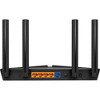
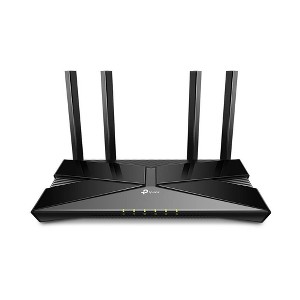
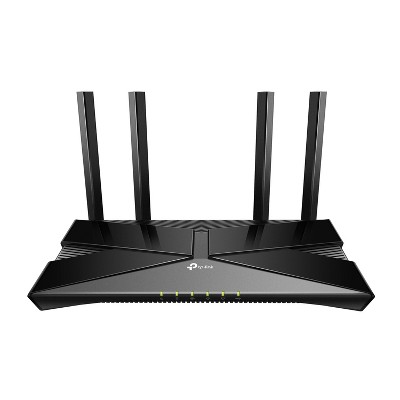
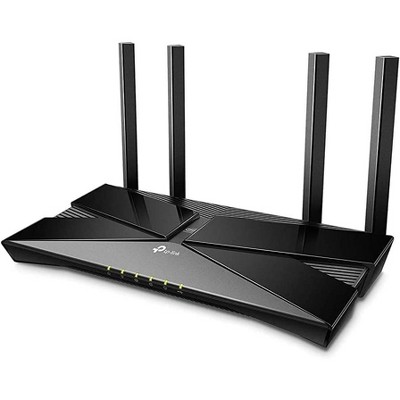
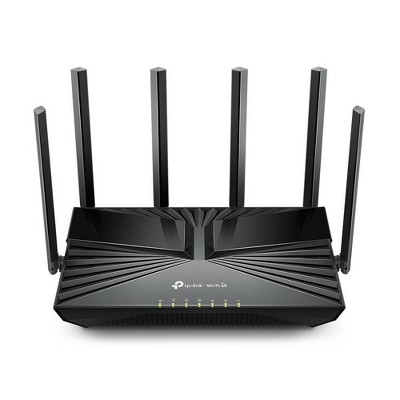
TP-Link Archer AX1450 WiFi 6 Dual-Band Wireless Router: Gigabit Ethernet, WPA3 Security
See price in cart
In Stock
Eligible for registries and wish lists
About this item
Additional product information and recommendations
Discover more options
Frequently bought together
Related Categories
Guests also viewed
3.5 out of 5 stars with 9 reviews
quality: 1.67 out of 5
value: 1.33 out of 5
0% would recommend
3 recommendations
2 out of 5 stars
Thumbs down graphic, would not recommend
23 January, 2026Verified purchase
Works but Stability is Rare
This router will work but it's super bad at stability so not ideal for people that work from home or need solid streaming, such as zoom. I have fiber and if you connect straight to the ethernet chord it is consistent and solid, but once it connects to this router the internet speed looks like a constant heart beat, up and down - not ideal and not worth the money. I was hopeful that a inexpensive router could do okay, I was wrong and now have to buy something way more expensive.
1 reply from TPLinkSupport team - 1 month ago
Hi H, Thank you for your review. To ensure the best possible signal, optimal placement is essential. Reducing obstructions and placing the router in a central location will help ensure your signal reaches the needed areas. For optimal performance of your wireless router, please check, and if needed, update its firmware using the steps outlined in FAQ 2796 on our official website. To locate this FAQ, visit our website and enter 2796 in the top-right search field, then click the corresponding FAQ in the search results. If you would like assistance with any of these steps, please reach out to our support team using any of the resources included with the product, or from our official website, and we'll gladly have a Support Agent follow up with you directly. Thank you, TP-Link Systems Support
5 out of 5 stars
4 January, 2026Verified purchase
(no review title)
So far so good, easy to set up and it’s the best value I could find for what I need it for (I only have a smart tv and phone connected to my internet). It has a 2 year warranty so if you have issues like some other reviewers, the company might just be able to replace it.
2 out of 5 stars
16 December, 2025Verified purchase
(no review title)
Wasn't what I thought it was. So ideally I didn't need it and I dont use it. But thats just my experience.
1 reply from TPLinkSupport team - 2 months ago
Hi Nedysha, Thank you for your review. This Wi-Fi 6 Router is designed to connect to your existing Internet source using an Ethernet cable, then provide your home and devices with reliable Dual-Band Wi-Fi. If you have any questions about using the router, our TP-Link Support Team is always available and happy to help via phone, live chat, or email by using the Support Portal on our official TP-Link website. Best Regards, TP-Link Systems Support
5 out of 5 stars
12 October, 2025Verified purchase
Ms
So far so good! No complaints.
1 out of 5 stars
Thumbs down graphic, would not recommend
14 August, 2024
Frustrated
Solid red light. Tried for four hours to fix myself. Disconnecting modem, router repeatedly from power and cable. Tried resetting multiple times. Contacted support for another 45 minutes. They couldn't resolve the issue. I've been waiting hour for higher tech support to call. Followed directions posted above. No change. I guess I'm on the hook for another router but won't be this brand.
1 reply from TPLinkSupport team - 2 years ago
Hi, Thank you for your review. It sounds like your cable modem's MAC (Media Access Control) binding needs to be released and renewed so it can provide an IP address (and Internet) to the Router. This can typically be done using the following steps: 1. Unplug the power from both your router and cable modem 2. Unplug the coax cable from the modem 3. Re-connect power ONLY to your cable modem 4. Wait until the cable modem is fully booted, then re-connect coax 5. Re-connect power to the router and connect it to the modem via Ethernet This process should release and renew the MAC binding, so your modem can provide connectivity to the router. If you'd like assistance with any of these steps, please contact our support team using any of the resources included with the product, or from our official website, and we'll gladly have a Support Agent follow up with you directly. Thank you, TP-Link Support
1 out of 5 stars
Thumbs down graphic, would not recommend
27 June, 2024
Worst wifi router ever
Don't waste your money it works but then glitched well at least the one I had only showing a red light and it's impossible to rest don't WASTE YOUR MOMEY LIKE ME!
1 reply from TPLinkSupport team - 2 years ago
Hi, Thank you for sharing your experience with our product. It sounds like your cable modem's MAC (Media Access Control) binding needs to be released and renewed so it can provide an IP address (and Internet) to the Router. This can typically be done using the following steps: 1. Unplug the power from both your router and cable modem 2. Unplug the coax cable from the modem 3. Re-connect power ONLY to your cable modem 4. Wait until the cable modem is fully booted, then re-connect coax 5. Re-connect power to the router and connect it to the modem via Ethernet This process should release and renew the MAC binding, so your modem can provide connectivity to the router. If you'd like assistance with any of these steps, please reach out to our toll-free support team using any of the resources included with the product, or from our official website, and we'll gladly have a Support Agent follow up with you directly. Thank you, TP-Link Support