Sponsored
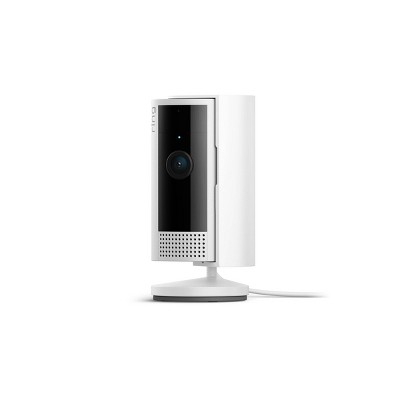
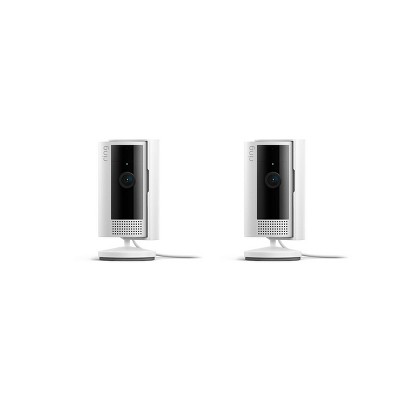
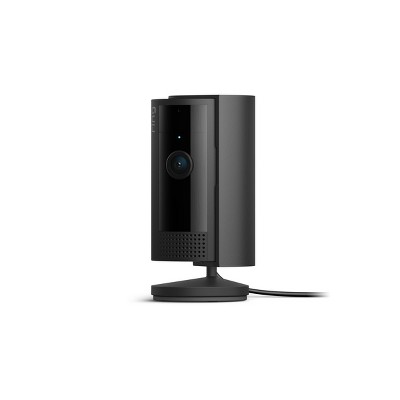
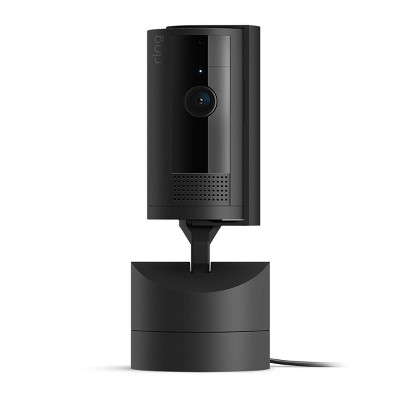
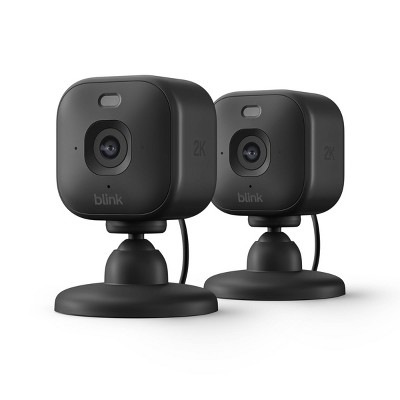
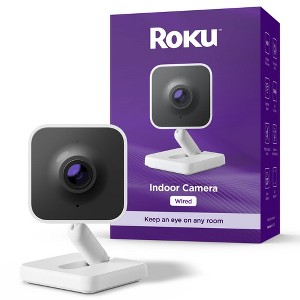
Roku Indoor Camera - Home Security - Wired Security Camera with 1080p HD Color Night Vision, WDR & Wi-Fi 6
In Stock
At a glance
Sponsored
About this item
Highlights
- Easy home monitoring: Pop into any room—from anywhere with the Roku Indoor Camera. Check in with the kids and make sure your pets are OK from your Roku TV, player, or Roku Smart Home mobile app.
- Clear as day (or night): Get every detail of the kids' room in 1080p HD full-color picture, whether it’s the middle of the night or the sun’s glaring through the window.
- Check your home from your phone: View a live stream, adjust your camera settings, talk to your pet, and more—all from the Roku Smart Home mobile app.
- Motion & sound detection: Whether you’re out running errands or in the middle of a show, get an alert within seconds of your indoor security camera’s sensor detecting motion or sound.
- See it all on your TV: No, no—don’t get up. Pull up your camera’s feed on your Roku TV or player by simply pressing a button on your remote or using Roku Voice. Have multiple cameras? Use Camera Carousel to cycle through each feed and detect motion automatically.
- Peace of mind: Enjoy enhanced security with a camera that holds an ioXt certification, ensuring rigorous safety standards and that has been through robust 3rd party review.
- Surprisingly simple setup: No more juggling manuals and hard-to-read instructions. Your Roku Smart Home app will walk you through it in a snap with easy-to-follow photos and videos.
- Don’t lose your connection: Place your camera anywhere in your home without losing connectivity thanks to Wi-Fi 6.
Description
Shipping details
Return details
Q: Can I speak into the camera
A: Hello Mommyof2, Yes, the Roku Indoor Camera - Home Security features two-way audio, which means you can definitely speak through the camera.
submitted byRoku Support - 9 days agoBrand expertA: Hi, thanks for reaching out about Roku Indoor Camera - Home Security - Wired Security Camera with 1080p HD Color Night Vision, WDR & Wi-Fi 6. Yes, the Roku Indoor Camera - Home Security features two-way audio, which means you can definitely speak through the camera. If you have any additional questions, we welcome you to contact MyTGTtech at 833-848-8324 every day, between 7am-11pm CST.
submitted byJoe - 12 days agoTarget staff support
Q: Can this camera be used outside as well? I'm only asking because in the video the guy is setting it up in the porch lol
A: Hello HI, No, the Roku Indoor Camera should not be used outdoors because it is not designed to withstand outdoor conditions, and its manufacturer recommends using its dedicated outdoor cameras for exterior use. While some people may attempt to use indoor cameras outdoors if protected, this is done at the user's own risk and can lead to damage from weather and temperature fluctuations.
submitted byRoku Support - 9 days agoBrand expertA: Hi, thanks for reaching out about Roku Indoor Camera - Home Security - Wired Security Camera with 1080p HD Color Night Vision, WDR & Wi-Fi 6 No, the Roku Indoor Camera should not be used outdoors because it is not designed to withstand outdoor conditions, and its manufacturer recommends using its dedicated outdoor cameras for exterior use. While some people may attempt to use indoor cameras outdoors if protected, this is done at the user's own risk and can lead to damage from weather and temperature fluctuations. If you have any additional questions, we welcome you to contact MyTGTtech at 833-848-8324 every day, between 7am-11pm CST.
submitted byJustin - 29 days agoTarget expert support
Q: Does this camera work on 5ghz WiFi?
A: Hello MC, That is a great question regarding connectivity. Based on the specifications for the Roku Indoor Camera (Wired Security Camera), it is designed to work on the 2.4GHz Wi-Fi band only. While it features the newer Wi-Fi 6 standard for better efficiency and stability on the 2.4GHz band, it does not support the 5GHz band.
submitted byRoku Support - 19 days agoBrand expertA: Hi, thanks for reaching out about Roku Indoor Camera - Home Security - Wired Security Camera with 1080p HD Color Night Vision, WDR & Wi-Fi 6. That is a great question regarding connectivity. Based on the specifications for the Roku Indoor Camera (Wired Security Camera), it is designed to work on the 2.4GHz Wi-Fi band only. While it features the newer Wi-Fi 6 standard for better efficiency and stability on the 2.4GHz band, it does not support the 5GHz band. If you have any additional questions, we welcome you to contact MyTGTtech at 833-848-8324 every day, between 7am-11pm CST.
submitted byJoe - 1 month agoTarget staff support
Q: I have a apple 8 plus phone will this work with this camera?
A: Hello Susan, Yes, your Apple iPhone 8 Plus should work with the Roku Indoor Camera, provided you have a reasonably up-to-date version of iOS installed.
submitted byRoku Support - 19 days agoBrand expertA: Hi, thanks for reaching out about the Roku Indoor Camera - Home Security - Wired Security Camera with 1080p HD Color Night Vision, WDR & Wi-Fi 6 Yes, your Apple iPhone 8 Plus should work with the Roku Indoor Camera, provided you have a reasonably up-to-date version of iOS installed. If you have any additional questions, we welcome you to contact MyTGTtech at 833-848-8324 every day between 7 am and 11 pm CST.
submitted byRena - 1 month agoTarget expert support
Q: Did i have to pay for a roku subscription for this to work?
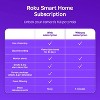
A: Hello Jeffrey, This Roku Indoor Camera has several important features that require a paid Roku Smart Home Subscription. Without the subscription, the camera operates with basic functionality, but you lose the most crucial features for security monitoring. A few features you should know about: -Cloud Video Recording & Storage: The camera automatically records video clips when motion or sound is detected and stores them in the cloud for 14 days. Without a subscription, there is virtually no recorded video available in the app. -Smart Detection: The camera's ability to intelligently filter notifications by recognizing what caused the alert (People, Packages, Pets, or Vehicles). This prevents you from getting constant, meaningless alerts. -No Cooldown Period: Without a subscription, the camera has a 5-minute "cooldown" period between event alerts, meaning if motion is detected twice within five minutes, you will only be notified of the first event, potentially missing critical footage. The subscription removes this limit. -Viewing Local Storage (MicroSD): While the camera supports a local MicroSD card (sold separately), Roku does not allow you to view the recordings on the card within the mobile app without a subscription. To view local recordings, you would have to physically remove the card and insert it into a computer, which is highly impractical. The following core features are included with the camera purchase and do not require a subscription: -Live Streaming: You can view the live 1080p HD video feed at any time from the Roku Smart Home mobile app. -Basic Motion & Sound Alerts: You receive general notifications to your phone when motion or sound is detected. -Two-Way Audio: You can talk and listen through the camera via the app. -Smoke & CO Alarm Notifications: The camera listens for existing smoke or carbon monoxide alarms and sends an alert. -Streaming to Roku TV/Player: You can pull up the live camera feed on a connected Roku TV or streaming player using the remote or Roku Voice.
submitted byRoku Support - 19 days agoBrand expertA: Hi, thanks for reaching out about Roku Indoor Camera - Home Security - Wired Security Camera with 1080p HD Color Night Vision, WDR & Wi-Fi 6 This Roku Indoor Camera has several important features that require a paid Roku Smart Home Subscription. Without the subscription, the camera operates with basic functionality, but you lose the most crucial features for security monitoring. A few features you should know about: -Cloud Video Recording & Storage: The camera automatically records video clips when motion or sound is detected and stores them in the cloud for 14 days. Without a subscription, there is virtually no recorded video available in the app. -Smart Detection: The camera's ability to intelligently filter notifications by recognizing what caused the alert (People, Packages, Pets, or Vehicles). This prevents you from getting constant, meaningless alerts. -No Cooldown Period: Without a subscription, the camera has a 5-minute "cooldown" period between event alerts, meaning if motion is detected twice within five minutes, you will only be notified of the first event, potentially missing critical footage. The subscription removes this limit. -Viewing Local Storage (MicroSD): While the camera supports a local MicroSD card (sold separately), Roku does not allow you to view the recordings on the card within the mobile app without a subscription. To view local recordings, you would have to physically remove the card and insert it into a computer, which is highly impractical. The following core features are included with the camera purchase and do not require a subscription: -Live Streaming: You can view the live 1080p HD video feed at any time from the Roku Smart Home mobile app. -Basic Motion & Sound Alerts: You receive general notifications to your phone when motion or sound is detected. -Two-Way Audio: You can talk and listen through the camera via the app. -Smoke & CO Alarm Notifications: The camera listens for existing smoke or carbon monoxide alarms and sends an alert. -Streaming to Roku TV/Player: You can pull up the live camera feed on a connected Roku TV or streaming player using the remote or Roku Voice. If you have any additional questions, we welcome you to contact MyTGTtech at 833-848-8324 every day, between 7am-11pm CST.
submitted byMike - 1 month agoTarget expert support
Q: Can you zoom in and out and move the camera to see a different angle from the app?
A: Hello Rachel B, Yes, the app allows you to pan and tilt (on the 360 model) and digitally zoom the live and recorded video streams of the Roku Indoor Camera. The Roku Indoor Camera 360° has a motorized pan and tilt feature, while all Roku indoor cameras support digital zoom in the app.
submitted byRoku Support - 19 days agoBrand expertA: Hi, thanks for reaching out about Roku Indoor Camera - Home Security - Wired Security Camera with 1080p HD Color Night Vision, WDR & Wi-Fi 6 Yes, the app allows you to pan and tilt (on the 360 model) and digitally zoom the live and recorded video streams of the Roku Indoor Camera. The Roku Indoor Camera 360° has a motorized pan and tilt feature, while all Roku indoor cameras support digital zoom in the app. If you have any additional questions, we welcome you to contact MyTGTtech at 833-848-8324 every day, between 7am-11pm CST.
submitted byJustin - 1 month agoTarget expert support
Q: Can this be set up in my mom's apartment for me to monitor in my home?
A: Hello TerriB, Yes, The Roku Indoor Camera is designed for remote monitoring and can easily be set up in your mom's apartment for you to monitor from your home.
submitted byRoku Support - 2 months agoBrand expertA: Hi, thanks for reaching out about the Roku Indoor Camera - Home Security - Wired Security Camera with 1080p HD Color Night Vision, WDR & Wi-Fi 6 Yes, The Roku Indoor Camera is designed for remote monitoring and can easily be set up in your mom's apartment for you to monitor from your home. If you have any additional questions, we welcome you to contact MyTGTtech at 833-848-8324 every day between 7 am and 11 pm CST.
submitted byRena - 2 months agoTarget expert support
Q: Does this camera record or can you only see live footage ?
A: Hi, thanks for reaching out about Roku Indoor Camera - Home Security - Wired Security Camera with 1080p HD Color Night Vision, WDR & Wi-Fi 6 The Roku Indoor Camera can record, but how it does so depends on whether you want to pay a monthly fee or use local storage. Out of the box, without any extras, it is primarily for live viewing only. Here are your three options for recording: 1. The "Free" Way (Live Only) - If you do not pay for a subscription and do not use an SD card, you will be able to: -Live Stream: You can watch the live feed anytime on your phone or Roku TV. -No Saved Video: When the camera detects motion, you will get a notification, but you cannot go back and watch what happened. As of 2025, Roku has removed the "free still image" snapshots that used to come with alerts. 2. Local Recording (MicroSD Card) - You can insert a MicroSD card (up to 256GB) into the base of the camera, which allows for: -Continuous Recording: The camera can record 24/7 to the card. When the card is full, it overwrites the oldest footage. -Reviewing the video: Roku currently does not allow you to view SD card footage remotely through the app. To see what was recorded, you have to physically remove the card and plug it into a computer or a phone with a card reader. 3. Cloud Recording (Roku Smart Home Subscription) - If you choose to pay for the monthly subscription , you unlock the full recording features: -Event Clips: Every time motion or sound is detected, a video clip is saved to the cloud for 14 days. -Easy Access: you can watch these clips instantly from the "Events" tab in the Roku app on your phone or your Roku TV. -Smart Alerts: It can tell the difference between a person, a pet, or a package. If you have any additional questions, we welcome you to contact MyTGTtech at 833-848-8324 every day, between 7am-11pm CST.
submitted byMike - 4 days agoTarget expert support
Q: Does this camera record or can you only see live footage
A: Hi, thanks for reaching out about Roku Indoor Camera - Home Security - Wired Security Camera with 1080p HD Color Night Vision, WDR & Wi-Fi 6 The Roku Indoor Camera can record, but how it does so depends on whether you want to pay a monthly fee or use local storage. Out of the box, without any extras, it is primarily for live viewing only. Here are your three options for recording: 1. The "Free" Way (Live Only) - If you do not pay for a subscription and do not use an SD card, you will be able to: -Live Stream: You can watch the live feed anytime on your phone or Roku TV. -No Saved Video: When the camera detects motion, you will get a notification, but you cannot go back and watch what happened. As of 2025, Roku has removed the "free still image" snapshots that used to come with alerts. 2. Local Recording (MicroSD Card) - You can insert a MicroSD card (up to 256GB) into the base of the camera, which allows for: -Continuous Recording: The camera can record 24/7 to the card. When the card is full, it overwrites the oldest footage. -Reviewing the video: Roku currently does not allow you to view SD card footage remotely through the app. To see what was recorded, you have to physically remove the card and plug it into a computer or a phone with a card reader. 3. Cloud Recording (Roku Smart Home Subscription) - If you choose to pay for the monthly subscription , you unlock the full recording features: -Event Clips: Every time motion or sound is detected, a video clip is saved to the cloud for 14 days. -Easy Access: you can watch these clips instantly from the "Events" tab in the Roku app on your phone or your Roku TV. -Smart Alerts: It can tell the difference between a person, a pet, or a package. If you have any additional questions, we welcome you to contact MyTGTtech at 833-848-8324 every day, between 7am-11pm CST.
submitted byMike - 4 days agoTarget expert support
Q: What is wired security camera?
A: A wired security camera means the camera connects to power using a cable instead of running on a rechargeable battery. Our Roku Indoor Cameras plug into a power outlet, so they offer continuous power without needing to recharge.
submitted byRoku Support - 26 days agoBrand expert
Related Categories
Would not recommend
1 reply from Roku Support team - 3 days ago

Fantastic viewing

(no review title)

Camera stops streaming
1 reply from Roku Customer Advocate team - 8 days ago

(no review title)

Loving Them
(no review title)
Roku Product

(no review title)

(no review title)
(no review title)

Best quality

(no review title)

Perfect security camera

(no review title)

Great cameras

love the cameras
1 reply from Roku Customer Advocate team - 8 days ago

(no review title)

Indoor camera