


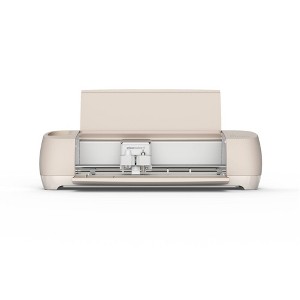
Cricut Explore 4 Electric Die Cutting Tool/Cutting Machine/Seashell
$211.65 reg $249.00
Clearance save $37.35 (15% off)
In Stock
Eligible for registries and wish lists
At a glance
About this item
Additional product information and recommendations
Related Categories
Discover more options
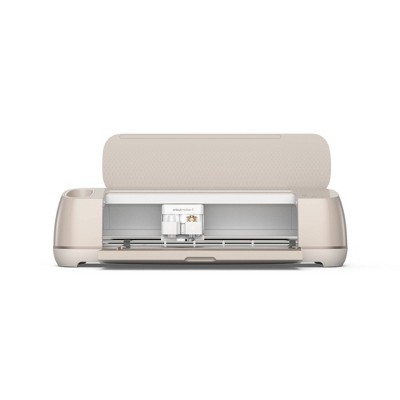
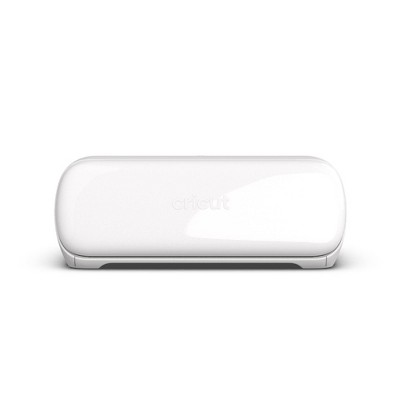
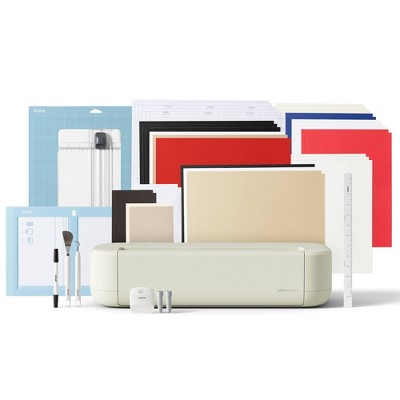
Frequently bought together
Guests also viewed
Guests are saying
The Cricut Explore 4 is a highly praised cutting machine that offers impressive speed and accuracy, making it ideal for various crafting projects. Many guests appreciate its ability to handle intricate designs quickly, enhancing productivity for both personal and professional use. While some users faced challenges with connectivity and calibration, the overall sentiment leans towards satisfaction with its performance and features, making it a worthwhile investment for crafters.
Summary created by AI from text of reviews reflecting recent feedback provided across different star ratings (includes incentivized reviews)
4.0 out of 5 stars with 164 reviews
quality: 2 out of 5
value: 1 out of 5
33% would recommend
6 recommendations
5 out of 5 stars
15 March, 2026
originally posted on Cricut

Explore 4
Have only had my explore a little while, but am really enjoying it.
5 out of 5 stars
7 March, 2026
originally posted on Cricut
Love
I love it. This is my 2nd Explore. Other one was from. 2014. I also have a Maker 4. I lo e e erything i can do with both.
2 out of 5 stars
25 February, 2026
originally posted on Cricut
SoSo
The bad news is that it is very loud! The good news is that it does cut fast
1 reply from Cricut team - 1 month ago
We’re always looking for ways to improve the experience for our users, and we truly appreciate the feedback on the Explore 4. If there’s anything specific you’d like us to look into, please reach out to our Member Care team — we’re here to help!
4 out of 5 stars
23 February, 2026
originally posted on Cricut
Good for those who want to do so many things
I purchased this to use just for cutting circles for air freshener labels. I had a few hole punchers that I used manually, they were great and fast but they would stop working not too long after purchase, so I decided to look into a Cricut. I get that the sticky insert has to always be used so nothing slides, it's just a pain. I wish there was a way I could put a stack of cardstock in the machine, choose the number of copies I want and then let it cut......but that's not how this works. I do believe this is an awesome machine and those who purchase this can definitely do a ton of things with it. I'm only using it to cut circles - time consuming but it's fine.
5 out of 5 stars
20 February, 2026
originally posted on Cricut
Ease of use
I like the ease in which I was able to learn how to use the Explorer 4
4 out of 5 stars
17 February, 2026
originally posted on Cricut
Easy to use, less technical than hoped for
Really easy to get started, I had the software and machine ready to go in minutes. The sample pieces make it easy tog et oriented to how the machine works. I'm used to CAD design, so design space was a bit less precise than I like, but I was able to make my own shapes and projects with a bit more work. One part I think is unnecessary is the "beep" the machine make every time the blade goes up or down; gets a little annoying when sitting beside the machine for a while. Other than that, I had no issues with it and once I got my custom material homed in, it was smooth sailing.
5 out of 5 stars
11 February, 2026
originally posted on Cricut
SO MUCH FASTER!
I had to replace my Make 3 and this Explorer 4 is so much faster at cutting! So far oretty hapoy with it.
5 out of 5 stars
10 February, 2026
originally posted on Cricut
Cricut Explore Rocks!
It is so much faster and it gives me far more options, including being able to use a variety of materials.
3 out of 5 stars
9 February, 2026
originally posted on Cricut
Explore 4
I love how it cuts so fast. I am not a fan of the constant beeping sounds it makes while cutting. I had a maker 3 for 3 yrs- that is not working so bought the Explore 4 due to cost of replacement. Had I known the noise level of the Explore 4 I would have just bought The Maker 4.
1 reply from Cricut team - 2 months ago
We’re always looking for ways to improve our members’ experience, and we truly appreciate your feedback on the Explore 4. If there’s anything specific you’d like us to look into, please feel free to reach out to our Member Care team—we’re always happy to help!
1 out of 5 stars
9 February, 2026Verified purchase
(no review title)
I received an older cricut explore and not the one I had intended on purchasing
1 reply from Cricut team - 2 months ago
Hi Nicole, and thank your for your review. we were sorry to read that you did not receive the machine you expected. Please be sure to get in touch with Target, so they can assist you with this order issue.
5 out of 5 stars
8 February, 2026
originally posted on Cricut
Good experience
I bought this a month ago and Im so happy with, I can do many things. I recommend this incredible product. Thank u Cricut, for this beautiful and incredible machine.
2 out of 5 stars
3 February, 2026
originally posted on Cricut
Tears up paper because it cuts too fast
Everything cuts too fast and tears up the paper. Don’t use for any intricate letters. Just Awful and going back to using my 6 year old machine.
1 reply from Cricut team - 2 months ago
Thank you for sharing your feedback. I’m really sorry to hear that your materials were tearing and that the cuts weren’t meeting your expectations, especially on more intricate designs. That’s incredibly frustrating, and I understand why you’d feel disappointed. We’d love to help troubleshoot this with you, as issues like this can often be improved with adjustments to settings, materials, or blade options. Your experience matters to us, and we want to make sure you’re able to get the results you’re looking for. Please contact Cricut Member Care at 877-727-4288, so we can take a closer look.
5 out of 5 stars
3 February, 2026
originally posted on Cricut
Fastest Explore ever!
Had the Explore 2 and my new 4 is amazing. Precise cuts and it's lightening fast! Love it.
1 out of 5 stars
2 February, 2026
originally posted on Cricut
Misinformation
I was told that I could make stencils from my own design if I drew them out. Your software doesn't allow free hand drawing. So I can't make stencils that I need. So therefore I just wasted all this money purchasing all these supplies and unit.
1 reply from Cricut team - 2 months ago
Thank you for sharing your feedback. We’re sorry to hear how frustrating this experience has been, especially when you were excited to create your own stencil designs. We understand how disappointing it feels when a feature doesn’t work the way you were promised. Our software does not have a feature that allows free hand drawing, however, you can upload the drawing into DesignSpace by taking a picture of your drawing and then uploading, or using additional graphic design software and uploading those created designs. Here's an article that tells how to get that design into DesignSpace: https://help.cricut.com/hc/en-us/articles/360009556313-How-to-upload-images-into-Design-Space Your comments help us see where things may feel unclear for new users, and we appreciate you taking the time to let us know about your experience. Please contact us at Cricut Member care if you have any additional questions. We would love t help answer questions or make things more clear.
5 out of 5 stars
24 January, 2026
originally posted on Cricut
Love my new Explore 4
It's a great addition to my craft room. Easy to use and has all the features I need to make the crafts I like to do. It's well made and easy to use. Software is good and there are loads of designs. Also, priced well for what you get.
5 out of 5 stars
18 January, 2026
originally posted on Cricut
Must Buy!
I love, love, love my new Cricut Explore 4. The buttons are easily pressed, it's fast and precise, and cuts very smoothly.
1 out of 5 stars
14 January, 2026
originally posted on Cricut
Buyer beware!!!
Do not buy! I have owned SX Cricut machines all from no fault of my own! This new Explorer is the WORST! These machines NEVER beeped with EVERY single little thing it cuts!! This one does! They will tell you its normal! Well they NEED to advertise its NOISY and WILL beep on every single little thing it cuts!!! Its LOUD and annoying! Cricut doesnt care what the consumer wants, only pushing these out as fast as they can! Oh it no longer has the magnet in them that used to hold blades in either!!! Cutting corners is more important.
1 reply from Cricut team - 3 months ago
Thank you for sharing your detailed feedback. We appreciate you taking the time to outline your experience, as we are always looking for ways to improve our members' experience. We're sorry to hear that your Cricut machine has not met your expectations. It is normal to hear some beeping from the Explore machine as it is cutting. Please contact our Member Care with your details so that we can take a look at this for you, we can review if the sound you are hearing is normal.
5 out of 5 stars
12 January, 2026
originally posted on Cricut
I Love Cricut
I absolutely love my new Explore 4. Took me awhile but finally got it, so far I have only made stickers but looking forward to one day be able to get the heat press also so I can do my t-shirts and more.
5 out of 5 stars
12 January, 2026
originally posted on Cricut
Love it!
I love it! I have the first model Explore and it fell and broke the bottom door but still worked. My husband bought me the 4 for Christmas. It’s so fast!!!! And quieter!!!
4 out of 5 stars
12 January, 2026
originally posted on Cricut
Cricut Explore 4
I love the speed and accuracy of the cuts. I am a little disappointed with the loudness of the maching. It is quite a bit louder than my Explore 2.