
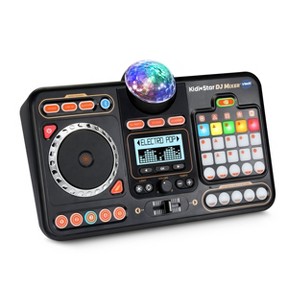
VTech KidiStar DJ Mixer
$59.99
In Stock
Eligible for registries and wish lists
About this item
Additional product information and recommendations
Discover more options
- $12.99reg $15.99 Sale
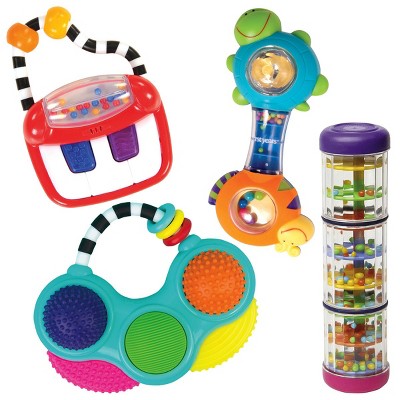
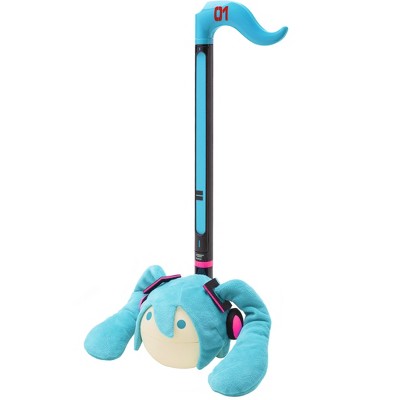
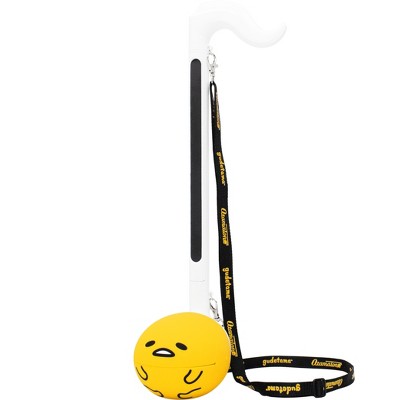
Frequently bought together
- $18.99MSRP $29.99

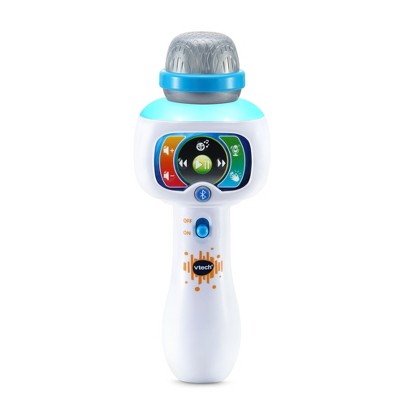


Guests also viewed
Related Categories
4.5 out of 5 stars with 125 reviews
broad age appeal: 4.21 out of 5
educational value: 3.61 out of 5
length of play: 4.14 out of 5
quality: 4.1 out of 5
value: 4.03 out of 5
79% would recommend
34 recommendations
1 out of 5 stars
Thumbs down graphic, would not recommend
11 May, 2026Verified purchase
Defective product
Do not buy. My son got one as a gift, and it was defective, so I bought him a new one and this one is also defective. I am going to return it and probably buy hi. Something else unfortunately
5 out of 5 stars
Thumbs up graphic, would recommend
12 March, 2026Verified purchase
Great toy for older kids too.
Great for autistic boy (6yo) who loves music. My son is obsessed with this toy. It’s gotten him off the iPad and he plays with it for HOURS. He has an app similar and I knew he would like this, but it’s quickly become his favorite toy. It fuels the creative energy and he’s entertained for quite some time.
5 out of 5 stars
Thumbs up graphic, would recommend
5 March, 2026Verified purchase
(no review title)
my grandbaby loved it
5 out of 5 stars
Thumbs up graphic, would recommend
27 February, 2026Verified purchase
great for ASD kiddos that love music!
7yr old son loves it!
5 out of 5 stars
Thumbs up graphic, would recommend
28 January, 2026
Vtech DJ Mixer
My son absolutely loves this toy and the quality of the toy is amazing! Even adults like to play with the DJ mixer. But for any parent out there who is struggling with the batteries popping out I have found rechargeable batteries that are slightly bigger stay in place better and we haven't had an issue with batteries popping out since we switched to them!
1 out of 5 stars
23 January, 2026Verified purchase
(no review title)
Broken when opened on Christmas
5 out of 5 stars
23 January, 2026Verified purchase
Fun toy
My 1 1/2 yr old grandson loves this toy. You can hook up Bluetooth, it has lights, great sound. It was one of his favorite Christmas gifts!
5 out of 5 stars
Thumbs up graphic, would recommend
23 January, 2026Verified purchase
Love it, so fun and easy to use!
This is so much fun, my 3 year old son loves it. My cousins kids enjoyed it so much when they were here that she ordered one for them on the spot. Don’t forget to take it out of demo mode by holding down the #5 custom SFX button (while in DJ party mode) until the mixer shuts off. Then turn it back on and you’re good to go. Otherwise it will auto shut off after like a minute while in demo mode.
5 out of 5 stars
21 January, 2026Verified purchase
(no review title)
Great
5 out of 5 stars
Thumbs up graphic, would recommend
28 December, 2025Verified purchase
(no review title)
Fun, Fun, Fun for the whole family!!
1 out of 5 stars
Thumbs down graphic, would not recommend
25 December, 2025Verified purchase
Speaker busted
Bought this as a Christmas present. It worked for about 10 minutes. When I plug in headphones it works but when i unplugged the headphones the sound stopped working.
5 out of 5 stars
16 December, 2025
Impressed
How cool is this?! My son is gonna be obsessed and possibly mom too. Wish I had this when I was a kid. There are a ton of different features! Definitely recommend!
5 out of 5 stars
Thumbs up graphic, would recommend
11 December, 2025Verified purchase
So much fin
My 8 year old is not too much into toys anymore but this be absolutely loves. So much fun gets him off the game system and I pad.
1 out of 5 stars
Thumbs down graphic, would not recommend
2 December, 2025
BUYER BEWARE
This toy is addictive in a problematic way. I think the lights on it or something about it is just too much. My 8 year old could not pull herself away from it and literally played with it all day long. The only time she ever gets like that is with screens. My 3 year old started to play with it and started waking up frequently at night and physically acting out the motions of playing with the mixer in his sleep. Sure this is a fun entertaining toy that will keep their attention but if you have a neurodivergent child PLEASE set time limits while using it or don’t get it at all. It’s not worth the sleep interruptions and nightmares from the flashing lights and repetitive sounds. I even got a headache after listening to it too much. I’d rather listen to them smash a keyboard piano toy instead.
5 out of 5 stars
Thumbs up graphic, would recommend
16 November, 2025Verified purchase
(no review title)
Amazing!! Delivery was fast!!
5 out of 5 stars
Thumbs up graphic, would recommend
13 November, 2025Verified purchase
Amazing gift
My granddaughter loves this as she loves to sing and dance. This is the solution to do it all. Hours of fun, mixing and making music. A great buy.
5 out of 5 stars
Thumbs up graphic, would recommend
10 November, 2025Verified purchase
grandson will love it
very cool dj set
5 out of 5 stars
Thumbs up graphic, would recommend
10 November, 2025Verified purchase
(no review title)
My granddaughter loved her birthday gift!
5 out of 5 stars
Thumbs up graphic, would recommend
1 November, 2025Verified purchase
Birthday gift
I bought this for my granddaughter for her birthday. She loves it and plays with it everyday!
1 out of 5 stars
Thumbs down graphic, would not recommend
30 September, 2025Verified purchase
Negative
Recommend for 5yrs old … accessories sold separately needs to be more bold… aren’t able to use the Bluetooth feature at all