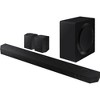
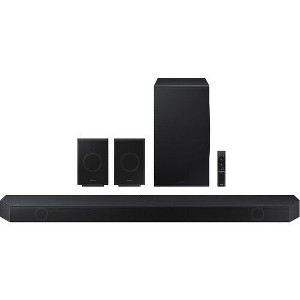
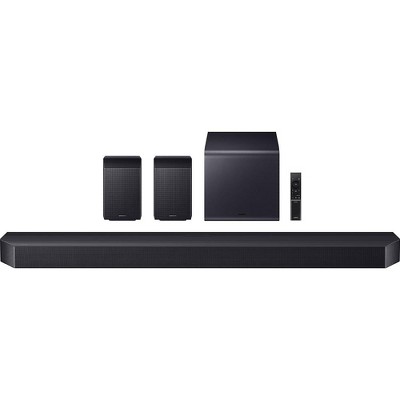
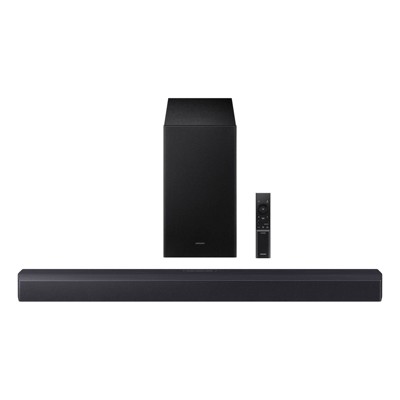
Samsung HW-Q990D 11.1.4 Channel Q-Series Soundbar with Wireless Subwoofer and Rear Speakers, Dolby Atmos and Q-Symphony
$1,999.99 reg $2,499.99
Sale save $500.00 (20% off)
Out of Stock
Eligible for registries and wish lists
At a glance
About this item
Additional product information and recommendations
Related Categories
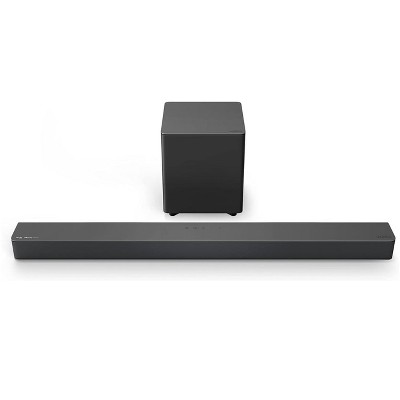
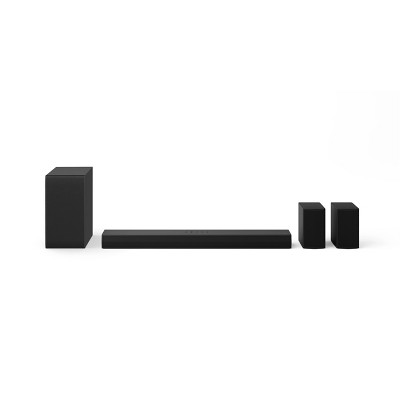
Frequently bought together
$249.99 - $899.99
Select items on sale
4.3 out of 5 stars with 1096 ratings

$44.39 - $46.79
reg $99.99 - $116.99 Sale
$40.79 - $43.99
reg $63.80 - $73.90 Sale
Guests also viewed
$879.78
reg $1,599.99 Sale
$1,602.95
reg $1,997.99 Sale
4.6 out of 5 stars with 843 reviews
5 out of 5 stars
15 January, 2026
originally posted on Samsung US

Amazing, beautiful sound !
I love this, it's amazing ! This is my first good surround sound/ sound bar purchase and I am completely blown away. I don't even want to go to the movies anymore I'll wait to rent it and watch it on my new TV with my new surround sound !!! It's unbelievable ! The setup was literally plug and go. It was so easy. The best.
5 out of 5 stars
5 January, 2026
originally posted on Samsung US
Sweet sound system
Freaking awesome sound system! Feels like you’re sitting at the theater watching a movie in surround sound.
5 out of 5 stars
5 January, 2026
originally posted on Samsung US
Great surround sound aetup.
Connected to my TV seamlessly. Sound is great. The rear speakers make you feel like your right in the action.
5 out of 5 stars
5 January, 2026
originally posted on Samsung US
Dynamic sound
I have been impressed by the richness of my sound bar. It makes movies, music and tv sound alive. The sound is all around you sometimes I hear a noise, turn around to see what it is only to find out it was part of the movie or show I was watching. I am glad I purchased my sound bar.
5 out of 5 stars
5 January, 2026
originally posted on Samsung US
Amazing Sound Quality and Easy Setup!
The sound quality on this soundbar is truly impressive, delivering rich and clear audio. The setup process was incredibly straightforward and quick, making the overall experience excellent from the moment it was unboxed. Highly recommended for anyone looking for great sound without the hassle of complicated installation.
5 out of 5 stars
5 January, 2026
originally posted on Samsung US
Very nice sound bar
I must say I'm very pleased with this device. Installation was simple, and the performance of the Q990D is quite impressive. I fell asleep watching the Tomorrow War and in a certain scene the bass woke me up out of my sleep. I was like !$#?!
5 out of 5 stars
5 January, 2026
originally posted on Samsung US
Great sound
Q990d sounds great. Sub placement makes a world of a difference. Play with sub placement for the full sound experience
5 out of 5 stars
31 December, 2025
originally posted on Samsung US
My house is now a club
[This review was collected as part of a promotion.] What an absolute monster of a sound system!! I purchased this to enhance my TV/movie viewing experience instead I got my very own personal movie theater! This is an incredible powerful system with beautiful clarity that can be heard (and felt) from the street. As someone who has been in the music industry for 15+ years, sound quality matters and this system doesn't fall short in any way. Movies are great but music is better. I have tested the absolute limits of this sound system and my ears - the louder is gets this system still retains crystal clear clarity. Beyond thrills to have this paired with my OLED TV (the perfect combo). If you are considering adding a home theater to a room, don't sleep on this, this is a system that can do it all!
5 out of 5 stars
30 December, 2025
originally posted on Samsung Canada

Excellent system
Sound quality is excellent and extremely easy to set up. Very immersive considering it is a soundbar, sub and two satellites. Would highly recommend
5 out of 5 stars
30 December, 2025
originally posted on Samsung US
Best soundbar for the money
[This review was collected as part of a promotion.] This really improves your movie experience! I got this on a big sale and the value I received was incredible. I will say listening to music is not its strong suit but for movies it’s amazing.
4 out of 5 stars
29 December, 2025
originally posted on Samsung US
This product is one of best speakers out in market
[This review was collected as part of a promotion.] Great surrounding sounds Woofer is good Soundbar produces great sound Perfect for movies and shows Balanced sound from all speakers to give theater feeling.
5 out of 5 stars
22 December, 2025
originally posted on Samsung US
The product sounds good.
[This review was collected as part of a promotion.] The volume fills my large living room very easily. Highly recommended.
5 out of 5 stars
22 December, 2025
originally posted on Samsung US
AMAZING SOUND from every direction.
[This review was collected as part of a promotion.] I shopped around for a while and made my decision on the Samsung HW-Q990D. It's great compatibility was amazing with my new 77 in S95F.
3 out of 5 stars
21 December, 2025
originally posted on Samsung US
Great when everything is working
The sound is great but eArc seems to frequently stop working and end up having to listen from TV speakers. Also Alexa has days it doesn't work. Sometimes it happens after the power goes out but sometimes just happens. I wish it was more reliable because the sound is really good.
1 reply from Samsung Solutions team - 21 days ago
Hello Mike197, Thank you for taking a moment to review the HW-Q990D Soundbar. There are a few steps you can take to troubleshoot your Soundbar. First, you will want to download the latest software for your Soundbar. You can download the firmware directly from Samsung’s website by clicking “Support” in the top right corner. Then go to “Manuals & Software” > “TVs & Home Audio” > “Home Audio” > “Sound Bars”. From there, you can select the HW-Q990D under Q Series. Download the update and install it via USB thumb stick to your soundbar. If you need additional help, there are how-to instructions on this page. Please know that Samsung Customer Service is here to assist as well. Alternatively, you can download SmartThings on your iOS or Android device. This will allow you to update your Soundbar automatically or manually right from your phone or tablet. Please verify that you are running the latest firmware on your TV. You can check to see what software version your TV is using and if there is an available update through the settings on your TV. Go to: Menu > Settings > Support > Software Update. First, try doing a soft reset, unplug the soundbar from the outlet for roughly 30 seconds and then plug it back in. If this still does not correct your issue, then do a hard reset. With the Soundbar on, press the + & - Volume buttons on the body of the soundbar at the same time for at least 5 seconds. INIT OK” appears on the display and then the Soundbar is reset. While the Soundbar is On, press both the Vol+ and Vol- buttons on the unit simultaneously until the display shows "INIT", then release. If this doesn’t work, then try using the remote control: While the Soundbar is ON, press and hold the SOUND CONTROL ("Gear") button on the Soundbar remote for 10 seconds. You will see "150HZ" on the display. Keep pressing until you see "INIT" on the display, then release. If you need more help, Samsung is here for you. Please call us at 1-800-SAMSUNG, 8AM - 12AM EST (Ask for Soundbars), 7 days a week. Live Chat with an agent as well as manuals, software, creating a service ticket, and warranty info can be found at the ‘Support’ link on our Samsung website. ~ Samsung Solutions
5 out of 5 stars
21 December, 2025
originally posted on Samsung US
When they say Surround, they mean it!
[This review was collected as part of a promotion.] I have had top of the line systems for over 30 years; this one has me looking in all directions for where the sound is coming from!!! Putting away my high-end speakers and the top-of-the-line Denon system, whether music or movies no need for anything else.
5 out of 5 stars
20 December, 2025
originally posted on Samsung US
Fantastic sound
[This review was collected as part of a promotion.] I purchased this system to go with my new Samsung Oled TV after reading how great it was in other people's experience. They were right! I considered two other high end brands, but read about recurring pairing problems. I had to find an instructional video to pair the sub woofer, but there have been zero issues once connected. So glad I chose Samsung. Friends who were advocating a different brand have changed their mind after hearing my system. Fantastic!
5 out of 5 stars
20 December, 2025
originally posted on Samsung US
Easy set up and outstanding sound.
[This review was collected as part of a promotion.] Amazing sound for both music and movies. You'll be more than impressed with its performance.
5 out of 5 stars
20 December, 2025
originally posted on Samsung US
Nice sound system
[This review was collected as part of a promotion.] This is one of the best sound system. Crystal clear sound. Theater experience at home.
5 out of 5 stars
20 December, 2025
originally posted on Samsung US
Best Home Sound System
[This review was collected as part of a promotion.] It had transformed my house into a great cinema experience.
3 out of 5 stars
20 December, 2025
originally posted on Samsung US
Good but nothing special.
[This review was collected as part of a promotion.] As title says, good overall sound for the price but I was expecting more. Bass is minimal, 3d sound doesn't really create a immersive experience but the sound is fuller in comparison to just using sound from TV. Nothing special therefore 3 stars.
1 reply from Samsung Solutions team - 21 days ago
Hi SamsungUs3r, We appreciate you taking a few moments to review the HW-Q990D Samsung Soundbar. You can manually optimize your audio experience by pressing the SOUND CONTROL button (which looks like a gear), you can set the audio function such as Auto EQ, Spacefit sound, AVA, Voice Enhance mode, Night mode, Sync, Surround speaker mode, Virtual. The desired item can be adjusted using the Up/Down buttons. Alternatively, you can press and hold the SOUND CONTROL button for about 5 seconds to adjust the sound for each frequency band. 150Hz, 300Hz, 600Hz, 1.2kHz, 2.5kHz, 5kHz, and 10kHz are selectable using the Left/Right buttons and each can be adjusted to a setting between -6 to +6 using the Up/Down buttons. You can try quickly optimizing the audio by pressing the SOUND MODE button on your remote, and then select the desired sound effect by choosing STANDARD, SURROUND SOUND, GAME, or ADAPTIVE SOUND. To control the volume of each speaker, press the CH LEVEL button on the provided remote. Then select CENTER LEVEL, SIDE LEVEL, WIDE LEVEL, FRONT TOP LEVEL, REAR LEVEL, or REAR TOP LEVEL. Once you find the channel you are looking for, adjust the volume between -6 to +6 by using the Up/Down buttons. There are multiple ways to control the bass levels for your new Soundbar. 1) Using the WOOFER button on the provided Soundbar remote. Use the woofer button by pushing forward or pulling backward on the button itself to adjust the bass levels between -12 or -6/+6. If you want to reset the bass to 0 then push the button in. 2) When you press the TONE CONTROL button, you can adjust the treble or bass levels between -6/+6. Alternatively, you can adjust all of these same settings and more within the SmartThings app. Download the app for your iOS or Android device and then connect your Soundbar to Wi-Fi. From here, you will be able to adjust all of the same settings as the provided remote, but with the added benefit of being able to see the changes on your smart device. I hope these tips help you enjoy your new product. You can always contact us for further help at 1-800-SAMSUNG (Ask for Soundbars), 8 AM – 12 AM EST, 7 days a week. Our Live Chat agents are also available by clicking on the ‘Support’ link on our website. ~ Samsung Solutions