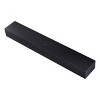
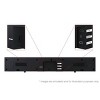
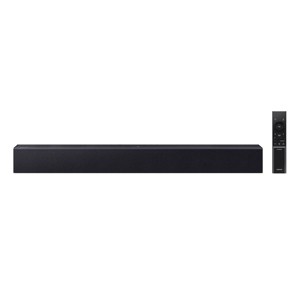
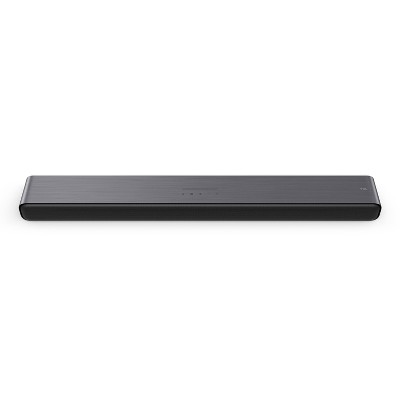
Samsung 2.0Ch Soundbar with Built-in Woofer - Titan Black (HW-B400F)
$117.99
In Stock
Eligible for registries and wish lists
At a glance
About this item
Additional product information and recommendations
Discover more options




Related Categories
Guests are saying
The Samsung soundbar offers an impressive audio experience that transforms home entertainment into a cinematic adventure. Guests appreciate its rich, clear sound, making dialogue easy to understand and enhancing the bass for depth. The sleek design complements any TV setup, while the intuitive remote allows for easy adjustments. Quick setup and seamless connectivity further enhance its appeal, making it a top choice for movies, music, and gaming.
Summary created by AI from text of reviews reflecting recent feedback provided across different star ratings (includes incentivized reviews)
4.3 out of 5 stars with 116 reviews
material quality: 3.38 out of 5
sound quality: 3 out of 5
value: 2.79 out of 5
30% would recommend
13 recommendations
2 out of 5 stars
21 February, 2026
originally posted on Samsung US

Basic
Nothing special and pretty basic and personally I think it's over priced
3 out of 5 stars
Thumbs down graphic, would not recommend
19 February, 2026Verified purchase
Sync is off
The range on this remote is about 4”
1 out of 5 stars
7 February, 2026
originally posted on Samsung US
What a disappointing product!
While many other reviews of this product state how easily it connects to their TV, I have literally spent hours trying to so with no success using Bluetooth and an eARC cable with no success. Plus, finding a manual for this product online is nigh unto impossible! VERY DISAPPOINTING!!
1 reply from Samsung Solutions team - 15 days ago
Hi mltyplx, Thank you for sharing your review of the HW-B400F Soundbar. We value your feedback and will share it with our teams. The HW-B400F offers three ways to connect to your TV: HDMI ARC, digital optical, or Bluetooth. HDMI ARC (recommended): Connect an HDMI cable from your TV’s HDMI ARC port to the soundbar’s HDMI OUT (TV-ARC) port. Turn both devices on and set the soundbar source to D.IN. “TV ARC” will appear on the display and audio will play through the soundbar. Optical: Connect an optical cable from the TV’s OPTICAL OUT to the soundbar’s DIGITAL AUDIO IN (OPTICAL). Set the soundbar to D.IN and change the TV speaker output to External Speakers. Bluetooth (wireless): Press PAIR or hold SOURCE to enter BT PAIRING mode. On your TV, open Bluetooth settings and select [AV] Samsung Soundbar Series to connect. Once connected, your TV audio will automatically play through the soundbar. You can find the full manual by following the following link: https://downloadcenter.samsung.com/content/UM/202511/20251124043925001/HW-B400F_ZA_WUG_01_ENG_251021.0.pdf I hope these tips help you enjoy your new product. You can always contact us for further help at 1-800-SAMSUNG (Ask for Soundbars), 8 AM – 12 AM EST, 7 days a week. Our Live Chat agents are also available by clicking on the ‘Support’ link on our website. ~ Samsung Solutions
2 out of 5 stars
5 February, 2026
originally posted on Samsung US
Wouldn’t buy again
Doesn’t work all the time goes in and out. Wouldn’t buy it again.
1 reply from Samsung Solutions team - 18 days ago
Hi Silly, We appreciate you taking a moment to review the Samsung HW-B400F Soundbar. We value your feedback and will share it with our teams. I am sorry to hear that you are experiencing issues with the sound occasionally dropping from your soundbar. You may first want to check the cable connection of the soundbar to the TV or external device to ensure it is secure and properly connected to the correct port. In addition to checking the connections of the soundbar, please make sure your soundbar is using the latest firmware version. Updating the firmware on your soundbar gives you all the benefits of the latest improvements. You can update your firmware by using a USB device. You may also want to initialize your soundbar by pressing the - and + (volume) buttons on the top of the soundbar at the same time for at least 5 seconds. “INIT OK” appears on the display and then the Soundbar is reset. Please know, this will reset all settings on the soundbar back to default; any sound adjustments will need to be performed again. Should you continue to experience audio dropouts, and are connected wirelessly, please use the included cable to connect the soundbar to the TV. Using a wired connection instead of wireless often eliminates the issue entirely and improves the user experience. I hope these tips help you enjoy your new product. You can always contact us for further help at 1-800-SAMSUNG (Ask for Soundbars), 8 AM – 12 AM EST, 7 days a week. Our Live Chat agents are also available by clicking on the ‘Support’ link on our website. ~ Samsung Solutions
5 out of 5 stars
31 January, 2026Verified purchase
HW-B400F Soundbar
Easy set up with Optical, very clear, not Tinnie TV speaker sound, Woofer Bass does not come through as well as an independent Woofer for Music. (I couldn't tell the Woofer was even working, fully connected)🤷♂️
5 out of 5 stars
26 January, 2026
(no review title)
Like it very well beautiful sound and a subwoofer is nice
1 out of 5 stars
Thumbs down graphic, would not recommend
24 January, 2026Verified purchase
Wouldn't Work!
Loved the concept, seemed straightforward but 3 people tried to install and just wouldn't Work!
1 reply from Samsung team - 29 days ago
Hi LAS, We appreciate you taking a moment to review the Samsung HW-B400F Soundbar. We value your feedback and will share it with our teams. The HW-B400F features three ways to connect to a TV; HDMI/ARC, digital optical audio, and Bluetooth wireless audio technology. If your TV is compatible with one of these three audio connections, you should have no issue connecting the soundbar to your TV. Follow the steps below to connect the soundbar to your TV via one of the three available connections: HDMI ARC (Audio Return Channel) lets certain TVs and soundbars transfer audio back and forth using one HDMI cable. In other words, you can use the HDMI port as both an input and audio output. To set up HDMI ARC, power on your TV and soundbar. 1. Next, connect one end of an HDMI cable into the HDMI IN (ARC) port on your TV. 2. Connect the other end into the HDMI OUT (TV-ARC) port on your soundbar. 3. Next, change the source on your soundbar to the D.IN. setting. 4. After a few seconds, "TV ARC" will appear on the soundbar's display, and the TV will transfer audio through the soundbar. An optical cable is another way to connect your soundbar to your TV. You can also connect your devices (cable boxes, video game systems, and Blu-ray players) to the TV, and have the sound output from the TV to the soundbar. 1. With the TV and soundbar turned on, connect one end of a digital optical cable to the OPTICAL OUT port on the TV. 2. Then, connect the other end to the DIGITAL AUDIO IN (OPTICAL) port on the soundbar. 3. Press Source on the remote or soundbar, and then set the soundbar to the D.IN. setting. 4. Finally, on the TV, you need to set the speaker output to external speakers. The TV's sound will now play from the soundbar. Your soundbar is also compatible with a Bluetooth connection to the TV. To connect the soundbar wirelessly, follow the steps below: 1) Press the PAIR button on the remote to enter BT PAIRING mode. You can also press the SOURCE button on the top panel and then select BT. “BT” changes to “BT PAIRING” in a few seconds automatically or changes to “BT READY” if there is a connect record. If BT READY appears, press and hold the SOURCE button on the top panel of the Soundbar for more than 5 seconds to display BT PAIRING. 2) Select the Bluetooth sound mode on your TV (See your TV's user manual for assistance) 3) Select “[AV] Samsung Soundbar B Series” from the list on the TV’s screen. An available Soundbar is indicated with “Need Pairing” or “Paired” on the TV’s Bluetooth device list. To connect the TV to the Soundbar, select the message, and then establish a connection. When the TV is connected, [TV Name] → “BT” appears on the Soundbar’s front display. You should now hear TV sound from the Soundbar. Once you have connected your soundbar for the first time, use the “BT READY” mode to reconnect. I hope these tips help with the setup of your new Samsung Soundbar. If you need more help, Samsung is here for you. Please call us at 1-800-SAMSUNG, 8AM - 12AM EST (Ask for Soundbars), 7 days a week. Live Chat with an agent as well as manuals, software, creating a service ticket, and warranty info can be found at the ‘Support’ link on our Samsung website. ~ Samsung Solutions
5 out of 5 stars
21 January, 2026
originally posted on Samsung US
Wonderful addition to our entertainment system
I am very happy with the soundbar! Now I can clearly hear everything and in great bass and volume. The projection is just beautiful and sounds balanced and terrific depth of resonance. To top it off, the connectivity was so easy to do by using the HDMI/ARC slot. So, I view this as a win, win purchase! Thank you, Samsung!
5 out of 5 stars
20 January, 2026
originally posted on Samsung US
Small but powerful
This little soundbar has powerful sound including bass that makes you feel like you’re in a theater!!! I’m extremely impressed and satisfied!!!
3 out of 5 stars
15 January, 2026
originally posted on Samsung US
Soundbar
I find the backgroung volume is to high so I cannot hear what the actors are seeing. Is there an adjustment for that problem?
1 reply from Samsung Solutions team - 1 month ago
Hello Soundbar, We appreciate you taking a moment to review the Samsung HW-B400F Soundbar. You can optimize your audio performance to your liking by pressing the SOUND MODE button on your soundbar remote and then selecting the desired sound effect by choosing SURROUND SOUND or STANDARD. By pressing the TONE CONTROL button, you can adjust the volume of the treble or bass sound. Press the button to select TREBLE or BASS and then adjust the volume between -6~+6 by using the Up/Down buttons. Press and hold the SOUND CONTROL button for about 5 seconds to adjust the sound for each frequency band. 150Hz, 300Hz, 600Hz, 1.2kHz, 2.5kHz, 5kHz, and 10kHz are selectable using the Left/Right buttons and each can be adjusted to a setting between -6 to +6 using the Up/Down buttons. (Make sure the Sound mode is set to “STANDARD”. Additionally, using the WOOFER button on the remote, you can adjust the subwoofer’s volume between -6 to +6 by toggling the button up or down. To set the subwoofer volume level to 0, press the button down. If you need more help, Samsung is here for you. Please call us at 1-800-SAMSUNG, 8AM - 12AM EST (Ask for Soundbars), 7 days a week. Live Chat with an agent as well as manuals, software, creating a service ticket, and warranty info can be found at the ‘Support’ link on our Samsung website. ~ Samsung Solutions
5 out of 5 stars
6 January, 2026
originally posted on Samsung US
Excellent addition to my Samsung TV!
Love the soundbar's performance and it's the perfect complement to my Samsung 55" Crystal TV set. The sleek design is a standout, and it also performs well when streaming all my favorite music from my phone.
5 out of 5 stars
5 January, 2026
originally posted on Samsung US
Soundbar
Great sound and useability.. I've beat on Samsung when they deserve it but this is a great product
3 out of 5 stars
Thumbs down graphic, would not recommend
31 December, 2025Verified purchase
(no review title)
Not the greasy sound but it will do .
1 reply from Samsung team - 2 months ago
Hi Shirley, Thank you for taking a moment to review the Samsung HW-B400F Soundbar. You can optimize your audio performance to your liking by pressing the SOUND MODE button on your soundbar remote and then selecting the desired sound effect by choosing SURROUND SOUND or STANDARD. By pressing the TONE CONTROL button, you can adjust the volume of the treble or bass sound. Press the button to select TREBLE or BASS and then adjust the volume between -6~+6 by using the Up/Down buttons. Press and hold the SOUND CONTROL button for about 5 seconds to adjust the sound for each frequency band. 150Hz, 300Hz, 600Hz, 1.2kHz, 2.5kHz, 5kHz, and 10kHz are selectable using the Left/Right buttons and each can be adjusted to a setting between -6 to +6 using the Up/Down buttons. (Make sure the Sound mode is set to “STANDARD”. Additionally, using the WOOFER button on the remote, you can adjust the subwoofer’s volume between -6 to +6 by toggling the button up or down. To set the subwoofer volume level to 0, press the button down. If you need more help, Samsung is here for you. Please call us at 1-800-SAMSUNG, 8AM - 12AM EST (Ask for Soundbars), 7 days a week. Live Chat with an agent as well as manuals, software, creating a service ticket, and warranty info can be found at the ‘Support’ link on our Samsung website. ~ Samsung Solutions
5 out of 5 stars
Thumbs up graphic, would recommend
30 December, 2025Verified purchase
perfect for people who can't hear very well
works great for my Dad that doesn't like to deal with technology stuff, it's simple and I have it connected to blue tooth and if we ever need it usb port but that did not come with the speaker. he sits it on top of his dresser but there is places on the back of speaker to mount.
5 out of 5 stars
Thumbs up graphic, would recommend
30 December, 2025
(no review title)
Great sound quality for the price !
1 out of 5 stars
Thumbs down graphic, would not recommend
29 December, 2025Verified purchase
Do Not Purchase
Damaged port - had to return and the associates in Glendale Heights were so rude
1 reply from Samsung team - 2 months ago
Hi Kristin, Thank you for your review of the Samsung HW-B400F Soundbar and for sharing the issues that have caused you to return your unit. Your experience is very important to us and will be shared with our product team. Should you ever decide to give Samsung Soundbars another try and have questions or need assistance with settings, setup, or features, please know we are always here to help. Just give us a call at 1-800-SAMSUNG (Ask for Soundbars), 8AM - 12AM EST, 7 days a week. ~ Samsung Solutions
5 out of 5 stars
Thumbs up graphic, would recommend
28 December, 2025Verified purchase
Good deal, good product
Great deal for my need! Just enough amplified sound for the space in my home and at a reasonable price!
5 out of 5 stars
21 December, 2025
originally posted on Samsung Australia

Amazing sound
[This review was collected as part of a promotion.] Very happy with the product, would recommend to all family and friends
5 out of 5 stars
20 December, 2025
originally posted on Samsung US
Easy to setup and sounds great!
[This review was collected as part of a promotion.] I was initially a bit skeptical about this soundbar model given the low price but it turned out to be quite an excellent value. It pairs easily with my phone for room-filling, quality music playback and also works perfectly connected to my Samsung TV through HDMI to add an extra dimension of audio depth to all my favorite movies. My best purchase yet for the year!
5 out of 5 stars
20 December, 2025
originally posted on Samsung US
Awesome sound bar great price!
[This review was collected as part of a promotion.] This is a high quality sound bar with great sound and good base for a great price.