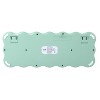
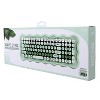
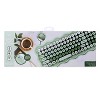
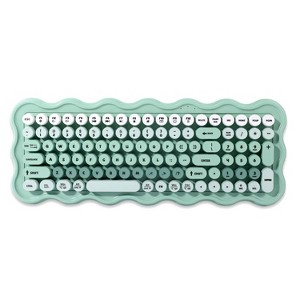
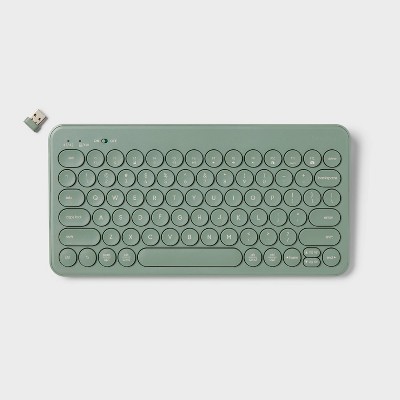
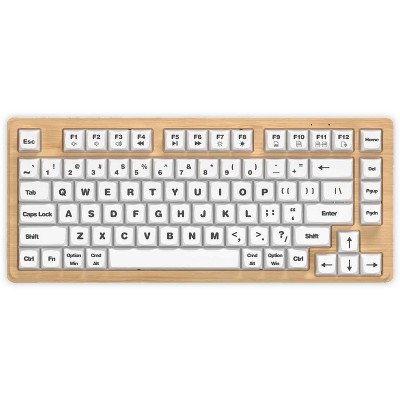
IJoy Wavy Keyboard - Green: ABS Material, Slim Design, Computer Accessory
$24.99
ColorGreen
In Stock
Eligible for registries and wish lists
About this item
Additional product information and recommendations
Discover more options

Frequently bought together

Guests also viewed
Related Categories
Guests are saying
This keyboard offers a stylish and cute design that many guests appreciate, making it a fun addition to any workspace. However, its functionality has raised concerns, with numerous reports of malfunctions and compatibility issues. While some guests enjoy its aesthetic appeal and comfortable typing experience, others have faced significant challenges with its performance, particularly regarding connectivity and durability. Guests should consider their specific needs before purchasing.
Summary created by AI from text of reviews reflecting recent feedback provided across different star ratings (includes incentivized reviews)
3.1 out of 5 stars with 123 reviews
quality: 2.77 out of 5
value: 2.71 out of 5
30% would recommend
53 recommendations
1 out of 5 stars
Thumbs down graphic, would not recommend
30 May, 2026
Not bluetooth, not for phones or ipads
Piece of junk, not compatible with multiple devices, definitely not Bluetooth, even though in the questions some “experts” are saying it is…. Unless you have a computer to plug the usb dongle in do not buy this keyboard. IMO even if you do have a computer don’t buy this.
1 out of 5 stars
Thumbs down graphic, would not recommend
26 May, 2026Verified purchase
(no review title)
is not durable or built for extended use. after 4 months of use it has started malfunctioning and inserting random “pppppppppppppp” and “;;;;” when typing a sentence. would absolutely NOT recommend.
3 out of 5 stars
Thumbs down graphic, would not recommend
12 May, 2026Verified purchase
Not Bluetooth
The keyboard only says wireless but is not Bluetooth you can't connect with tablet or phone. If your computer doesn't have a USB dont buy it
1 out of 5 stars
6 May, 2026Verified purchase
(no review title)
Lasted 4 months and it's malfunctioning. Not worth it. Cheap.
1 out of 5 stars
Thumbs down graphic, would not recommend
27 April, 2026Verified purchase
Letters are not accurate
The keys repeatedly translate to two letters. For example, when I press the “L” both the L and the ; will show up on my screen. This is the second keyboard I’m having the same trouble with so it seems to be the keyboard itself and not just a one-off.
1 out of 5 stars
20 April, 2026Verified purchase
DO NOT BUY!!! PIECE OF JUNK
Don’t buy if you’re actually going to use. Breaks within 2 months and I work from home for at most 16 hours a week
1 out of 5 stars
Thumbs down graphic, would not recommend
20 April, 2026Verified purchase
Y'all, it's soppppppp bad.
This is onl;;;;;;;;;;y my second time using this keyboard and it has some wopppnky crap happening. Every so often and mostly when I hit an OPPPPPPPPPPP key it adds a bunch of random other letters or symbols. This is an unedited view opppppppppppppf what the typing copppppppppppmes out with this keybolaprd.\\\\\\\\\
1 out of 5 stars
7 April, 2026Verified purchase
(no review title)
The aesthetic is sooo cute but I want to make sure I preface I do work from home 8-10 hours a day. I started using it for work on March 23rd and on April 4th it started completely malfunctioning. Every key I attempted to press it would add about 20 extra letters. Attempted to reset and add new batteries even though it had only been a little over a week and no luck. Out almost $30 on a keyboard that only worked for 2 weeks. Absolutely not worth the money.
1 out of 5 stars
Thumbs down graphic, would not recommend
22 March, 2026Verified purchase
Waste
Worked great for about six months without issue. Then it was as if I was holding down the delete key randomly. I tried cleaning it with canned air and nothing worked. Unfortunately, it has to be thrown out which is a shame because it was super cute. Waste.
1 out of 5 stars
Thumbs down graphic, would not recommend
16 March, 2026Verified purchase
(no review title)
After 3 months of using this keyboard the keys on the keyboard started typing different letters when I would just try to type out 1 letter at a time. It is unfortunate because Targets return policy is only 30 days for electronics so now I have to trash it. Waste of money, I do not recommend.
5 out of 5 stars
Thumbs up graphic, would recommend
25 February, 2026Verified purchase
(no review title)
Love this cute keyboard got it for work and the way it types is perfect! Everyone from work is always asking me about it too
5 out of 5 stars
24 February, 2026Verified purchase
(no review title)
I love the feel of the keys.
1 out of 5 stars
Thumbs down graphic, would not recommend
26 January, 2026Verified purchase
(no review title)
Randomly stops working. It will be typing fine and then suddenly the keys don't work. Have changed out batteries. Super frustrating because there is no clear reason as to why this is happening. I have had it for about a month and issues started within the first week.
5 out of 5 stars
24 January, 2026Verified purchase
(no review title)
Comfortable and durable keyboard
5 out of 5 stars
22 January, 2026Verified purchase
(no review title)
I love this keyboard! It's super cute!!
5 out of 5 stars
Thumbs up graphic, would recommend
16 January, 2026Verified purchase
(no review title)
Cute and functional!
2 out of 5 stars
10 January, 2026Verified purchase
(no review title)
If you want a cute keyboard, you should get this for the aesthetic only. I have a MacBook and the command and option keys are in the wrong spot. I’ve also noticed that some keys will randomly turn the caps lock on.
5 out of 5 stars
Thumbs up graphic, would recommend
7 January, 2026Verified purchase
Super Gift
It works great. It was my 10 yr old Grandson's favorite Christmas present.
1 out of 5 stars
Thumbs down graphic, would not recommend
7 January, 2026
Requires USB-A.
Packaging indicates it’s compatible with tablets, etc., but it only connects via USB-A. It’s basically not compatible with anything in 2026.
1 out of 5 stars
Thumbs down graphic, would not recommend
5 January, 2026Verified purchase
(no review title)
Does not work. Worked for a second but immediately stopped typing. Changed batteries and no change.