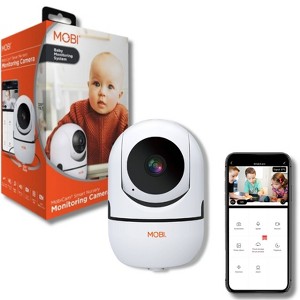
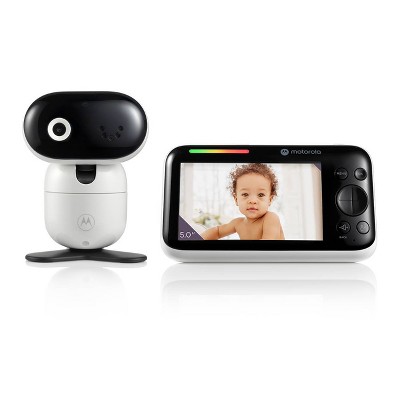
MOBI MobiCam HDX HD WiFi Baby Monitor with 2-Way Audio, Night Vision, Playback and Recording
$36.49 was $49.99
New lower price save $13.50 (27% reduction)
In Stock
Eligible for registries and wish lists
At a glance
About this item
Additional product information and recommendations
Related Categories
Frequently bought together






Guests are saying
The Mobicam HDX Pan Tilt Monitoring Camera offers impressive features such as HD video quality, pan and tilt capabilities, and easy app integration, making it a versatile choice for monitoring children or pets. Many guests appreciate its clear image and sound quality, along with the convenience of remote access via smartphone. However, some guests have experienced connectivity issues and operational glitches, which may affect its reliability over time.
Summary created by AI from text of reviews reflecting recent feedback provided across different star ratings (includes incentivized reviews)
4.1 out of 5 stars with 645 reviews
design: 2.18 out of 5
quality: 1.71 out of 5
safety: 2.14 out of 5
14% would recommend
94 recommendations
1 out of 5 stars
Thumbs down graphic, would not recommend
28 June, 2025
Baby cam gone wrong
We had this on our baby registry and after a month of using it it stopped work. We still have it up but it looks very ugly. We can barely see our baby when he's in the crib We have to stay looking at our phones ti be able to see something.
1 reply from MOBI Team team - 7 months ago
Hello, thank you for reaching out. Please contact our Support Team for further assistance or a device exchange if needed.
1 out of 5 stars
Thumbs down graphic, would not recommend
20 December, 2024Verified purchase
NEW MOMS DO NOT BUY!!!
honestly I thought it would have been great but this camera is A WASTE OF MONEY DO NOT BUY THIS, it glitches all the time and the sound is absolutely terrible I’ve had it for maybe 1 month and half I have to unplug it and plug it back in and even that doesn’t work sometimes and I have to repeat that until it starts working honestly I literally wish I could get my money back cause I just wanna smash this camera, please save your money and DO NOT BUY!!!!!!!! The light goes on and off.
1 reply from MOBI Team team - 1 year ago
Hello, we apologize for the issues you've been facing with the MobiCam HDX. It is frustrating and we completely understand. Glitching and sound issues could sometimes be related to connection (reception) or firmware. We recommend confirming that the device's firmware is up to date and the reception is at least 80% or you could experience video or audio quality issues. If the problem persists please reach out to our Support Team. We can help troubleshoot or assist with a replacement if needed.
2 out of 5 stars
Thumbs down graphic, would not recommend
16 December, 2024Verified purchase
Meh
Only one wifi network allowed.
1 reply from MOBI Team team - 1 year ago
Hello, thank you for reaching out. We do have MobiCam HDX devices that require ONLY a 2.4GHz WiFi network. However, we also have MobiCam MP, HDX, and Pro devices that are compatible with both a 2.4GHz and 5Ghz network. Contact Support for more information or visit our website at www.mobiusa.com
3 out of 5 stars
Thumbs down graphic, would not recommend
21 September, 2024Verified purchase
Must be on wifi
Not my favorite monitor we’ve had. You have to be connected to wifi so it’s not great for traveling. Unless your baby is consistent napping, you either have to have the app open and your phone on or check the app. Much prefer the camera and monitor sets- can easily travel and no wifi needed
1 reply from MOBI Team team - 1 year ago
Hello, thank you for reaching out to. Our MobiCam Multi-Purpose, HDX, and Pro all do require WiFi to operate. The MobiCam DXR M1 doesn't require WiFi and comes with its own monitor. This will enable you to monitor your child at your discretion and free up your mobile device to do so. If this is of interest to you feel free to check it or purchase via our website www.mobiusa.com.
1 out of 5 stars
Thumbs down graphic, would not recommend
11 June, 2024Verified purchase
Waste of money
Awful! It only follows light and will move directly to the light. I try to move the screen to my actual baby’s crib and it goes right back to the ceiling to the sunlight.
1 reply from MOBI Team team - 2 years ago
Hello, thank you for reaching out. We apologize that you are experiencing difficulty with the MobiCam. It seems you may have the "Motion Tracking" feature activated. You can deactivate the tracking while continuing an active "Detection Alert" where you will receive notifications anytime motion is detected. To deactivate "Motion Tracking" select the MobiCam to the live stream page. Select the pencil with the line underneath in the top right-hand corner. Scroll down to "Detection Alarm Settings" and turn off "Motion Tracking."
1 out of 5 stars
Thumbs down graphic, would not recommend
10 June, 2024Verified purchase
Dont get
Stopped working after like 5 months. constantly clicking for night vision. And always freezing and glitching when trying to move camera
1 reply from MOBI Team team - 2 years ago
Hello, thank you for reaching out. When the MobiCam is going from day to night vision and the setting is on auto, this transition is happening from the environment reflection. When the room tends to go to a dark state the "night vision" is going to activate. When the room is lit or reflecting a daytime environment the "night vision" should deactivate. The video quality of the MobiCam will be based on the reception percentage of the WiFi connection. Any percentage under 90% will begin to reflect poor audio or video quality. Also, resetting the camera sometimes resolves video quality issues. If you have a reception percentage of 90 or above and the MobiCam is still displaying poor quality please feel free to submit a ticket to our 24-hour Support Desk at https://mobiusa.com/pages/contact-us
1 out of 5 stars
Thumbs down graphic, would not recommend
13 April, 2024Verified purchase
Worked for about a month.
Stopped working after 3 months. The camera keeps clicking all the time to adjust for light. This wakes up the baby. Target won’t exchange/return it since it outside 30 days. Contacted the manufacturer and they said they won’t take it back since it’s more than 90 days. Bought in December..stopped working in January. With a new born we just didn’t have time to initiate a return. Anyway..the product is not robust.
1 reply from MOBI Team team - 2 years ago
Hello Ruby, thank you for reaching out. When the MobiCam clicks it is transitioning from Day vision to night vision mode. This can be manually turned on/off in the menu settings of the MobiCam. The MobiCam is eligible for an exchange within the first 90 days of purchase or if you register the device (on our website for free) you can extend the warranty to one year from the purchase date.
2 out of 5 stars
Thumbs down graphic, would not recommend
26 January, 2024
Stopped working
Stopped working properly within 6 months
1 reply from MOBI Team team - 2 years ago
Hello Janethe, Thank you for reaching out. Feel free to reach out to our Support Team to assist with your device at (323) 904-3000. We are available Monday - Friday, 8:00 a.m. to 4:30 p.m. PST. You can also submit a ticket to our 24-hour Support Desk at https://mobiusa.com/pages/contact-us.
2 out of 5 stars
Thumbs down graphic, would not recommend
22 December, 2023Verified purchase
Mobi review
Video quality is decent for the price, but the sound is horrendous and can only be heard when app is open.
1 reply from MOBI Team team - 2 years ago
Hello, Thank you for reaching out to us. We apologize that you are receiving poor video quality from the MobiCam HDX. With the MobiCam being connected to the WiFi to operate, reception and network speed are now a factor in the quality of your video and audio. The MobiCam requires an upload speed of at least 10 Mbps and we recommend at least a download speed of 20 Mbps. When your WiFi produces speeds that don't meet the required rates, you will see a decrease in the quality of the video and audio. Also, if the reception percentage is below 80%, you can experience the same outcome as slower speeds. We recommend installing the camera in an area of the home with strong WiFi reception for the device to perform at its highest potential.
1 out of 5 stars
Thumbs down graphic, would not recommend
10 November, 2023
Terrible
I really can’t stress enough how terrible this monitor is. We bought it in a pinch when we left our regular monitor while traveling and had to wait for it to be returned. The camera makes a sound when it moves, the app is terrible and you can only hear or see if you have it actively open looking at it which really drains your battery, and it doesn’t pick up sound well. Basically it will wake your baby up but also make it very easy to miss that they’ve woken up so really defeats the whole point of a monitor.
1 reply from MOBI Team team - 2 years ago
Hello Gabrielle, Thank you for reaching out. We regret that MobiCam was not a fit for your family. This model of MobiCam does make a clicking sound while switching from day to night mode and does require the MOBI App to be open to view video or hear audio, this contributes to the triple security encryptions we have in place to ensure your safety and security. We apologize for any inconvenience this has caused.
5 out of 5 stars
4 November, 2023
originally posted on getmobi.com
Works great
[This review was collected as part of a promotion.] I used this camera for my baby monitor and it works great. I love being able to move the camera around to be able to see in different directions. I actually have two daughters, sharing a room and with this I can watch both of them with one camera. It makes it a lot easier than having two baby monitors set up. The clarity is really good too. Once they grow up and get into separate rooms, I’ll be buying a second camera.
1 out of 5 stars
Thumbs down graphic, would not recommend
1 October, 2023
You get what you pay for
Should’ve went with a better brand. It has horrible clicking sounds all throughout the night/morning, bright blue light won’t turn off, and the quality is supposedly HD but it constantly gets blurry. So far it only lasted about 10 months and the quality of the video just got worse.
1 reply from MOBI Team team - 2 years ago
Hello Clare, Thank you for reaching out. We apologize that you experienced difficulty with the MobiCam. When pairing the MobiCam we recommend to be in an area of the home where you reception to the 2.4G network is strong as a weakened connection can result in the MobiCam displaying a blurry video quality. When the device transfers from day vision to night vision and vice versa, the device will click, and unfortunately, we don't currently have an ON/OFF feature for the blue power indication light. We apologize for any inconvenience this may cause.
1 out of 5 stars
Thumbs down graphic, would not recommend
2 September, 2023
Camera
Camera doesn’t work great, always have to unplug and replug and app is always timing out. Don’t waste your money
1 reply from MOBI Team team - 2 years ago
Hello Toy, Thank you for reaching out, When you are attempting to pair the MobiCam to your WiFi and it continues to time out it's your WiFi that you want to take a second look at. Ensure that you are pairing the device with a 2.4GHz WiFi network and your mobile device is connected to that same network. Also, if you have a dual-band router that is both 2.4G and 5G we recommend splitting the router where each network is uniquely named and has its own password.
1 out of 5 stars
Thumbs down graphic, would not recommend
1 September, 2023
Not able to install it
I have been trying to instal it via Wi-Fi. a big headache as it is not connecting after multiple times of trying to download the app, to reset the device, to connect to two different networks. frustrating . will be returning it.
1 reply from MOBI Team team - 2 years ago
Hello, Thank you for reaching out. When pairing the MobiCam, ensure that you are pairing it with a 2.4GHz WiFi network and your mobile device is connected to that same network during the pairing process. If you have a dual-band router that hosts both a 2.4G and 5G network we recommend splitting the router where each network is "uniquely" named and has its own password.
4 out of 5 stars
Thumbs up graphic, would recommend
31 August, 2023
Baby Cam
only thing to complain about is the video lags quite a bit at times
1 reply from MOBI Team team - 2 years ago
Hello, Thank you for reaching out. When you are receiving poor video quality or lags in the video we recommend ensuring that your WiFi upload and download speed meet the required speeds recommended for the MobiCam to operate as designed. To confirm this you must run a speed test. You can run a wifi speed test by opening up the browser on your mobile device while connected to wifi and in the search bar, typing in "WiFi Speed Test." This will take you to the Google speed test, and you should see a blue button that reads "Run Speed Test." Tap this button and allow the test to run. It should take no more than 1 minute. It will provide you with an Upload and Download speed. If you discover that your speeds meet the requirements but your device is still not operating as designed, please feel free to submit a ticket to our 24-hr Support Desk at https://mobiusa.com/pages/contact-us
2 out of 5 stars
Thumbs down graphic, would not recommend
8 August, 2023
Bummed
camera worked great for maybe the first year then we started having major problems. always "offline" so we would either have to reset it, or unplug and replug, like sometimes once a day. quality of the camera started to go down major also, the picture would either be just strait black, or so fuzzy and blurry we could've even see anything. and now we just completely broke and we went with a totally new brand of camera. major bummer.
1 reply from MOBI Team team - 2 years ago
Hello and thank you for reaching out. We apologize that the MobiCam is producing poor video quality. When you are resetting the device and it doesn't resolve the picture quality submit a ticket to our 24-hour Support Desk at https://mobiusa.com/pages/contact-us.
1 out of 5 stars
Thumbs down graphic, would not recommend
19 July, 2023Verified purchase
Complete waste of money
Horrible monitor. Loud clicking sound, impossible to see baby unless app is open at all times. Loses connection so baby can't be seen at all times even with the app open and doesn't pick up sound well. Zero star product.
1 reply from MOBI Team team - 3 years ago
Hello Michelle, thank you for reaching out. We apologize that you experienced difficulty with the MobiCam. The clicking that you witnessed is the transition of the MobiCam going from day to night vision. Which can be set to stay in one or the other. Also within the menu settings you will find "Sounds" which can adjust in volume. If your connection is weak, or you're in an area with weaker reception the MobiCam audio may produce static within it. Our recommendation is to place the MobiCam where there is a strong connection to the WiFi.
1 out of 5 stars
Thumbs down graphic, would not recommend
15 July, 2023
Garbage
I would give it a zero if it was an option. This is the worst monitor I have ever seen.
1 reply from MOBI Team team - 3 years ago
Hello and thank you for reaching out. We apologize that you are having difficulty with the MobiCam. The MobiCam is ONLY compatible to a 2.4GHz WiFi network. If you have a dual-band router that is both 2.4G and 5G we recommend having the router split where each network is uniquely named and has its own password.
2 out of 5 stars
Thumbs down graphic, would not recommend
6 July, 2023
Broke after less than 1 year
Worked fine for the first few months, other than the horrid clicking sound it constantly makes when switching back and forth from night mode. The screen started getting lines through it. It began to lag on the app when you'd try to use the controls. I tried resetting it and it just completely froze. Shows offline even when it's plugged in and connected. Would not recommend!
1 reply from MOBI Team team - 3 years ago
Hello and thank you for reaching out. We apologize that you experienced difficulty with the MobiCam. With devices that require WiFi, and depending on the reception or strength of the WiFi in certain parts of the residence you do run the potential to have lag or picture distortion if there is a weak connection. In these cases, we recommend stationing the camera in a position where its connection is strongest. However, if you have a good signal and the MobiCam is still producing poor video/audio quality please feel free to submit a ticket to our 24-hour Support Desk at https://mobiusa.com/pages/contact-us
5 out of 5 stars
5 July, 2023
originally posted on getmobi.com
Very Compact and Versatile
[This review was collected as part of a promotion.] The MobiCam Camera is truly a standout. Its HD quality ensures incredibly clear images, and the pan and tilt features provide comprehensive coverage. Very compact, it's wonderfully versatile for many areas of your home and simple to set up. Every user will appreciate its reliable performance for a serene monitoring experience.