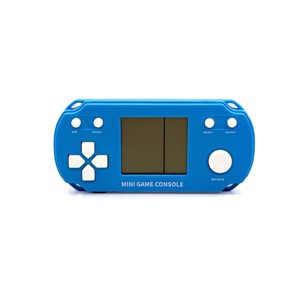
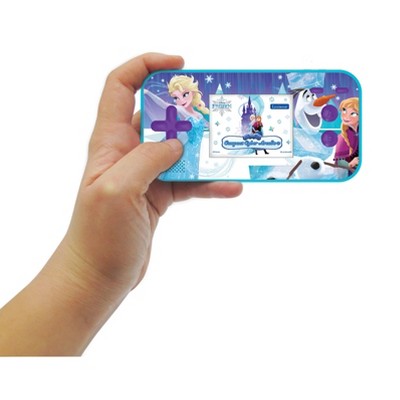
Mini Game Console - Blue
$4.25 reg $5.00
Clearance save $0.75 (15% off)
ColorBlue


In Stock
Eligible for registries and wish lists
About this item
Additional product information and recommendations
Related Categories
Discover more options
$37.99
Guests also viewed
$5.95
reg $7.00 Clearance
3.7 out of 5 stars with 11 ratings

3.2 out of 5 stars with 21 reviews
quality: 2.14 out of 5
value: 2.29 out of 5
14% would recommend
7 recommendations
1 out of 5 stars
Thumbs down graphic, would not recommend
7 April, 2026Verified purchase
(no review title)
WORST GIFT EVER for kids. Box says ages 8+ - the Adult young men (ages 15-30) could not even figure out the games & wording was so small nobody could ready it. Spent $50 on five of these - WHAT A WASTE OF $$$$$
2 out of 5 stars
Thumbs down graphic, would not recommend
17 March, 2026
(no review title)
I bought the red small console since it said it had 26 games when I got it to work only three games were available not sure why that is little disappointed and will be returning it
1 out of 5 stars
Thumbs down graphic, would not recommend
12 March, 2026
doesn't come with battery
doesn't come with battery
3 out of 5 stars
Thumbs down graphic, would not recommend
6 March, 2026Verified purchase
Cool game
Nice size wish it was in color and kind of difficult to figure out how to work it
5 out of 5 stars
26 February, 2026Verified purchase
(no review title)
Many Thanks for a great package delivery as usual!!!
5 out of 5 stars
Thumbs up graphic, would recommend
17 February, 2026Verified purchase
Great buy
my little brother loves this. he uses it everyday and it's very responsive. the buttons suck though
2 out of 5 stars
14 February, 2026Verified purchase
(no review title)
Can’t get it to switch to any other games. Only plays the first game even when you push the rotate button.
2 out of 5 stars
19 January, 2026Verified purchase
A beginner game "console" for your tiny kids
The games work as intended. It works on 2 triple-A batteries. However the “console” itself doesn’t hold any memory. So after you lose, it doesn’t record the highest score. Read instructions on how to switch from game to game. The games are as I remember as a tweenager. I just wish it kept a little memory and that it had a backlit so that we could play in dark settings.
1 out of 5 stars
Thumbs down graphic, would not recommend
17 January, 2026Verified purchase
(no review title)
didn't work put batteries in and everythinf it made what I assume is the turn on noise but didn't work. guess that's what you get for 5 bucks
1 out of 5 stars
Thumbs down graphic, would not recommend
6 January, 2026
defective item
item was defective and did not work. do not give this to anyone or buy this for yourself