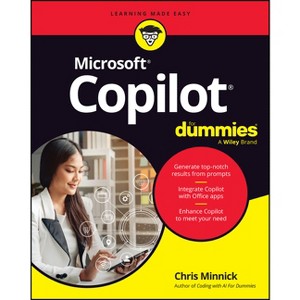
Microsoft Copilot for Dummies - by Chris Minnick (Paperback)
In Stock
Free & easy returns
About this item
Highlights
- Straightforward guidance on the AI tool that's built into Windows, Microsoft 365, and more Microsoft is enhancing all its most widely used productivity software--including Windows and apps like Word and Excel--with the power of AI.
- About the Author: Chris Minnick is an accomplished author, teacher, and programmer.
- 320 Pages
- Computers + Internet, Desktop Applications
Description
About the Book
"Microsoft is enhancing all its most widely used productivity software--including Windows and apps like Word and Excel--with the power of AI. And now you can learn to make the most of this revolutionary new tool with Microsoft Copilot For Dummies!"--
Book Synopsis
Straightforward guidance on the AI tool that's built into Windows, Microsoft 365, and more
Microsoft is enhancing all its most widely used productivity software--including Windows and apps like Word and Excel--with the power of AI. And now you can learn to make the most of this revolutionary new tool with Microsoft Copilot For Dummies!
You'll discover how to write Copilot-friendly prompts, enhance output with integrated Copilot tools, and how to apply Copilot functions to project management and other specific tasks and disciplines. In the book, you'll find out how to:
- Use text or your voice to prompt reliable results from Microsoft Copilot
- Customize Microsoft Copilot to respond to your unique needs and demands
- Add plug-ins to the Microsoft Copilot service to extend its functionality even more
Learn to supercharge your efficiency with Microsoft Copilot For Dummies. This book is perfect for professional and home users of Windows, Microsoft 365, and other Microsoft products and software who want to increase their productivity. Grab a copy today!
From the Back Cover
Watch your productivity take off and soar
The Microsoft(R) Copilot(R) AI tool integrates with Microsoft apps like Word(R), Excel(R), PowerPoint(R), and Outlook(R). This book offers insight into how to use Copilot features both inside and outside of Microsoft apps to do things like automate tasks and enhance the quality of your work. Even if you're a total AI newbie, you'll discover the basics of how to write effective prompts that generate the results you need. You'll also get pointers on how to make the most of AI assistance--without losing your spot in the driver's seat. This Dummies guide is your flight manual as you blast off with Copilot AI.
Inside...
- Getting started with Copilot features
- Drafting and revising written documents and emails
- Automating Excel data analysis
- Enhancing your presentations
- Creating graphics and charts
- Developing and tracking project plans and milestones
About the Author
Chris Minnick is an accomplished author, teacher, and programmer. Minnick has authored or coauthored over 20 books, including titles in the For Dummies series. He has developed video courses for online training providers, and he teaches programming and machine learning to professional developers at leading companies globally. He is author of Coding with AI For Dummies and JavaScript All-in-One For Dummies.
Shipping details
Return details
Q: How can I customize Microsoft Copilot according to my needs?
A: You can customize Microsoft Copilot to suit your requirements by tailoring its responses and adding plug-ins.
submitted byAI Shopping Assistant - 1 month agoAi generated
Q: What is the primary audience for this book?
A: The book is suitable for both professional and home users looking to improve productivity with Microsoft products.
submitted byAI Shopping Assistant - 1 month agoAi generated
Q: Who is the author of this book?
A: The book is authored by Chris Minnick, who is an experienced writer and educator in programming.
submitted byAI Shopping Assistant - 1 month agoAi generated
Q: What topics does the book cover regarding Microsoft Copilot?
A: The book covers using Copilot for project management, drafting documents, automating tasks, and enhancing presentations.
submitted byAI Shopping Assistant - 1 month agoAi generated
Q: Is prior AI knowledge required to use this book effectively?
A: No prior AI knowledge is required. The book guides even beginners in using Microsoft Copilot effectively.
submitted byAI Shopping Assistant - 1 month agoAi generated