Sponsored

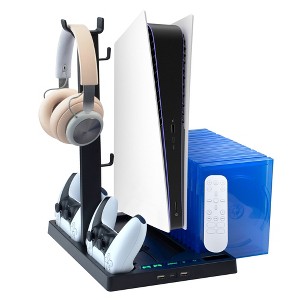
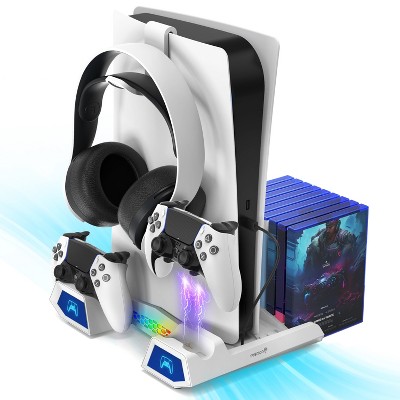
Insten For PS5 Stand and Cooling Station with Dual Controller Charging Dock Charger, Fan, Headset Holder, Game Storage, USB Hub
Out of Stock
At a glance
Sponsored
About this item
Highlights
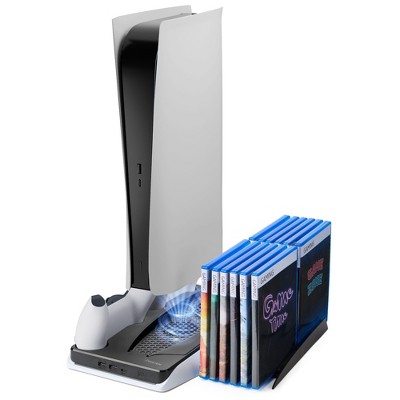
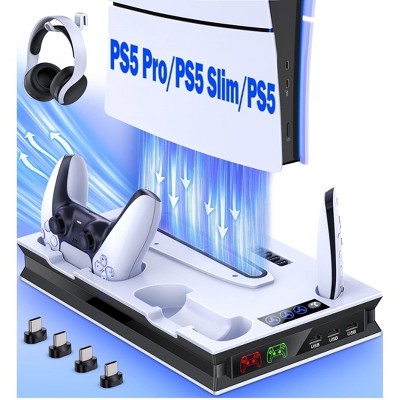
- All-In-One Multifunctional Station: This comprehensive controller charging station combines a console vertical stand, cooling fan, headphone hanger, video game storage, media remote control holder, and USB hubs, keeping all your gaming essentials in one convenient place. This multifunctional cooling station is compatible with the PS5 Digital and Ultra HD Edition. It serves as an excellent choice for PS5 gamers who need a neat organizer for their console and accessories in the gaming area
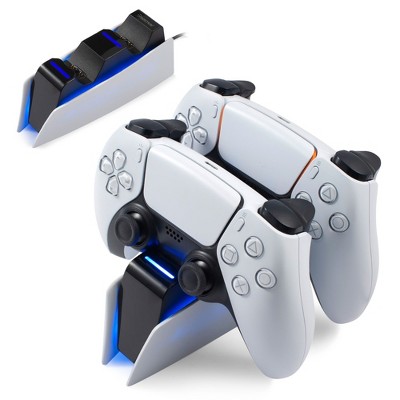
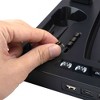
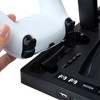
- Dual Controller Charger: This all-in-one docking charger features two high-speed charging docks, providing a full charge for up to 2 controllers simultaneously in just 3 hours. The smart LED indicator displays the charging status, emitting a red glow while charging and turning green when fully charged. It includes 4 USB-C charging adapter terminals for convenience and to protect the controller shell. Simply insert a terminal into the controller and place it on the dock for effortless charging
- Effortless Silent Cooling System: This cooling station is built with a sturdy metal base and equipped with 2 cooling fans to effectively dissipate heat and prevent potential overheating issues. You can customize the cooler to operate at 3-level speeds to suit your gaming environment by toggling the fans on or off using touch control. Additionally, this cooling stand provides a more stable gaming experience and helps extend the life of your game console
- Excellent Space Management: This multifunctional stand features a video game storage slot that can hold up to 15 game discs. With additional USB-C and 2 USB 2.0 ports, this station offers ample space to connect your accessories, such as a mouse, keyboard, headset, and other USB devices. The stand also has a holder slot for the media remote control and an inbuilt headset stand to hang your gaming headphones when not in use, keeping all your accessories tidy, organized, and easily accessible
- What's Included: You will receive a black multifunctional stand compatible with the PlayStation 5 Digital and Ultra HD Edition, 4 USB-C charging adapter terminals, and a fixed USB charging cable for connecting your console. This all-in-one charging station also comes with a screw to lock your console, keeping it secure and balanced. This cooling station stand is a perfect way to store and display your favorite console and accessories in your gaming room. It makes a perfect gift for gamers
Description
Shipping details
Return details
Q: Is this stand PS5 Pro Compatible?
A: Hi, thank you for reaching out about Insten For PS5 Stand and Cooling Station with Dual Controller Charging Dock Charger, Fan, Headset Holder, Game Storage, USB Hub. The specific Insten stand mentioned in your query is generally compatible with the original PS5 Digital and Disc editions. It is not compatible with the pro. If you have any additional questions, we welcome you to contact MyTGTtech at 833-848-8324 every day, between 7am-11pm CST.
submitted byMatt - 25 days agoTarget expert support
Q: Does this work on the ps5 edition
A: Hi Ben10, thanks for reaching out about Insten For PS5 Stand and Cooling Station with Dual Controller Charging Dock Charger, Fan, Headset Holder, Game Storage, USB Hub. The Insten For PS5 Stand and Cooling Station Compatible with the PS5 Digital and Ultra HD Edition.. If you have any additional questions, we welcome you to contact MyTGTtech at 833-848-8324 every day, between 7am-11pm CST.
submitted byJoe - 1 year agoTarget staff support
Q: Does this fit the slim PS5
A: HI, it is not compatible with PS5 Slim.
submitted byeForCity - 2 years agoBrand expert
Q: Hi, is this stand compatible with the new PS5 SLIM? (The new model just released earlier this month, November 2023)?
A: HI, it is not compatible with PS5 SLIM.
submitted byeForCity - 2 years agoBrand expert
Q: Hi, how do i even turned this on? i tried pressing on the power button and nothing comes on.
A: HI, please contact our CS for further assistance,
submitted byeForCity - 3 years agoBrand expert