Sponsored
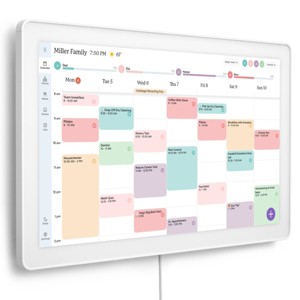
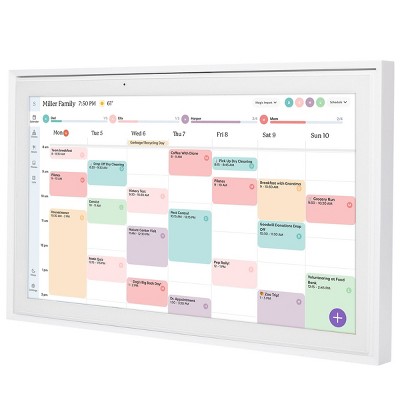
Skylight 27" CalMax Digital Calendar Touchscreen - White
In Stock
Sponsored
About this item
Description
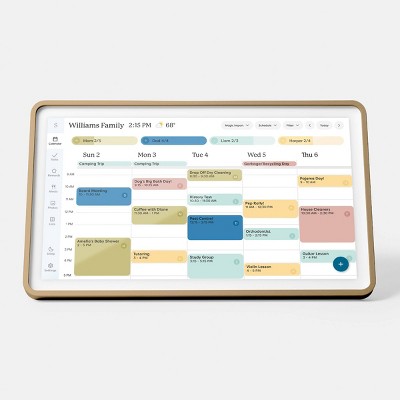
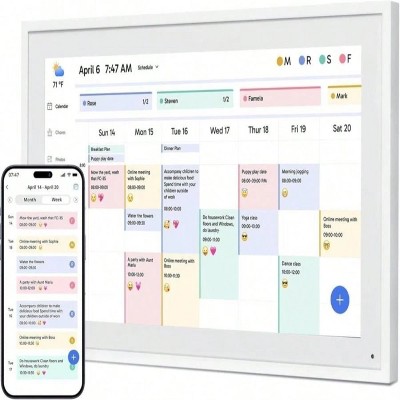
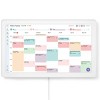
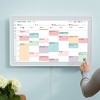
Effortlessly organize the whole family with the touchscreen display for all your calendar events, chores and tasks in one spot.
• Effortless syncing with all your calendars: all your events will automatically populate and sync. Add events or chores directly on the device or use the free to download mobile app. Compatible with Google Calendar, iCloud Calendar, Outlook Calendar, Cozi, and Yahoo. Support available at email vip@skylightframe.com.
• Beautiful and Intuitive HD Smart Display:
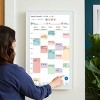
27” touchscreen wall mount in portrait or landscape to fit your space. Perfect for kitchens, entryways or command centers.
• Chore Chart and Routines:
Assign and manage progress of daily chores, task or routines for the entire household to encourage positive habits, build independence and shared responsibility
• Custom Lists
Grocery lists, packing lists, wish lists — you can create, edit, and color code them right from the Calendar or on the go with the Free Skylight App.• Update anytime from anywhere: Use the free Skylight mobile app to edit your calendar on the go. With the optional Plus Plan, unlock premium features like Magic Import, photo screensaver, meal planning, and stars & rewards.
Shipping details
Return details
Q: If I enter an event on touch screen calendar will it populate on my iPhone via my Google calendar? Can I edit events on device with touch screen? I do not plan on using app or web. cellphone and digital calendar device only.
A: Hi, thanks for reaching out about Skylight 27" CalMax Digital Calendar Touchscreen - White. Yes, the Skylight CalMax 27" supports the exact "two-way" workflow you are looking for, allowing you to stay synced without needing to touch a computer or the app for daily entries. If you have any additional questions, we welcome you to contact MyTGTtech at 833-848-8324 every day, between 7am-11pm CST.
submitted byJoe - 5 days agoTarget staff support
Q:  is this the 27 inch max or is there a difference with just the 27 inch skylight? If so, what’s the difference?
A: Hi, thank you for reaching out about Skylight 27" Calendar Photo Frame - White: Touch Screen, 2560x1440 Resolution. The product you are asking about, the Skylight 27" Calendar Photo Frame - White: Touch Screen, 2560x1440 Resolution, is the same product as the Skylight Calendar Max 27-inch. There is no difference in functionality or core specifications between the two names; "Max" is part of the official product name for the largest size in their calendar lineup. If you have any additional questions, we welcome you to contact MyTGTtech at 833-848-8324 every day, between 7am-11pm CST.
submitted byMatt - 30 days agoTarget expert support
Q: Does this include the Plus option?
A: Hi, thank you for reaching out about Skylight 27" Calendar Photo Frame - White: Touch Screen, 2560x1440 Resolution. No, the base purchase of the Skylight 27" Calendar Photo Frame (Skylight Calendar Max) does not include the Skylight Plus subscription option as a standard feature; it is available as a separate annual subscription. If you have any additional questions, we welcome you to contact MyTGTtech at 833-848-8324 every day, between 7am-11pm CST.
submitted byMatt - 1 month agoTarget expert support
Q: Does this calendar have the shadow box aluminum frame or the plastic frame?
A: Hi, thank you for reaching out about Skylight 27" Calendar Photo Frame - White: Touch Screen, 2560x1440 Resolution. The Skylight 27" Calendar Photo Frame in white has a plastic frame, while the "Shadow Box" version has an aluminum frame. If you have any additional questions, we welcome you to contact MyTGTtech at 833-848-8324 every day, between 7am-11pm CST.
submitted byMatt - 1 month agoTarget expert support
Q: Does the calendar have an option for weekly summary? For example to see how may chores one person missed?
A: Hi, thanks for reaching out about Skylight 27" Calendar Photo Frame - White: Touch Screen, 2560x1440 Resolution The Skylight 27" Calendar Photo Frame offers various viewing options, including day, week, month, and schedule views, but it does not have a specific "weekly summary" option to highlight only missed meetings, events, or chores. If you have any additional questions, we welcome you to contact MyTGTtech at 833-848-8324 every day, between 7am-11pm CST.
submitted byJustin - 2 months agoTarget expert support
Q: Will the skylight show each members synced calendar as one calendar or one the same calendar?
A: Hi, thank you for reaching out about Skylight 27" Calendar Photo Frame - White: Touch Screen, 2560x1440 Resolution. On the Skylight 27" Calendar Photo Frame, events from multiple synced calendars are combined into a single calendar view on the screen. Events are assigned to individual profiles, which can be color-coded for easy identification. If you have any additional questions, we welcome you to contact MyTGTtech at 833-848-8324 every day, between 7am-11pm CST.
submitted byMatt - 3 months agoTarget expert support