Sponsored

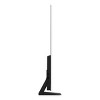

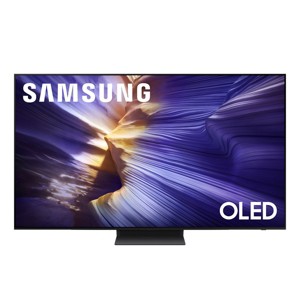
Samsung S90F 65" 4K OLED Smart TV
$1,747.99 reg $2,499.99
Sale save $752.00 (30% off)
In Stock
Eligible for registries and wish lists
At a glance
Sponsored
About this item
Highlights
- NQ4 AI Gen3 Processor uses AI to delivers incredible 4K picture and dynamic sound for everything you watch
- 4K AI Upscaling Pro upscales content to impressive 4K, improving your viewing experience
- OLED HDR+ provides deeper expanded contrast and powerful brights reveal nuanced details with self-illuminating pixels
- AI Motion Enhancer Pro Sharpens and smooths out the motion of fast moving balls and text to so you don't miss a play
- Object Tracking Sound Lite and Dolby Atmos create virtual 3D surround sound that moves with the action on-screen
Description
Samsungs fastest 4K processor powers Samsung Vision AI to upscale your favorite content and put you at the center of the action. Powerful OLED HDR+ contrast and Pantone Validated color let you appreciate every detail. Dynamic motion enhancement technology delivers ultra-smooth action for crisp visuals at blazing-fast speeds whether you're streaming or gaming.
Features
•NQ4 AI Gen3 Processor
•4K AI Upscaling Pro
•OLED HDR+
•Motion Xcelerator 144Hz
•AI Motion Enhancer Pro
NQ4 AI Gen3 ProcessorPowered by 128 neural networks to deliver AI-enhanced picture and optimized sound resulting in an exceptional 4K experience for streaming gaming live sports and more.
4K AI Upscaling ProSee impressive details on screen. Our AI processor upscales everything you watch to 4K using 128 AI neural networks and ensures incredibly sharp and smooth picture quality.1
OLED HDR+Experience powerful brightness and deeper contrast revealing nuanced detail in each scene. The NQ4 AI Gen3 processor analyzes each scene and boost brightness to illuminate even the smallest details.
Motion Xcelerator 144HzExperience smooth visuals and elite speeds for VRR gaming at up to 4K 144Hz.
AI Motion Enhancer ProThe AI processor smooths the motion of fast-moving balls and text reducing blur and flickering so you don't lose sight of the action.
Auto HDR RemasteringIntelligently transforms SDR content to HDR-like quality with brighter highlights more vibrant colors and clearer details for dazzling picture.
Object Tracking Sound Lite and Dolby AtmosFeel like you're in the middle of the action with sound that follows objects on screen. With virtual a top channel sound comes from around and above you for room-filling multidimensional sound.
Active Voice Amplifier Pro and Adaptive Sound ProCatch every word and enjoy vivid balanced audio. Our AI processor identifies sounds optimizes audio and amplifies dialogue based on your room's acoustics and what you're watching.
Endless Free Content / One UI TizenStream 2700+ free channels including 400+ premium Samsung TV Plus channels on a smart TV platform that you can personalize. Access your favorite apps and games with just a few clicks.
AI Customization ModeAutomatically detects the type of content you're watching and intelligently optimizes the picture settings perfectly tailored to your tastes.
Disclaimers
•Utilizes AI-Based formulas to upscale to 4K resolution. Resulting picture may vary based on source content.
•Compared to OLED HDR. 42 48 are OLED HDR.
•4K 144Hz is only available with PC connected games that support such specifications (PC graphic card required). Performance may vary.
•S90F 65" 4K OLED Smart TV (2025)
•Remote
•Power Cord
•Manual
Specifications
•Display Panel
•Display Type: OLED
•Resolution: 4K UHD (3840 x 2160)
•Refresh Rate: 120Hz (up to 144Hz)
•Lighting Technology: Self-illuminating pixels
•Anti-Reflection: Yes
•Viewing Angle: Ultra Viewing Angle
•HDR: OLED HDR+ (83"55") OLED HDR (48"42")
•HDR10+: Yes (Adaptive/Gaming)
•EyeComfort Mode: Yes
•Picture Processing
•Processor: NQ4 AI Gen3 Processor
•Upscaling: 4K AI Upscaling Pro
•Contrast Enhancer: Real Depth Enhancer
•Motion Handling: Motion Xcelerator 144Hz
•Motion Enhancer: AI Motion Enhancer Pro<
Features
•NQ4 AI Gen3 Processor
•4K AI Upscaling Pro
•OLED HDR+
•Motion Xcelerator 144Hz
•AI Motion Enhancer Pro
NQ4 AI Gen3 ProcessorPowered by 128 neural networks to deliver AI-enhanced picture and optimized sound resulting in an exceptional 4K experience for streaming gaming live sports and more.
4K AI Upscaling ProSee impressive details on screen. Our AI processor upscales everything you watch to 4K using 128 AI neural networks and ensures incredibly sharp and smooth picture quality.1
OLED HDR+Experience powerful brightness and deeper contrast revealing nuanced detail in each scene. The NQ4 AI Gen3 processor analyzes each scene and boost brightness to illuminate even the smallest details.
Motion Xcelerator 144HzExperience smooth visuals and elite speeds for VRR gaming at up to 4K 144Hz.
AI Motion Enhancer ProThe AI processor smooths the motion of fast-moving balls and text reducing blur and flickering so you don't lose sight of the action.
Auto HDR RemasteringIntelligently transforms SDR content to HDR-like quality with brighter highlights more vibrant colors and clearer details for dazzling picture.
Object Tracking Sound Lite and Dolby AtmosFeel like you're in the middle of the action with sound that follows objects on screen. With virtual a top channel sound comes from around and above you for room-filling multidimensional sound.
Active Voice Amplifier Pro and Adaptive Sound ProCatch every word and enjoy vivid balanced audio. Our AI processor identifies sounds optimizes audio and amplifies dialogue based on your room's acoustics and what you're watching.
Endless Free Content / One UI TizenStream 2700+ free channels including 400+ premium Samsung TV Plus channels on a smart TV platform that you can personalize. Access your favorite apps and games with just a few clicks.
AI Customization ModeAutomatically detects the type of content you're watching and intelligently optimizes the picture settings perfectly tailored to your tastes.
Disclaimers
•Utilizes AI-Based formulas to upscale to 4K resolution. Resulting picture may vary based on source content.
•Compared to OLED HDR. 42 48 are OLED HDR.
•4K 144Hz is only available with PC connected games that support such specifications (PC graphic card required). Performance may vary.
•S90F 65" 4K OLED Smart TV (2025)
•Remote
•Power Cord
•Manual
Specifications
•Display Panel
•Display Type: OLED
•Resolution: 4K UHD (3840 x 2160)
•Refresh Rate: 120Hz (up to 144Hz)
•Lighting Technology: Self-illuminating pixels
•Anti-Reflection: Yes
•Viewing Angle: Ultra Viewing Angle
•HDR: OLED HDR+ (83"55") OLED HDR (48"42")
•HDR10+: Yes (Adaptive/Gaming)
•EyeComfort Mode: Yes
•Picture Processing
•Processor: NQ4 AI Gen3 Processor
•Upscaling: 4K AI Upscaling Pro
•Contrast Enhancer: Real Depth Enhancer
•Motion Handling: Motion Xcelerator 144Hz
•Motion Enhancer: AI Motion Enhancer Pro<
Dimensions (Overall): 32.7 inches (H) x 56.9 inches (W) x 1.6 inches (D)
Weight: 46.7 pounds
Electronics Condition: New
Electronics Features: Streaming Capability, Wi-Fi, Internet Applications, Smart TV, Wide Viewing Angles
Aspect Ratio: 16:9 Aspect Ratio
Screen Resolution: 4K
Wireless Technology: Bluetooth
VESA Mounting Standard: 400x300
Native screen refresh rate: 120 Hz
Smart platform: Samsung Smart TV
Voice assistant built-in: No Voice Assistant Built-In
Backlight type: OLED (No Backlight)
Screen Mirroring Technology: Smart View
High Dynamic Range (HDR): HDR10
Stand Depth: 8.8 inches
Stand Width: 0 inches
Number of HDMI ports: 4
Product Depth with Stand: 10.4 inches
Product Height with Stand: 35.3 inches
Product Width with Stand: 56.9 inches
Screen Size: 65 inches
Battery: 2 AAA Alkaline, Required, Not Included
Warranty: 1 Year Limited Warranty. To obtain a copy of the manufacturer's or supplier's warranty for this item prior to purchasing the item, please call Target Guest Services at 1-800-591-3869
TCIN: 1003254618
UPC: 887276946085
Origin: made in the USA or imported
Energy Guide Label Required:
ENERGYGUIDE LABEL REQUIRED
The above item details were provided by the Target Plus™ Partner. Target does not represent or warrant that this information is accurate or complete. On occasion, manufacturers may modify their items and update their labels.
We recommend that you do not rely solely on the information presented. If you have a specific question about this item, you may consult the item's label, contact the manufacturer directly or call Target Guest Services at 1-800-591-3869.
If the item details aren’t accurate or complete, we want to know about it.
Shipping details
Estimated ship dimensions: 37 inches length x 6 inches width x 64 inches height
Estimated ship weight: 65.9 pounds
We regret that this item cannot be shipped to PO Boxes.
This item cannot be shipped to the following locations: American Samoa (see also separate entry under AS), Guam (see also separate entry under GU), Northern Mariana Islands, Puerto Rico (see also separate entry under PR), United States Minor Outlying Islands, Virgin Islands, U.S., APO/FPO, Alaska, Hawaii, American Samoa (see also separate entry under AS), Guam (see also separate entry under GU), Northern Mariana Islands, Puerto Rico (see also separate entry under PR), United States Minor Outlying Islands, Virgin Islands, U.S., APO/FPO, Alaska, Hawaii
item ships from third party seller: WORLD WIDE STEREO
Return details
This item can be returned to any Target store or Target.com.
This item must be returned within 30 days of the date it was purchased in store, shipped, delivered by a Shipt shopper, or made ready for pickup.
See the return policy for complete information.
Frequently bought together


$379.99 - $499.99
Select items on sale
4.6 out of 5 stars with 987 ratings
Guests also viewed
$1,099.99 - $1,599.99
reg $1,199.99 - $1,699.99 Sale
4.6 out of 5 stars with 258 ratings
$1,596.99
reg $1,599.99 Sale
4.7 out of 5 stars with 42 ratings
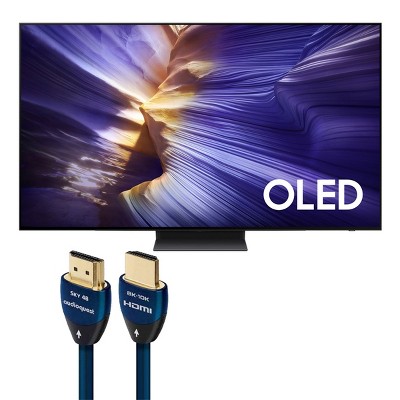
$1,847.99
reg $2,639.94 Sale
$379.99 - $499.99
Select items on sale
4.6 out of 5 stars with 987 ratings
$1,296.99
reg $1,399.99 Sale
4.9 out of 5 stars with 632 ratings

Discover more options
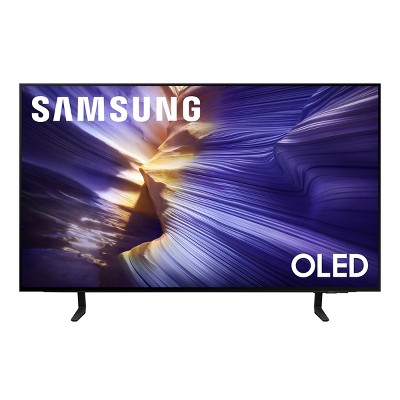
$1,596.99
reg $1,599.99 Sale
4.7 out of 5 stars with 42 ratings
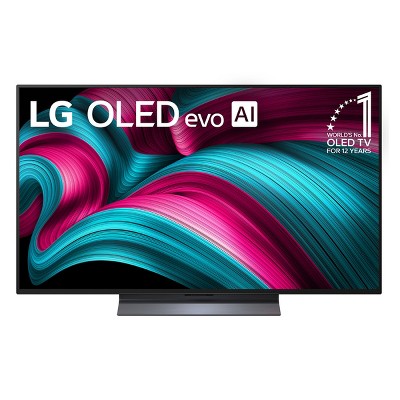
$1,196.99
reg $1,299.99 Sale
4.7 out of 5 stars with 246 ratings
Related Categories
Guests are saying
The Samsung S90F OLED TV impresses with its stunning picture quality, vibrant colors, and exceptional sound, making it a perfect choice for both gaming and streaming. Guests appreciate its user-friendly interface and smart features, including AI calibration and seamless integration with other devices. While some have noted challenges with mounting and remote usability, the overall experience is overwhelmingly positive, highlighting its value as a centerpiece for home entertainment.
Summary created by AI from text of reviews reflecting recent feedback provided across different star ratings (includes incentivized reviews)
4.6 out of 5 stars with 361 reviews
2 out of 5 stars
6 January, 2026
originally posted on Samsung US

Display and resolution
I purchased a 77” tv model FAFXZA 4K OLED. I am not getting the same resolution at home as compared to what I saw in the store.Tried adjusting the brightness and contrast but didn’t observe much change. I do have Dish network box hooked up to the tv. I looked for ways to download Dish network app so that I could compare output from the Dish box with streaming but the option doesn’t exist to download the app.
1 reply from Samsung Specialist team - 2 days ago
Jim N, Thank you for sharing your thoughts on your Samsung S90F TV’s image quality. Your TV is designed to upscale content to the best possible quality based on the resolution of the source. In general, the closer your content is to native 4K, the sharper and more detailed it will appear on screen. Here are some tips to help improve picture clarity and overall upscaling performance: 1. Use HDMI cables for the best high-definition signal. 2. If you’re using an analog cable or satellite box, consider upgrading to a digital box for better signal quality. 3. Change the output resolution of connected devices (like a cable box, streaming device, or IPTV box) to UHD or HD, if supported. 4. Go to Settings > All Settings > Picture > Expert Settings to fine-tune options like Sharpness, Brightness, Contrast, and Color. 5. Select a Picture Mode that fits your environment: Settings > All Settings > Picture > Picture Mode – try Dynamic, Movie, or Filmmaker Mode. 6. Explore Picture Clarity Settings under Expert Settings for added detail enhancement. Use Auto or Custom to adjust Judder Reduction, LED Clear Motion, and Noise Reduction. 7. Enable AI Mode, which automatically analyzes the content and your environment to deliver optimized picture and sound. Go to: Settings > All Settings > Advanced Features > AI Mode Settings 8. Ensure your TV is running the latest firmware to benefit from performance improvements and the latest enhancements: Settings > Support > Software Update > Update Now If you’d like personalized help fine-tuning these settings, please reach out to Samsung Support at 1-800-SAMSUNG, 8AM – 12AM EST, 7 days a week. LiveChat is also available via the ‘Support’ link on our website. ~ Samsung Specialist
4 out of 5 stars
5 January, 2026
originally posted on Samsung US
Like the TV
I like the Tv. After a month the mother board had to be replaced. I had no problems with Samsung.
3 out of 5 stars
5 January, 2026
originally posted on Samsung US
Great image quality. OK software
Great image quality. Console gaming is great on it. Streaming is as good as the quality of the streaming service. Samsung's software is a mess and the minimalist tv control is too limiting. It takes way too much effort to change between inputs - with my replaced tv it was just a single button on the remote. TV sometimes refuses to turn off. Sports are difficult to watch due to the motion blurring. Much worse than my replaced tv. I've played around with settings but can't find a fix for it.
1 reply from Samsung Specialist team - 2 days ago
Paul, Thanks for your review. While the Solar Cell Remote may appear minimal, many buttons offer multiple or long-press functions to help simplify the design without sacrificing functionality. For example: • Settings/Number/Color: Allows you to easily access your TV's Quick Settings and input channel numbers. • Volume rocker: Push up/down to adjust volume. Press and release quickly to mute. • Long-press Volume button: Hold for more than 1 second to open Accessibility Shortcuts. • RETURN button: Press to go back to the previous menu or screen. While watching TV, it takes you back to the previous channel. These functions allow for a more streamlined experience without adding extra buttons. Learn TV Remote is a feature designed to help users become familiar with the layout and function of each button on the Samsung remote. When enabled, pressing any button (except the Power button, which will still turn off the TV) will prompt the TV to announce the button’s name and its purpose – without affecting TV operation. This teaching mode is especially useful for users who are new to Samsung remotes. To enable this feature, go to: Settings > All Settings > General & Privacy > Accessibility > Learn TV Remote. To exit, simply press the Return key twice. If the picture appears blurry or unnatural during high-speed scenes, there are several settings you can adjust to improve motion clarity. Picture Clarity Settings: While originally intended for motion handling, these can also impact overall clarity • Off: Disables motion enhancements • Auto: Automatically adjusts based on content • Custom: Lets you fine-tune: o Judder Reduction – Helps smooth out uneven motion o LED Clear Motion – Boosts sharpness in fast-moving content o Noise Reduction – Reduces distortion and enhances detail in lower-resolution sources Core Picture Settings • Brightness – Controls overall screen brightness • Contrast – Enhances the difference between bright and dark areas • Sharpness – Adjusts edge definition; closer to 20 increases detail • Color – Enhances depth and intensity of colors You may also want to enable AI Mode, which automatically adapts picture settings based on your content, room lighting, and usage patterns. Go to: Settings > All Settings > Advanced Features > AI Mode Settings And don’t forget to check for the latest firmware, which may improve performance: Settings > Support > Software Update > Update Now Lastly, please check to see if Daily Board is enabled. Daily Board uses motion or voice to show useful info like weather and connected device status when the TV is off. To disable Daily Board, press the 123/Quick Settings button on your remote, go to Settings > All Settings > Advanced Features > Daily Board, then switch off any enabled options. If you’d like more assistance, please reach Samsung Support at 1-800-SAMSUNG, available 8AM – 12AM EST, 7 days a week. LiveChat agents are also available through the ‘Support’ link on our website. ~ Samsung Specialist
5 out of 5 stars
5 January, 2026
originally posted on Samsung US
Love this tv!
Love this tv! I bought it for my husband for Christmas and he was so pleased! He said he feels like he got a new pair of eyeglasses! It was easy to set up and connect to our cable and Internet.
5 out of 5 stars
5 January, 2026
originally posted on Samsung US
Great features
The TV over all was fantastic. I can't believe all the new innovations over the model from 2020. that i have. I like the new channels selector and the new chanels "over the air" i wasn't aware that they are available on TV. Huge color an over all video.
1 out of 5 stars
5 January, 2026
originally posted on Samsung US
Display issues
The faces on real people look weird. I've tried everything I found on settings but the faces still the same. At this point I don't know what to do.
1 reply from Samsung Specialist team - 3 days ago
Joao, We appreciate your input on the picture quality of Samsung’s S90F TV. If the image isn’t meeting your expectations, there are several adjustments you can make to improve your viewing experience. First, please ensure your TV is running the latest firmware, as updates may include important picture quality enhancements. Go to: Home > Left directional button > Settings > Support > Software Update > Update Now Then, select a Picture Mode that best fits your environment: Home > Home > left directional key > Settings > All Settings > Picture > Picture Mode 1. Standard – Default mode for general viewing 2. Dynamic – Brighter and clearer in well-lit rooms 3. Eco – Optimized for energy saving 4. Movie – Best for watching in dark environments 5. Filmmaker Mode – Preserves content exactly as intended by creators You can also enhance your experience by enabling AI Mode, which automatically adjusts picture and sound based on your surroundings and usage patterns: Settings > All Settings > Advanced Features > AI Mode Settings > AI Mode If these adjustments don’t improve your picture quality, feel free to contact Samsung Customer Support at 1-800-SAMSUNG, available 8AM – 12AM EST, 7 days a week. You can also LiveChat with an agent or find helpful guides by visiting the ‘Support’ section of our website. ~ Samsung Specialist
2 out of 5 stars
5 January, 2026
originally posted on Samsung US
Stopped working
Stopped working. No picture. Power going but black screen. So sad. Happened on New Year's eve.
1 reply from Samsung Specialist team - 3 days ago
Jenny, It’s unfortunate to hear about your experience with Samsung’s S90F TV. We’re committed to delivering quality, value, and the best possible product experience. This TV is backed by a 1-year limited manufacturer’s warranty, which includes authorized repair for eligible defects when purchased brand-new from an authorized retailer. To review full warranty terms, you can enter your model number here: https://www.samsung.com/us/support/warranty/ We’d appreciate the opportunity to assist further. Please contact Samsung Customer Support at 1-800-SAMSUNG (8AM – 12AM EST, 7 days a week), or connect with a LiveChat agent by clicking the ‘Support’ link on our website. ~ Samsung Specialist
4 out of 5 stars
5 January, 2026
originally posted on Samsung US
Great TV, good Smart TV
This TV has a great picture and nice footprint and is over all a great TV. I did specifically go with Samsung because I'm in the Samsung ecosystem and it had Alexa which I also use. Those features are not perfect. My biggest complaint is that you cannot change the activation name of the Alexa so I either have change the name of the Alexa in the room (which we already have a "relationship" with) or not use Alexa for voice commands on the TV. For streaming from my phone, it's quite a few clicks whereas you'd thing Samsung to Samsung would be easier, but it does work. There are ALOT of settings and it took time to get it all the way I wanted (TIVO, Computer, Soundbar, FireStick) but I'me very happy with the setup and integrations.
1 out of 5 stars
5 January, 2026
originally posted on Samsung US
Disappointed
After less than two weeks my remote no longer controls my tv. The tv is frozen on a Samsung plus channel. I can’t turn the tv on or off. Can’t control any channels or change any inputs. I have three other Samsung tv’s and am very disappointed with this set.
1 reply from Samsung Specialist team - 3 days ago
Ken403, We appreciate your feedback regarding remote performance. If your TV is responding slowly or inconsistently to the remote, try the following steps: 1. Re-pair the remote – Stand within 1 foot of your TV and press Return and Play/Pause simultaneously for at least 5 seconds. A message should appear confirming it's connected. 2. Check the battery level – Go to: Home > left directional key > Settings > All Settings > General & Privacy > Remote Control 3. Ensure proper charging – SolarCell Remotes can charge using: o Room light or direct sunlight (solar panel should face light source) o USB-C cable (preferably Samsung-branded) 4. Update your TV’s firmware – Go to: Settings > Support > Software Update > Update Now 5. Run Device Care to clear memory and close background apps that may slow performance: Settings > Support > Device Care > Start Device Care If these steps don’t resolve the issue, please contact Samsung Support at 1-800-SAMSUNG, 8AM – 12AM EST, 7 days a week. LiveChat is also available through the ‘Support’ link on our website. ~ Samsung Specialist
5 out of 5 stars
5 January, 2026
originally posted on Samsung US
Pleasantly surprised
I read many reviews prior to purchasing and listened to some of the gripes about the processor jitter. I did notice the jitter before doing the color setup through the smart things app. I tried seemingly forever to try fine tuning things on my own and just couldn't get the contrast, color, or jitter to get better or what i knew the panel was capable of. Once i did the auto setup, in filmmaker mode, it's absolutely perfect. Coming from an older mu8000 and a 75 q60d, this thing is a huge upgrade. I do like the native smart tv plus service, which is one reason why i got this instead of a C5 panel, not to mention this is also a WOLED panel in the 65" iteration. I would've happily paid full price knowing what it looks like in my room. The s90 does pretty decent in a well lit room, but if you pull the curtains, it's even better.
3 out of 5 stars
1 January, 2026
originally posted on Samsung US
Strong Hardware, Missed the Premium Mark
[This review was collected as part of a promotion.] The OLED panel quality itself is excellent — contrast, brightness, and image clarity are exactly what you would expect at this level. From a pure hardware standpoint, the TV performs very well. Where the experience fell short was everything around the product. For a premium OLED, the ownership experience felt surprisingly transactional. There was little guidance, setup optimization, or sense that this was a high-end purchase rather than just another item shipped out. The TV is good, but the overall experience did not feel aligned with Samsung’s premium positioning. With stronger post-purchase support and customer engagement, this could easily be a five-star product.
1 reply from Samsung Specialist team - 6 days ago
Branch3z, We appreciate you sharing your experience. To help you get the most from your TV and remote functions, you can download the full e-Manual and more by visiting Samsung’s website then navigating to: Support > Manual & Software > TVs & Home Theater. From there, you can search for and select your S90F TV model to view or download the available guides. The e-Manual & Remote Control Guide are also conveniently built into your TV: Settings > Support > Tips and User Guides. For additional guidance, your TV also includes Accessibility features designed to assist with navigation and remote use. • Learn Menu Screen provides audio guidance for on-screen menus by announcing the name and function of each item as you scroll – without making any changes. This is especially helpful for users who are visually impaired or new to Smart TV menus. Enable via: Settings > All Settings > General & Privacy > Accessibility > Learn Menu Screen. To exit, press the Return key twice. • Learn TV Remote helps users become familiar with the layout and function of each button on the Samsung remote. Pressing a button (other than Power) will prompt the TV to announce its name and purpose, again without affecting TV operation. Enable via: Settings > All Settings > General & Privacy > Accessibility > Learn TV Remote. To exit, press the Return key twice. If you’d like more assistance with these features, please reach Samsung Support at 1-800-SAMSUNG, available 8AM – 12AM EST, 7 days a week. LiveChat agents are also available through the ‘Support’ link on our website. ~ Samsung Specialist
4 out of 5 stars
31 December, 2025
originally posted on Samsung Canada

Fantastic features
I bought this on black Friday. Very happy with it so far picture is really good, the sound that comes out is pretty good for a TV with no sound bar or anything. The operation of the TV is really easy to use.
5 out of 5 stars
31 December, 2025
originally posted on Samsung US
Wont work with Google
Nice TV, easy to setup lots of good stuff preloaded but doesn't work with Google. Box says works with it but it is not there.
5 out of 5 stars
31 December, 2025
originally posted on Samsung Canada
6 Months With the Samsung S90F 65”
After using my S90F 65” TV for 6 months, I can say it is a wonderful display of colours during day and night. The TV has almost no input lag. The sound is pitch perfect and its amplify mode will blow you away. The connectivity in all modes is very quick. The AI features for picture, sound and power are too good. Because of the processor, accessing of inbuilt applications is flawless and when game mode is enabled, it feels more efficient and faster. The optimization that happens every time when you switch off power immediately after usage is a little annoying, but you will get used to it. Another thing I really like is the design, it looks premium and thin, and the bezel almost disappears once you start watching. Viewing angles are great too, so even from the side it still looks clean and colourful. Brightness is strong for my room and reflections are handled nicely, so daytime viewing doesn’t feel washed out. The remote is simple and comfortable, and day-to-day controls feel fast, though sometimes the settings menu can feel a bit too deep when you want to quickly change one small thing. For gaming, the smoothness is on another level - VRR/ALLM works perfectly, motion stays sharp, and the picture stays punchy even in fast scenes. One small downside is the smart screen can feel a bit “busy” with recommendations, but once you set your favourite apps and inputs, it becomes a very easy TV to live with. Overall, it feels like a complete package - amazing picture, surprisingly strong sound, and a super responsive experience.
5 out of 5 stars
31 December, 2025
originally posted on Samsung US
Love this tv
[This review was collected as part of a promotion.] The brightness,the tech, i love the bluetooth. I connect the bluetooth with my headphone
5 out of 5 stars
31 December, 2025
originally posted on Samsung Canada
Great feature!
We bought our tv several months ago and are throughly enjoying it!
5 out of 5 stars
30 December, 2025
originally posted on Samsung Canada
Beautiful picture - loving it!
We bought our new Samsung TV in November and we love the amazing resolution and terrific sound!
5 out of 5 stars
30 December, 2025
originally posted on Samsung Canada
(no review title)
it is an beautiful tv with lots of features, and very easy to set up
5 out of 5 stars
30 December, 2025
originally posted on Samsung Canada
Connectivity is awesome and picture is flawless in
I bought this a month ago and we are so happy with it
5 out of 5 stars
30 December, 2025
originally posted on Samsung Canada
Impressive Viewing Experience
The Samsung S90F 77" TV delivers an impressive viewing experience with stunning picture quality and a sleek design. The anti-reflection feature works exceptionally well, keeping the screen clear and vibrant even in bright rooms. Colors are rich, motion is smooth, and the large screen feels truly immersive. Easy-to-use smart features and fast performance make this TV a great choice for movies, sports, and everyday viewing. Overall, a fantastic premium TV that’s well worth it.