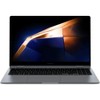
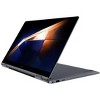
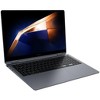
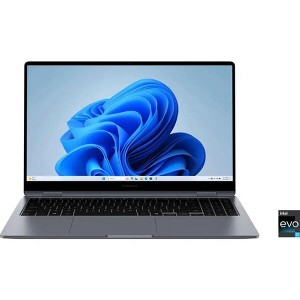
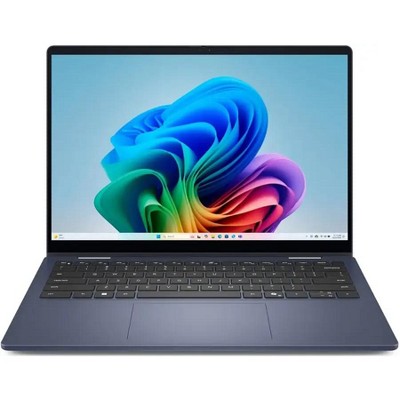
Samsung Galaxy Book4 360 15.6” Full HD AMOLED 2-in-1 Touchscreen Laptop, Intel Core 7 150U, 16GB RAM, 512GB SSD, Windows 11 Home
$899.99 reg $1,349.99
Sale save $450.00 (33% off)
Out of Stock
Eligible for registries and wish lists
At a glance
About this item
Additional product information and recommendations
Related Categories
Frequently bought together

Guests are saying
The Samsung Galaxy Book4 360 impresses with its sleek design, vibrant display, and powerful performance, making it ideal for both work and entertainment. Guests appreciate its lightweight build, impressive battery life, and seamless integration with other Samsung devices. The laptop excels in multitasking, handling various applications smoothly. However, some guests have reported concerns about screen durability and connectivity issues, which may affect their overall experience.
Summary created by AI from text of reviews reflecting recent feedback provided across different star ratings (includes incentivized reviews)
4.3 out of 5 stars with 53 reviews
5 out of 5 stars
25 March, 2025
originally posted on Samsung US

Samsung Book 4 360
[This review was collected as part of a promotion.] I recently purchased the Samsung Laptop Book 4 and have been thoroughly impressed with its performance. The laptop has an elegant, slim design that feels both modern and premium. The screen quality is excellent, with vibrant colors and sharp resolution, making it ideal for both work and entertainment purposes. The build quality feels solid, and it’s lightweight enough to carry around easily, making it a great option for professionals or students on the go. In terms of performance, the Laptop Book 4 excels. It handles multitasking smoothly, running several applications at once without noticeable lag. The processing power is sufficient for everyday tasks, including browsing, document editing, and light media editing. The battery life is impressive, lasting several hours even with continuous use, which is great for those who need a reliable device for long periods away from an outlet. The keyboard is comfortable to type on, with a responsive feel, and the trackpad is accurate and easy to use. The laptop’s speakers also deliver decent sound quality, though, like most laptops, external speakers or headphones would offer a more immersive experience.
5 out of 5 stars
21 March, 2025
originally posted on Samsung US
Something thing I can protect yes they do
[This review was collected as part of a promotion.] I want to free with anyone even like....who you are or who I am . Don't care about it just care how fine something 😌 and finish happened thank you .
5 out of 5 stars
17 March, 2025
originally posted on Samsung US
Great product. Love it.
[This review was collected as part of a promotion.] My first experience with Samsung Laptops. I wish I had try ir before.
5 out of 5 stars
16 March, 2025
originally posted on Samsung US
Best laptop I've owned
[This review was collected as part of a promotion.] This laptop is great. The screen is very clear, the touchscreen is smooth also. My first samsung computer and they do a great job integrating the galaxy features also.
5 out of 5 stars
25 February, 2025
originally posted on Samsung US
This ia great all around laptop. I use it for tr
[This review was collected as part of a promotion.] Seamless action across apps. Wonderfully fast and reliable. Easy to use with other devices.
1 out of 5 stars
10 February, 2025
originally posted on Samsung UK

DO NOT GETT this labtop
[This review was collected as part of a promotion.] Screen crack by it shelf, and they refuse to cover it under warranty, Only Had it since January 21. Alot of other people are having the same issue.
1 reply from CX team - 11 months ago
We're sorry to see that your Galaxy Book4 360 has sustained physical damage. This isn't a widespread issue that we are aware of, and physical damage does void the warranty. We use only the highest quality materials and workmanship, but unfortunately, can not guarantee that your laptop will remain damage free in every scenario. As this is a physical issue, it will require a repair to resolve. You can check out your repair options and book this in here: https://www.samsung.com/uk/support/repair/ If you need any support with your repair booking, please reach out to our Support Teams, who will be happy to help. You can find their contact details and operating hours here: https://www.samsung.com/uk/support/contact/ Our engineers will be able to provide a repair to the highest possible standard, and we're sure that with our support, you will be able to thoroughly enjoy your Galaxy Book again. ^SK at Samsung Support
4 out of 5 stars
27 January, 2025
originally posted on Samsung US
Good and bad
I love this laptop overall but samsung definitely has some issues to fix. The laptop works amazing. I own 2 of them but the biggest issue I've found is that the screen can crack on its own in cold weather. The first night of winter the temperature dropped in my house cause I had my heater off and both of my laptop screens cracked. Definitely disappointing considering how much I paid. Overall though the laptop is fast and works extremely well.
3 out of 5 stars
22 January, 2025
originally posted on Samsung UK
Great design
I haven't used it too much, but I love how fast it was and how easy it is to use so far . But the charging finishes so fast even when its off
1 out of 5 stars
15 January, 2025
originally posted on Samsung US
laptop I returned
Sent it back. It was a headache from the start. Fingerprint login didn't work. unit was prone to deleting tabs. Didn't like the key pad with adding machine key board on right side. Not for me
1 reply from R&R Team team - 1 year ago
Howdy Richard, Thanks for taking the time to share your thoughts with us about your Samsung Galaxy Book4 360. We appreciate your feedback as we continue to bring our consumers the best in product design and functionality. Our goal is for our customers to feel like they are having the most ideal experiences while using our products. Samsung provides a 12-month warranty on our products for manufacturing defects in materials and workmanship, linked below. You can sign in to Windows, apps, and services by teaching Windows to recognize your fingerprint. First, remove the sticker from the fingerprint recognition sensor before using it. To register your fingerprint, you'll need to create a password and PIN first to use the fingerprint scan feature. 1. Select the Start button → Settings → Accounts → Sign-in options. 2. Select Fingerprint recognition (Windows Hello) → Set up to start the fingerprint registration. 3. Select Get started on the Windows Hello setup window. 4. Enter the PIN number you set. 5. Repeatedly lift and rest your finger on the fingerprint recognition sensor until setup is complete. 6. Fingerprint registration is complete. If you want to add another fingerprint, select Add a finger. Here are a few tips for better fingerprint recognition: • Prevent the fingerprint recognition sensor from being scratched or damaged by metal objects, such as coins, keys, and necklaces. • Ensure that the fingerprint recognition sensor and your fingers are clean and dry. • The fingerprint recognition sensor may not recognize fingerprints that are affected by wrinkles or scars. • The fingerprint recognition sensor may not recognize fingerprints from small or thin fingers. • If you bend your finger or use your fingertips, the fingerprint recognition sensor may not recognize your fingerprints. Make sure to cover the entire fingerprint recognition sensor with your finger. • To improve recognition performance, register the fingerprints of the fingers used most often to perform tasks on the computer. • In dry environments, static electricity can build up in the computer. Avoid using this feature in dry environments or before using the feature, discharge static electricity by touching a metal object. Without having more details available regarding what you may be experiencing with your PC and without being able to ask you any follow up questions to clarify what you've shared, I recommend reaching out to Samsung Support if you would like any further assistance and/or help with troubleshooting your device. Thank you for being a valued Samsung customer. - Debra smsng.us/Samsung-Support smsng.us/Warranty-Info smsng.us/Facebook-Messenger https://smsng.us/X-Messages smsng.us/Samsung-Community https://www.samsung.com/us/computing/galaxy-books/galaxy-book4-360/ https://www.samsung.com/us/support/downloads/
5 out of 5 stars
4 January, 2025
originally posted on Samsung US
Book4
This laptop is excellent - fast - reliable - battery power performance is excellent.
5 out of 5 stars
3 January, 2025
originally posted on Samsung US
It's Great !
It's been great. I love the touch screen, and ability to use it like an IPAD
4 out of 5 stars
3 January, 2025
originally posted on Samsung US
Gameplay
Its very smooth and stylish but when i play gta 5 and battery doesn't even last 3 hours
4 out of 5 stars
12 December, 2024
originally posted on Samsung US
Great screen - OK processing
I switched over from my 2023 M2 Mac, been using Mac for many years. I recently switched over to Galaxy phone and tablet and heard good things about Samsung's ecosystem; hesitantly figured I'd give it a try. So far I'm liking it, I really like the touch screen functionality. And even though the screen specs are inferior on paper, the screen looks better than my Mac (seems very bright and vibrant). I like that it automatically syncs up to my phone and I can text and call from my laptop, it is all so seamless. Drag and drop files between my tablet and laptop etc. The bad; this computer is definitely slower than my Mac. I get quite a bit of mouse stutter which I rarely, if ever got before (sometimes so much I miss what I was trying to click on). The battery lasts about half as long, I get about 4-5 hours. Windows 11 is MUCH better than whatever version was around years ago when I last used it... But it still has some of the things I hate (Microsoft makes changes to your computer, buggy etc). I'm happy with the laptop, it is very high quality and I'm enjoying Samsung's superior ecosystem. My computer use is fairly mild; editing PDF and Word documents, some excel, email and the like. Nothing too heavy...
1 out of 5 stars
8 December, 2024
originally posted on Samsung UK
Absolutely Horrible
The build quality is absolutely horrible, the back plate keeps popping off, the whole computer is really slow
1 reply from CX team - 1 year ago
Thank you for your review, Zaz. We are very sorry to read that you are having trouble with your Galaxy Book4, and feel it is not performing as well as expected. To ensure you get the support you need, please get in touch with our Technical Support Team directly, who will be happy to help. You can find all our contact methods and their operating hours here: https://spr.ly/6428QIkmo ^CR at Samsung Support
5 out of 5 stars
30 November, 2024
originally posted on Samsung US
Small but can do a lot
It was a gift and the gf loves it its a lot faster then the laptop she had before.
2 out of 5 stars
28 November, 2024
originally posted on Samsung US
1 month old device
I am in the Samsung ecosystem. Here is whats wrong with my 1 month old book4 360. - sometimes it decides not to charge when plugged in and on, like being used. I need to turn it off to charge - sometimes it will take 5 minutes to restart. - the clicks on the track pad are not there any more. There is no clicking left or right. The funny thing is I don't even use the click feature, I tap for mouse clicks. - the Bluetooth is unreliable. It doesn't even connect to the buds pro 3 half of the times. This is an embarrassing device that creates a lot of frustration.
1 reply from Social Commerce team - 1 year ago
Hey there Jupi, we appreciate your feedback on your Samsung Galaxy Book4 360. We completely understand how frustrating it is to have a brand new device that is not continuing to function as intended. We would love to help you with these frustrations and have provided troubleshooting articles to help you with the battery, touchpad, and Bluetooth connection of your laptop. We have also shared a link to the Samsung Support Team if these experiences continue or you have any questions about your Samsung products. We appreciate you being a Samsung customer. -Elizabeth Pair Bluetooth with your Samsung devices https://www.samsung.com/us/support/answer/ANS00087102/ Samsung PC touchpad is not working https://www.samsung.com/us/support/troubleshooting/TSG01205025/ Samsung PC does not start, power on, or charge https://www.samsung.com/us/support/troubleshooting/TSG01209064/ Samsung Support smsng.us/Samsung-Support Samsung Community smsng.us/Samsung-Community Facebook smsng.us/Facebook-Messenger X https://smsng.us/X-Messages
5 out of 5 stars
14 November, 2024
originally posted on Samsung US
It fits into my life
[This review was collected as part of a promotion.] I love my Galaxy Book 360! I'm always on the go and the compact design allows it to fit easily into in my bag.
5 out of 5 stars
4 November, 2024
originally posted on Samsung US
Awesome buy!!
I love my new computer, it is very stylish and convenient. It syncs with my phone and earbuds.
4 out of 5 stars
31 October, 2024
originally posted on Samsung US
Good replacement
I bought this laptop three weeks ago to replace an old Toshiba I had for a very long time. Being a creature of habit I thought it would be difficult to adapt to a new model of a different brand. Because I already own a Samsung phone I decided to go for a Samsung laptop. While still in the phase of familiarization of all the new features - so far it has worked to my satisfaction. I would recommend this model.
1 reply from Social Commerce team - 1 year ago
Hey there SnugAsABugInARug, we appreciate your feedback on your Samsung Galaxy Book4 360. We love hearing you are enjoying exploring all of the features and capabilites of your new laptop. We have provided a link to the full device manual to help you with your exploration and align your device to your needs. We appreciate you being a Samsung customer. -Elizabeth Product Manuals https://www.samsung.com/us/support/downloads/ Samsung Support smsng.us/Samsung-Support Samsung Community smsng.us/Samsung-Community Facebook smsng.us/Facebook-Messenger X https://smsng.us/X-Messages
5 out of 5 stars
29 October, 2024
originally posted on Samsung US
Light and fast
[This review was collected as part of a promotion.] It's very light weight and fast performance. East to carry but powerful speed to do any of work on programs.