Sponsored
$64.95 reg $129.99
Sale save $65.04 (50% off)
Out of Stock
Eligible for registries and wish lists
At a glance
Sponsored
About this item
Description
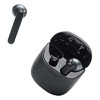
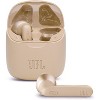
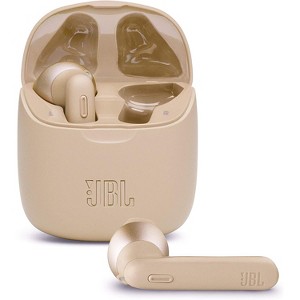
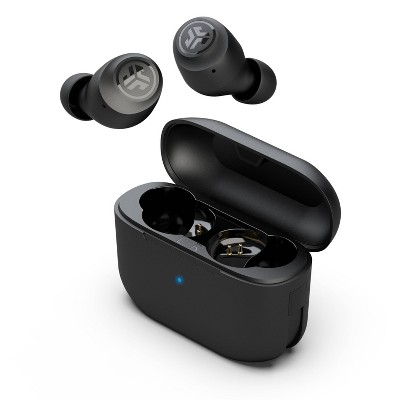
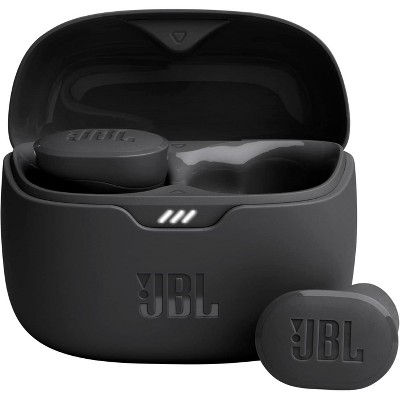
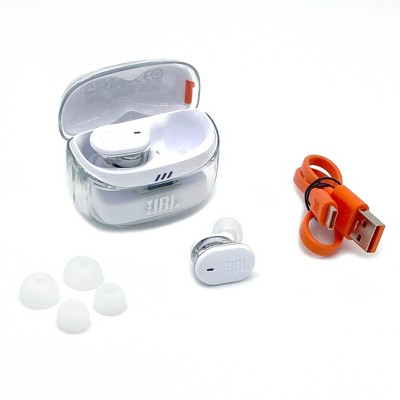
PRODUCT OVERVIEW:JBL Tune 225TWS True Wireless Earbud Headphones Feel at one with your music and your world. With no wires holding you back enjoy your favorite music with JBL Pure Bass. The JBL Tune 225TWS earbuds seamlessly connect you to your music and calls. Just open the case and start listening, as the JBL Tune 225TWS earbuds immediately pair with your device, while Dual Connect lets you use either earbud or both. Listen longer and in comfort, with up to 25 hours of battery life. Find the JBL Tune 225TWS earbuds that fit your style, with different color options. True Wireless Headphones. JBL Pure Bass Sound. Wireless in style. Up to 25 hours Battery life. Dual Connect. Sleek charging case. JBL has engineered the most precise, impressive sound found in big venues around the world. Harman's mission and vision are to make life more connected, entertaining, personalized, and productive. The company combines passion and purpose to design smart products systems, software, and services to connect people wherever they are.KEY FEATURES:JBL PURE BASS SOUND: Powering festivals and concerts around the world for decades, now JBL brings your own world to life with incredible Pure Bass sound in these wireless earbudsWIRELESS IN STYLE: Experience total freedom with no cords with the True Wireless JBL Tune 225TWS earbuds. With 6 different colors, you'll be able to find the perfect pair of earbuds to match exactly who you areUP TO 25 HOURS BATTERY (5 plus 20): these earphones have enough battery to last all day and all night. Keep your own private concert-going for as long as you can keep upDUAL CONNECT: The power of Dual Connect gives you the choice to seamlessly enjoy music or make calls with either one or both buds. And the battery life keeps up with you, as you can keep one earbud charging while using the other oneSLEEK CHARGING CASE: The charging case for the JBL Tune 225TWS wireless headphones is as thoughtfully designed as the earbuds it holds, with a shape inspired by a river stone, a soft body, and a curved lid that pops up to give you fast access to your budsConnectivity technology: Bluetooth
Weight: .51 pounds
Water Resistance: No Water Resistance Rating
Ear Cushion Material: Silicone
Electronics Condition: Manufacturer Refurbished
Cable/Cord Length: 1 feet
Connection Type: USB
Industry or Government Certifications: Made for MagSafe Certified
Wireless Technology: Bluetooth 5.2
Voice assistant built-in: Meta AI Built-In
Noise Canceling: No Active Noise Canceling
Wireless Type: True Wireless
Metrics Measured: Blood Oxygen Level (SpO2), Body Temperature, Daily Distance, Heart Rate, Sleep Quality, Sleep Stages, Sleep Interruptions, Sleep Duration, Total Steps
Microphone: Built-In Microphone
Maximum Battery Charge Life: 24 hours
Package Quantity: 1
Battery: 1 Non-Universal Lithium Ion, Required, Installed
Warranty: 90 Day Limited Warranty. To obtain a copy of the manufacturer's or supplier's warranty for this item prior to purchasing the item, please call Target Guest Services at 1-800-591-3869
TCIN: 1004641059
UPC: 050036377904
Origin: made in the USA
The above item details were provided by the Target Plus™ Partner. Target does not represent or warrant that this information is accurate or complete. On occasion, manufacturers may modify their items and update their labels.
We recommend that you do not rely solely on the information presented. If you have a specific question about this item, you may consult the item's label, contact the manufacturer directly or call Target Guest Services at 1-800-591-3869.
If the item details aren’t accurate or complete, we want to know about it.
Shipping details
Estimated ship dimensions: 4 inches length x 4 inches width x 2 inches height
Estimated ship weight: 0.51 pounds
We regret that this item cannot be shipped to PO Boxes.
This item cannot be shipped to the following locations: American Samoa (see also separate entry under AS), Guam (see also separate entry under GU), Northern Mariana Islands, Puerto Rico (see also separate entry under PR), United States Minor Outlying Islands, Virgin Islands, U.S., APO/FPO
item ships from third party seller: A4C
Return details
This item must be returned to any Target store.
This item must be returned within 30 days of the date it was purchased in store, shipped, delivered by a Shipt shopper, or made ready for pickup.
See the return policy for complete information.
Frequently bought together
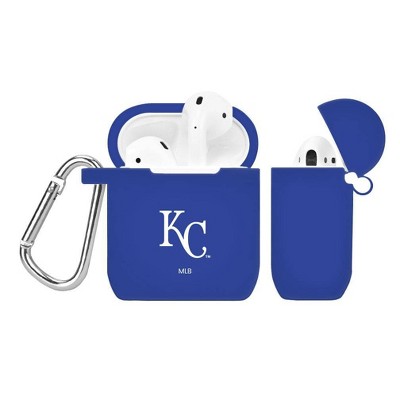
Trending Wireless Earbuds
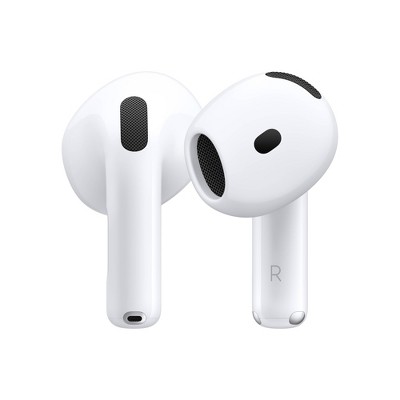
$99.99 - $149.99
reg $129.99 - $179.99 Sale
3.9 out of 5 stars with 3725 ratings
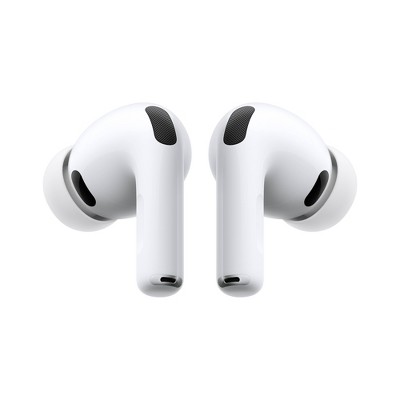
$69.99
reg $79.99 Sale
3.5 out of 5 stars with 1536 ratings
Discover more options
Related Categories
3.2 out of 5 stars with 359 reviews
2 out of 5 stars
12 September, 2024
originally posted on jbl.com

Poor Headphones
Over night charging and it still says 90% on both headphones and talk time is far lesser than 5 hours, at 2 hours the battery is at 40%. Not worth the money.
1 reply from Customer Support team - 1 year ago
We appreciate your time in providing your feedback. Please be advised that our JBL Tune 225TWS comes with a one-year warranty excluding damage resulting from abuse, accidents, modifications, or other causes that are not defects in materials and workmanship (loss or theft). If you need more help, please contact JBL Customer Support.
1 out of 5 stars
16 August, 2024
originally posted on jbl.com
Poor battery life and no android app
Too expensive for the poor battery life, no android app and limited features.
1 reply from Customer Support team - 1 year ago
We're here to help with your JBL Tune 225TWS. Please ensure that you have charged both the case and earbuds with the recommended charging time of 1 to 2 hours. The earbuds have a playtime of up to 5 hours, this may vary depending on volume and music content. This unit is not supported with our JBL Headphones App; you may check the products that are supported in our JBL earbuds here: https://www.jbl.com/app.html
1 out of 5 stars
5 August, 2024
originally posted on jbl.com
Never again JBL
Worst headphones I've ever had. Bought two pairs, now I have two pairs with one right and one left earbud working. Used them so little, probably less than 50 hours of listening on each pair. Such dissapointment of what I thought was a decent brand
1 reply from Customer Support team - 1 year ago
Thank you for your review. If you are in need of any support, we welcome you to contact our JBL Customer Support team: https://support.jbl.com/gb/en/
2 out of 5 stars
14 December, 2023
originally posted on jbl.com
Terrible for public use
Good for inside the house but terrible in public places. Loses connection and recconects every 1-2 seconds
1 reply from Customer Support team - 2 years ago
We appreciate you taking the time to provide feedback on our JBL Tune 225TWS. Please ensure a clear line of sight to avoid interruption. You may also shut down unused Bluetooth devices away from other sources of wireless signals that could overlap your connection. Additionally, you can unpair or forget to refresh the Bluetooth settings and try to reset the unit. If this issue remains, please contact our customer support in Canada here: https://ca.jbl.com/.
1 out of 5 stars
3 October, 2023
originally posted on jbl.com
Terrible product. Don't buy
These earbuds are terrible. They constantly keep unpairing from each other. Terrible product.
1 reply from Customer Support team - 2 years ago
We're here to help with your JBL Tune 225TWS. The earbuds should sync automatically once they are removed from the case. You may also try manually pairing the earbuds by tapping on both the left and right buds three times while they are out of the charging case. If you need more help, please reach out to our Customer Support.
2 out of 5 stars
27 September, 2023
originally posted on jbl.com
One earbud will not connect
I bought these for my daughter a few months ago, and at first they worked great. She loved them, but now the right earbud will not connect to any devices she tries to pair with. She had tried resetting, troubleshooting, everything to get the right earbud to work but it just won't. The left earbud works great, but it is the only one that does. the right earbud keeps flashing blue and white but will not pair to anything. She's tried charging it, to no avail. I have heard about this problem occurring with this model several times, but did not believe it. This buy was a waste of my money and I am extremely disappointed.
1 reply from Customer Support team - 2 years ago
Thanks for bringing this to our attention. We're here to help with your JBL Tune 225TWS. Please try to manually pair the earbuds by tapping the left and right buds at the same time. If the earbuds are disconnecting from each other, please check that both of the earbuds have been charged to ensure continuous connection. If you need more help, please contact our customer support for assistance.
1 out of 5 stars
27 July, 2023
originally posted on jbl.com
(no review title)
My wife got me these headphone less than a year ago and almost right off the bat the left one stopped working and now im lucky if either one will connect to bluetooth. Would not recommend buying these headphones. The most expensive headphones i have ever had and the worst headphones i have ever had
1 reply from Customer Support team - 2 years ago
We appreciate your time in providing your feedback on our JBL Tune 225TWS. Please unpair or forget the JBL Tune 225TWS on your source device. Tap the button of both earbuds three times simultaneously to manually reconnect them. If manually pairing them fails to resolve the issue, please try to unpair them again and perform a factory reset. To reset the earbuds, plug the charging case into a power source and insert both earbuds. Press and hold the button on the right pod for about 5 seconds until the LED turns off and on again. Resetting the earbuds will wipe all of their previous pairings and settings, so it will be necessary to pair them again. If the issue continues, please contact our customer support for more assistance.
3 out of 5 stars
10 June, 2023
originally posted on jbl.com
Good sound but some design flaws
I bought these about six months ago now, and I'm overall pleased with the quality of the product for the price point. Charging is quick and lasts a while. However, after just a few months of light use, the tip around the earbud has begun to warp, with no easy way to push it back into place. This has made listening for any longer period extremely uncomfortable, especially while moving around. Overall not very durable and a poor design choice that could have been easily changed, as many other earbuds at this price point have replaceable tips.
1 reply from Customer Support team - 3 years ago
We appreciate you taking the time to provide us with your feedback. We're sorry to hear that our JBL Tune 225 TWS didn't meet your expectations. We're always looking for ways to improve, and we'll make sure to share your feedback with the appropriate team. If you need more help with your unit, please contact our customer support via our official website or toll-free hotline.
1 out of 5 stars
26 May, 2023
originally posted on jbl.com
Broke In A Month
Had them for about a month and now they will not charge🥺 They had great sound when they worked.
1 reply from Customer Support team - 3 years ago
Thanks for your feedback. We're here to help with your JBL Tune 225 TWS. We recommend cleaning the contact pins on the case and earbuds using a cotton swab with alcohol. These pins are sensitive to dust. Please ensure the pins are dried before placing them back on the case. We also recommend changing the ear tips to help with the physical fit of the unit. If you need more help, please reach out to our customer support via our official website or toll-free hotline.
1 out of 5 stars
15 May, 2023
originally posted on jbl.com
Great if you don't have a left ear!
I bought these about a month ago and they worked great - for the first day. Since then, the left earbud refuses to connect. I've spent hours looking for fixes on you tube and google. Some of them weorked at first, but now the left bud is just living in its own world. JBL offered to exchange them ,but after going to google rabbit hole, I don't think it's even worth the effort to return them.
1 reply from Customer Support team - 3 years ago
Thanks for your inquiry. The manual pairing procedure can resolve this. First, un-pair the one earbud that likely is paired to your mobile and working. You must forget the Tune 225TWS in your BT menu. Triple-press the Right earbud to trigger TWS pairing mode quickly before it can connect with the previously connected BT device. Now turn your BT back on your mobile device and power on both the Left and Right earbuds which should automatically go into pairing mode and pop up on your discoverable BT devices. Choose the Tune 225TWS and now both earbuds should be reconnected to your device. When a LED is blinking from the case, that means it's charging and it tells you how much battery charge has. When it's fully charged, none of the LEDs should be lighted. If you need more help, please contact our customer support.
3 out of 5 stars
17 March, 2023
originally posted on jbl.com
For music, not phone
Good for music, not very good for phone calls. People have a hard time hearing me but can hear other people that are in the other room.
1 reply from Customer Support team - 3 years ago
We appreciate your feedback on our JBL Tune 225 TWS. We're always looking for ways to improve. We'll make sure to share your feedback with the appropriate team. If you have any questions or concerns about your device, please contact our Customer Support.
2 out of 5 stars
11 March, 2023
originally posted on jbl.com
Too much for disposable earbuds
I've enjoyed the JBL Tune 130 for the week I had them. The right earbud blew out after using them while studying. Really good sound in its short lifespan though.
1 reply from Customer Support team - 3 years ago
We appreciate your feedback on our JBL Tune225TWS. We're always looking for ways to improve. We'll make sure to share your feedback with the appropriate team. If you have any questions or concerns about your device, please contact our Customer Support.
2 out of 5 stars
7 March, 2023
originally posted on jbl.com
Okay headphones wouldn’t recommend.
I don’t know what happened to JBL that they thought this was a good product to put out with their name on! The headphones are okay and weirdly enough after 2 months of nearly daily use all of a sudden the headphones lost pairing to the only device it was ever connected to then just as that happened the right headphone just stopped working I also can’t believe there is no app to help you manage them! I own many JBL speakers and these headphones are a huge let-me-down!! The headphones also never really felt good in the ears; first I’ve ever experienced that with.
1 reply from Customer Support team - 3 years ago
We appreciate your time in providing feedback on our JBL Tune 225 TWS. Try to refresh your Bluetooth settings by forgetting or unpairing the headphones on your device's Bluetooth list. Next, manually pair the two earbuds together by simultaneously tapping the button of both earbuds three times while they're out of the charging case, then try to connect it again to your device. You can also try cleaning the contact points as dirt might have blocked the earbuds from the case. If the issue remains, please contact our customer support service via our official website or toll-free hotline.
1 out of 5 stars
3 January, 2023
originally posted on jbl.com
Stopped working after 1 hr of use
Worked great for about 1 hour. One earbud stopped working on my first day of use. Total waste of money and time.
1 reply from Customer Support team - 3 years ago
We appreciate you taking the time to provide us with your feedback. We're sorry to hear about what happened to your JBL Tune 225TWS. If this was purchased from a store or other retailer, you may also contact them for a return. If you need more help, please reach out to our customer support.
2 out of 5 stars
28 December, 2022
originally posted on jbl.com
Very Poor Design and Not Recommended.
I purchased the Tune 225TWS. The Pros: They have great sound and long battery life. The Cons: #1 If you don't charge them on a regular basis the batteries will go dead. I always seem to find this out when I'm getting ready to board a flight and the batteries are completely dead. This has been a problem since new so I know it's not battery itself and simply a design flaw. #2 I guess I have larger than normal ear canals and these headphones will not stay in place nor will they seat deep enough to give you the rich/full bass sound. They don't come with any ear tips and always fall out and that's just from sitting, you don't dare do any physical activities since they will drop out of your ear every time! Based on my experience I would not recommend this product.
1 reply from Customer Support team - 3 years ago
We appreciate you taking the time to provide us with your feedback on our JBL Tune 225TWS. We're sorry to hear that it didn't meet your expectations. If in any case, if you have any questions or concerns with your device, please contact our customer support via our official website or toll-free hotline
2 out of 5 stars
12 December, 2022
originally posted on jbl.com
Ehh…
I wish I can say, I love them but only one headset will pair… I’ve even done a factor reset and everything. I’ve only had theses headset a year & half.
1 reply from Customer Support team - 3 years ago
We appreciate your time in providing feedback on our JBL Tune 225 TWS. Try to refresh your Bluetooth settings by forgetting or unpairing the headphones on your device's Bluetooth list. Next, manually pair the two earbuds together by simultaneously tapping the button of both earbuds three times while they're out of the charging case, then try to connect it again to your device. If the issue remains, please contact our customer support service via our official website or toll-free hotline.
1 out of 5 stars
2 December, 2022
originally posted on jbl.com
Poor device
I have bought two of the tune 225 tws and after 20-30 minutes it disconnects from my phone. Please JBL help me with this issue and it's not listed on the app
1 reply from Customer Support team - 3 years ago
Thanks for reaching out. Please try pairing other devices, like Android. Try to restart both earbuds and your device, and make sure that our JBL Tune 225 TWS Bluetooth is on. If you need more help with your unit, please contact our customer support for assistance.
1 out of 5 stars
30 November, 2022
originally posted on jbl.com
Cuts your ears, rubber bits fall off 😀
I lost my good ear buds and replaced them with these. Huge mistake! The little rubber bits on the ear part started separating from the ear bud maybe a week into having these. When they started to separate they started leaving little cuts and sores inside my ear :) fast forward to now (had them about a year almost) and the rubber bits are completely detached! I have to stick em on to use them and then when I take the earbuds out I have to fish out the rubber bit from the inside of my ear. One of these days I’m afraid I won’t be able to fish them out and the rubber will get stuck. Anyways if you’re looking for an expensive product that will cut and scrape you and fall apart inside of your body then this is the product of your nightmares 😍
1 reply from Customer Support team - 3 years ago
We appreciate you taking the time to provide us with your feedback. We're sorry to hear that it didn't meet your expectations. We're always looking for ways to improve and we'll make sure to share your feedback with the appropriate team.
1 out of 5 stars
9 November, 2022
originally posted on jbl.com
Save Your Receipt
All I can say is save your receipt or go with Apple. After a bit of time, for me it was 6 months of light use and the right earbud, one of the two earbuds won't receive a charge. Case will charge, left bud will charge just fine, but the right bud stays dark. Google "tune 225 TWS won't charge" and you'll see it's common. JBL doesn't recognize this issue and won't work with you to find a solution. The only way to get a warranty is if you have the receipt. Good luck. Find a better product.
1 reply from Customer Support team - 3 years ago
We appreciate your time for providing us your feedback with our JBL Tune 225 TWS. Please try cleaning the the contact points of the earbuds and the cse with a cotton swab as dirt or debris may hinder charging. We're always looking for ways to improve and we'll make sure to share your feedback with the appropriate team.
2 out of 5 stars
1 November, 2022
originally posted on jbl.com
Great Sound, Questionable Build Quality
These headphones sound great and they fit awesome. I absolutely prefer this style of headphone. HOWEVER, I have had two pairs of these and both pairs, after about 4 months the rubber on the inside peeled off and makes them extremely uncomfortable to wear.
1 reply from Customer Support team - 3 years ago
We appreciate your time for providing us your feedback with our JBL Tune 225TWS. We're sorry to hear that it didn't meet your expectations. We're always looking for ways to improve and we'll make sure to share your feedback with the appropriate team.