Sponsored
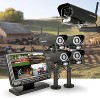
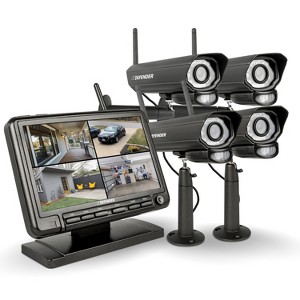
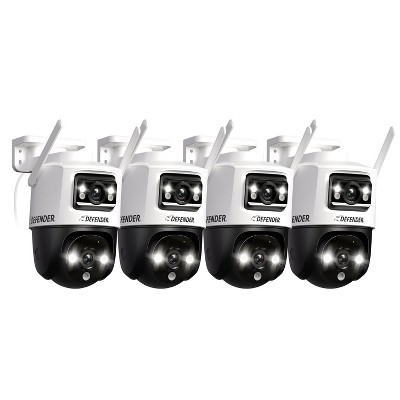
PhoenixM2 Non-WiFi. Plug-In Power Security System with 4 Metal Cameras
In Stock
At a glance
Sponsored
About this item
Highlights
- Set up in 3 minutes. Plug your PhoenixM2 cameras into the monitor and start securing your home or business immediately.
- Communicate freely with advanced two-way talk allowing for seamless interactions. Speak through your monitor, directly to your camera
- GigaXtreme™️ Wireless Technology, allows for up to 450ft. of secure range to your included 7" LCD screen
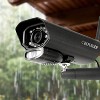
- Crafted from durable, rust-resistant aluminum, Phoenix has a tamper-resistant design that was built to withstand the elements.
- Using twelve specially engineered IR LEDs, Phoenix will automatically shift to night vision at sundown to give you a clear view of your property up to 40ft. away.
Description
Shipping details
Return details
Q: How do you have to mount them on your house
A: Hi, thanks for reaching out about PhoenixM2 Non-WiFi. Plug-In Power Security System with 4 Metal Cameras. To mount the PhoenixM2 Non-WiFi cameras to your house, you will primarily use a wall-mount method. Because this system is a "Plug-In" wireless system, the most important part of the mounting process is not just physical placement, but ensuring each camera is near a power outlet. Tips for a Better Installation: Avoid Metal Obstacles: Do not mount the camera directly behind metal gutters or aluminum siding if possible, as these can block the wireless signal back to your monitor. Hide the Cords: To prevent intruders from simply unplugging the camera, use cable clips to tack the power cord tightly against the house, or run the wire through a small hole into the garage or attic. Height: Mount the cameras roughly 8–10 feet high. This is high enough to keep them out of reach of tampered, but low enough to still get clear facial details. If you have any additional questions, we welcome you to contact MyTGTtech at 833-848-8324 every day, between 7am-11pm CST.
submitted byJoe - 24 days agoTarget staff support
Guests also viewed

Discover more options
Related Categories
Guests are saying

Almost a decade of flawless use
Quality. Great pics day an night.great playback
No wifi available
Love my PHOENIXHD 4 camera system
defender
Above the top
Defender phoenix HD cameras
Works great for tending gosts
(no review title)
Nice unit- easy to use
affordable home security
Using them for years.
Great camera
Great bang for your buck!
gets the job done
Nice camera system
Monitor sleep mode
Quick install and setup
Amazing product