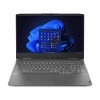
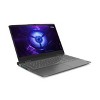
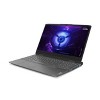
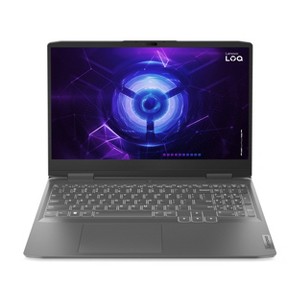
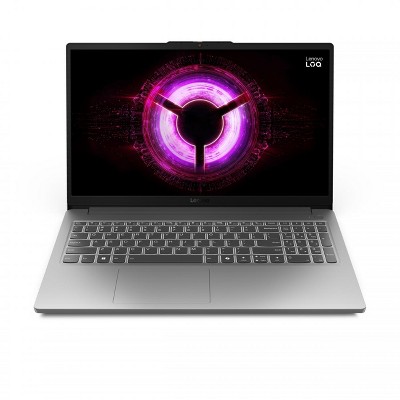
Lenovo LOQ 15.6" 144Hz Gaming Laptop - Intel Core i5 - Nvidia RTX 3050 - 8GB RAM - 512GB Storage - (82XV0012US) Gray
$899.99
Out of Stock
Eligible for registries and wish lists
At a glance
About this item
Additional product information and recommendations
Related Categories
Discover more options
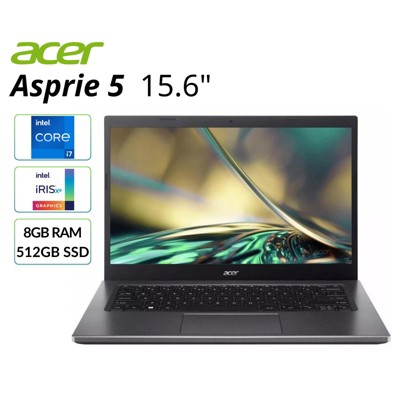
Frequently bought together

Bestseller
$27.99
reg $47.99 Sale
Guests also viewed
3.3 out of 5 stars with 7 reviews
quality: 3.33 out of 5
value: 3 out of 5
60% would recommend
5 recommendations
3 out of 5 stars
Thumbs up graphic, would recommend
9 July, 2025Verified purchase
Item was supposed to be brand new but I got an obviously used item
Laptop was purchased as a Brand New item. However, when I picked up the laptop, the box showed signs of having been opened. Sure enough, the hard drive showed multiple power on counts and large read/writes. In addition, the laptop warranty had been activated 2 years ago and had already expired. Open box items should not be sold as New.
1 out of 5 stars
Thumbs down graphic, would not recommend
10 June, 2025Verified purchase
Purchased as new and was open box item.
Bought as new Box was opened not sealed and PC looks like it was used have wear and tear. I paid new price not used priced.
4 out of 5 stars
Thumbs up graphic, would recommend
3 May, 2025
Great performance for a laptop! Disappointed with the battery life
I bought this laptop over 2 years ago for school and it has never failed me! I upgraded it from 8GB of ram to 16GB. It is very easy to upgrade and to take apart. The screen is bright and fast for gaming. The webcam is about average quality for a laptop. The only complaint I have is the battery life, IT SUCKS. I only get 3-4 hours on power saving mode and 1-2 in performance mode. I would have kept it if the battery life was a lot better even with battery optimization settings. Highly recommend for gaming, video rendering, 3d rendering, and other tasks!
1 reply from Lenovo Product Expert team - 8 months ago
Hey Tordis, Thank you for choosing Lenovo and for sharing your feedback with us. Regarding your issue with battery – as you may know there are lots of variables that contribute to battery and in gaming laptops that can increase even more due to their high-powered processors and graphics cards. If you want to squeeze out more battery life and are completing non-intensive graphics tasks, you can utilize the MUX switch built into this model to turn off the dedicated GPU to greatly decrease power draw. This can be done in the Lenovo Vantage app > top right box > GPU working mode, then choosing your preferred method. Users can also take advantage of the keyboard shortcut, Fn + Q to toggle thermal modes and easily switch between prioritizing battery life or power, or even the best of both words, along with custom settings configurable in Lenovo Vantage. You could also press the Fn + R key combo to toggle to a lower refresh rate for even more power conservation. We are glad to hear that your LOQ 15 has otherwise met your needs. Please feel free to reach out to us should you have any questions. Best regards, Lenovo
4 out of 5 stars
Thumbs up graphic, would recommend
26 April, 2024
Excellent gaming laptop
I've had this laptop since Christmas, and it is amazing for the price. The one downside being a VERY low 8gb of ram. I purchased more ram and it was very quick and easy to install. The graphics card can take on most anything you throw at it. I do have the occasional trouble with it freezing though. The laptop stays exceptionally cool compared to others. Mine averages around 60-75° Celsius while gaming. If you're looking for a budget gaming laptop, this is the way to go.
1 out of 5 stars
Thumbs down graphic, would not recommend
26 February, 2024Verified purchase
Has black line on screen
Bought on cyber monday and screen had faint black line and after just a month the line is darker and goes straight across. Spent a good amount on this too because i needed a replacement for my thinkpad. Return window is closed too. Im pretty sure not evey computer screen is messed up i just got unlucky. Im kinda sad to be honest but its life i guess. My computer has no bangs or anything in case anyone thinks i dropped it literally just the black line inside the screen. I feel like its going to get worse too.
1 reply from Lenovo Product Expert team - 2 years ago
Hello, Cris. We are sorry to hear that you are experiencing this issue with your LOQ. Should you want to discuss repair or replacement options, we recommend reaching out to Lenovo Tech Support to speak with a representative to discuss your potential options at this number: 877-453-6686. We appreciate you sharing your experience so that we may use it to continue to better our products and services for yourself and others.