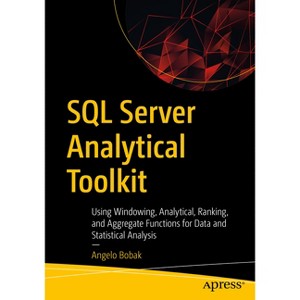
Learn window function foundational concepts through a cookbook-style approach, beginning with an introduction to the OVER() clause, its various configurations in terms of how partitions and window frames are created, and how data is sorted in the partition so that the window function can operate on the partition data sets.
About the Author: Angelo Bobak is a published author with more than four decades of experience and expertise in the areas of business intelligence, data architecture, data warehouse design, data modeling, master data management, and data quality using the Microsoft BI Stack across several industry sectors such as finance, publishing, and automotive.
1055 Pages
Computers + Internet, Programming
Description
Book Synopsis
Learn window function foundational concepts through a cookbook-style approach, beginning with an introduction to the OVER() clause, its various configurations in terms of how partitions and window frames are created, and how data is sorted in the partition so that the window function can operate on the partition data sets. You will build a toolkit based not only on the window functions but also on the performance tuning tools, use of Microsoft Excel to graph results, and future tools you can learn such as PowerBI, SSIS, and SSAS to enhance your data architecture skills.
This book goes beyond just showing how each function works. It presents four unique use-case scenarios (sales, financial, engineering, and inventory control) related to statistical analysis, data analysis, and BI. Each section is covered in three chapters, one chapter for each of the window aggregate, ranking, and analytical function categories.
Each chapter includes several TSQL code examples and is re-enforced with graphic output plus Microsoft Excel graphs created from the query output. SQL Server estimated query plans are generated and described so you can see how SQL Server processes the query. These together with IO, TIME, and PROFILE statistics are used to performance tune the query. You will know how to use indexes and when not to use indexes.
You will learn how to use techniques such as creating report tables, memory enhanced tables, and creating clustered indexes to enhance performance. And you will wrap up your learning with suggested steps related to business intelligence and its relevance to other Microsoft Tools such as Power BI and Analysis Services.
All code examples, including code to create and load each of the databases, are available online.
What You Will Learn
Use SQL Server window functions in the context of statistical and data analysis
Re-purpose code so it can be modified for your unique applications
Study use-case scenarios that span four critical industries
Get started with statistical data analysis and data mining using TSQL queries to dive deep into data
Study discussions on statistics, how to use SSMS, SSAS, performance tuning, and TSQL queries using the OVER() clause.
Follow prescriptive guidance on good coding standards to improve code legibility
Who This Book Is For
Intermediate to advanced SQL Server developers and data architects. Technical and savvy business analysts who need to apply sophisticated data analysis for their business users and clients will also benefit. This book offers critical tools and analysis techniques they can apply to their daily job in the disciplines of data mining, data engineering, and business intelligence.
From the Back Cover
Learn window function foundational concepts through a cookbook-style approach, beginning with an introduction to the OVER() clause, its various configurations in terms of how partitions and window frames are created, and how data is sorted in the partition so that the window function can operate on the partition data sets. You will build a toolkit based not only on the window functions but also on the performance tuning tools, use of Microsoft Excel to graph results, and future tools you can learn such as PowerBI, SSIS, and SSAS to enhance your data architecture skills.
This book goes beyond just showing how each function works. It presents four unique use-case scenarios (sales, financial, engineering, and inventory control) related to statistical analysis, data analysis, and BI. Each section is covered in three chapters, one chapter for each of the window aggregate, ranking, and analytical function categories.
Each chapter includes several TSQL code examples and isre-enforced with graphic output plus Microsoft Excel graphs created from the query output. SQL Server estimated query plans are generated and described so you can see how SQL Server processes the query. These together with IO, TIME, and PROFILE statistics are used to performance tune the query. You will know how to use indexes and when not to use indexes.
You will learn how to use techniques such as creating report tables, memory enhanced tables, and creating clustered indexes to enhance performance. And you will wrap up your learning with suggested steps related to business intelligence and its relevance to other Microsoft Tools such as Power BI and Analysis Services.
All code examples, including code to create and load each of the databases, are available online.
What You Will Learn
Use SQL Server window functions in the context of statistical and data analysis
Re-purpose code so it can be modified for your unique applications
Study use-case scenarios that span four critical industries
Try tutorials on statistics, how to use SSMS, performance tuning, and basic TSQL queries in case you are new to TSQL or need a refresher
Get started with statistical data analysis and data mining using TSQL queries to dive deep into data
Follow prescriptive guidance on good coding standards to improve code legibility
About the Author
Angelo Bobak is a published author with more than four decades of experience and expertise in the areas of business intelligence, data architecture, data warehouse design, data modeling, master data management, and data quality using the Microsoft BI Stack across several industry sectors such as finance, publishing, and automotive. Before becoming a database architect, he was an electrical engineer in the power plant industry.
Dimensions (Overall): 10.0 Inches (H) x 7.0 Inches (W) x 2.12 Inches (D)
Weight: 4.03 Pounds
Suggested Age: 22 Years and Up
Number of Pages: 1055
Genre: Computers + Internet
Sub-Genre: Programming
Publisher: Apress
Theme: Microsoft
Format: Paperback
Author: Angelo Bobak
Language: English
Street Date: September 24, 2023
TCIN: 1011991610
UPC: 9781484286661
Item Number (DPCI): 247-24-6665
Origin: Made in the USA or Imported
If the item details aren’t accurate or complete, we want to know about it.
Shipping details
Estimated ship dimensions: 2.12 inches length x 7 inches width x 10 inches height
Estimated ship weight: 4.03 pounds
We regret that this item cannot be shipped to PO Boxes.
This item cannot be shipped to the following locations: American Samoa (see also separate entry under AS), Guam (see also separate entry under GU), Northern Mariana Islands, Puerto Rico (see also separate entry under PR), United States Minor Outlying Islands, Virgin Islands, U.S., APO/FPO, Alaska, Hawaii
Return details
This item can be returned to any Target store or Target.com.
This item must be returned within 90 days of the date it was purchased in store, delivered to the guest, delivered by a Shipt shopper, or picked up by the guest.